Digital Asset Management for Packaging Artwork Lifecycle


Store, manage and control packaging artwork files within an integrated workflow.

As part of the Cway platform, digital asset management connects assets with projects, approvals and final artwork — without manual file handling or version confusion.


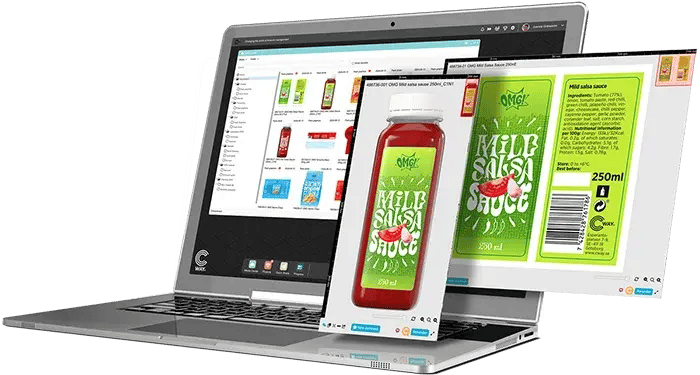
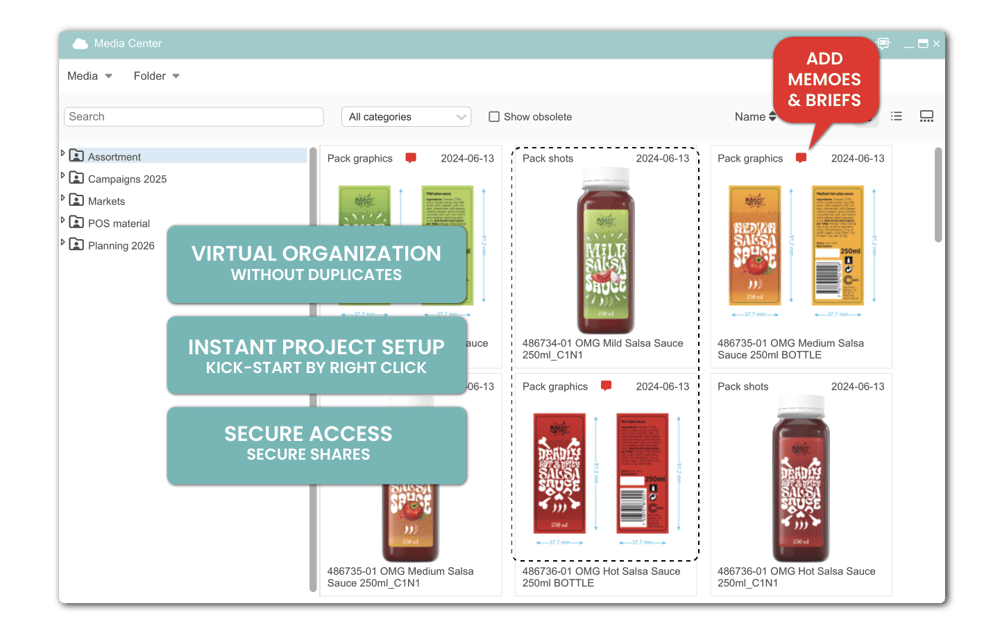
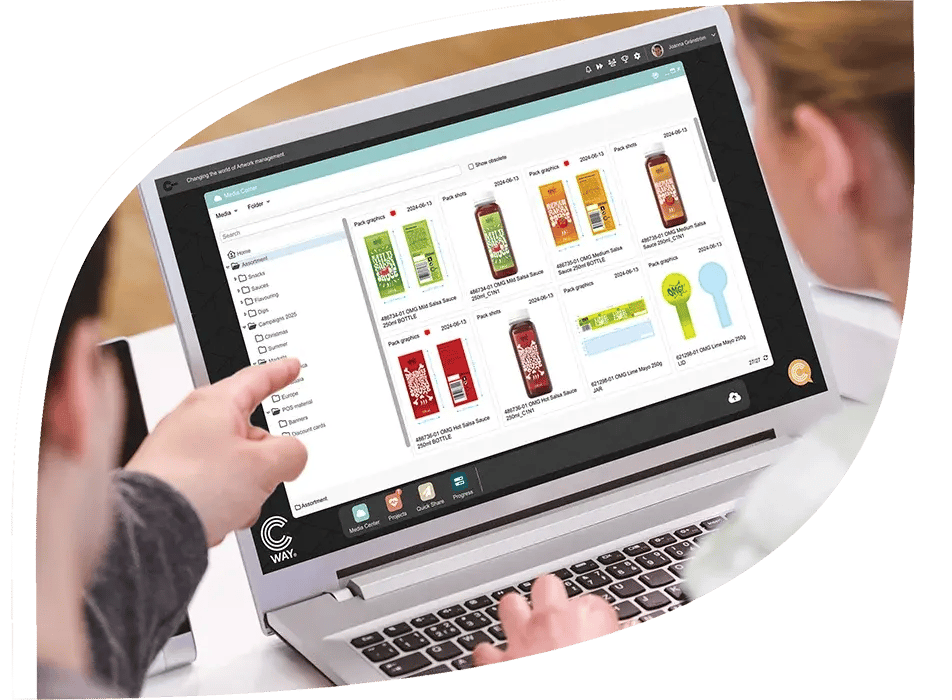
Laptop screen showing Cway® Media Center with packaging files and artwork previews for digital asset management
logo-taffel logo-libero logo-arlakoket logo-estrella logo-libresse logo-santamaria logo-schonox-1 logo-risenta logo-kelda-1 logo-mjau logo-fjallbrynt logo-kavli logo-lohmanders logo-rydbergs logo-casco logo-bozita logo-eriks logo-godehav logo-mills logo-sika logo-planti logo-cloetta logo-arla logo-druvan logo-tork logo-maarud logo-doggy

Digital Asset Management Solution for Packaging Artwork


Cway® Media Center is the Digital Asset Management solution within the Cway platform, designed specifically for packaging artworks and packaging-related design files.

It provides a centralized, secure environment for storing and organizing assets, while remaining fully integrated with artwork projects and workflows. Packaging teams can view files through a built-in viewer, track versions and comments, and clearly understand how assets relate to projects and approvals.

Because Media Center is part of the Cway platform, assets are managed as part of the packaging artwork lifecycle — from active projects to approved, print-ready artwork — with full transparency and control.


brand-asset-management-media-center-interface
Sofia Wallsten

Trusted by product and packaging teams

Managing documentation through email was a mess. We manually synced Excel archives, wasting time. Starting projects is now effortless, and everyone stays aligned.

I use Cway® daily, work more efficiently, and it’s worth every penny. Highly recommended!


Sofia Wallsten
Product Manager, Fria

BRAND ASSET WORKSPACE

Packaging Artwork Assets, Connected To The Workflow

Manage, organize and share packaging artwork files directly within your workflows — ensuring version control, security and full lifecycle visibility.


ALL MEDIA GATHERED

One single source of truth for all assets

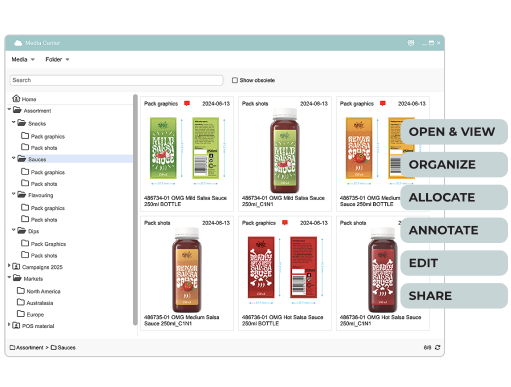
Keep all your artworks, designs, pack graphics, 3D renders, marketing materials, and other media in one centralized system. No more searching through emails or using multiple platforms.

Centralized Media Center view showing organized folders and media files with options to view, organize, allocate, annotate, edit, and share
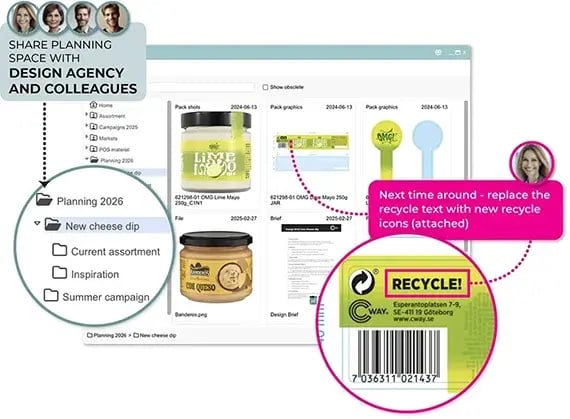
Media Center view showing creative planning folders, digital artwork memos, and collaboration tools for sharing feedback with design teams


PLAN CREATIVE WORK

Visual planning for future projects

Media Center supports highly visual planning. Placing digital memos on artworks between projects and creating planning folders to group artworks, documents, briefs, and notes, drives more streamlined collaboration and smoother future planning.


KICKSTART PROJECTS

Storage-to-project integration

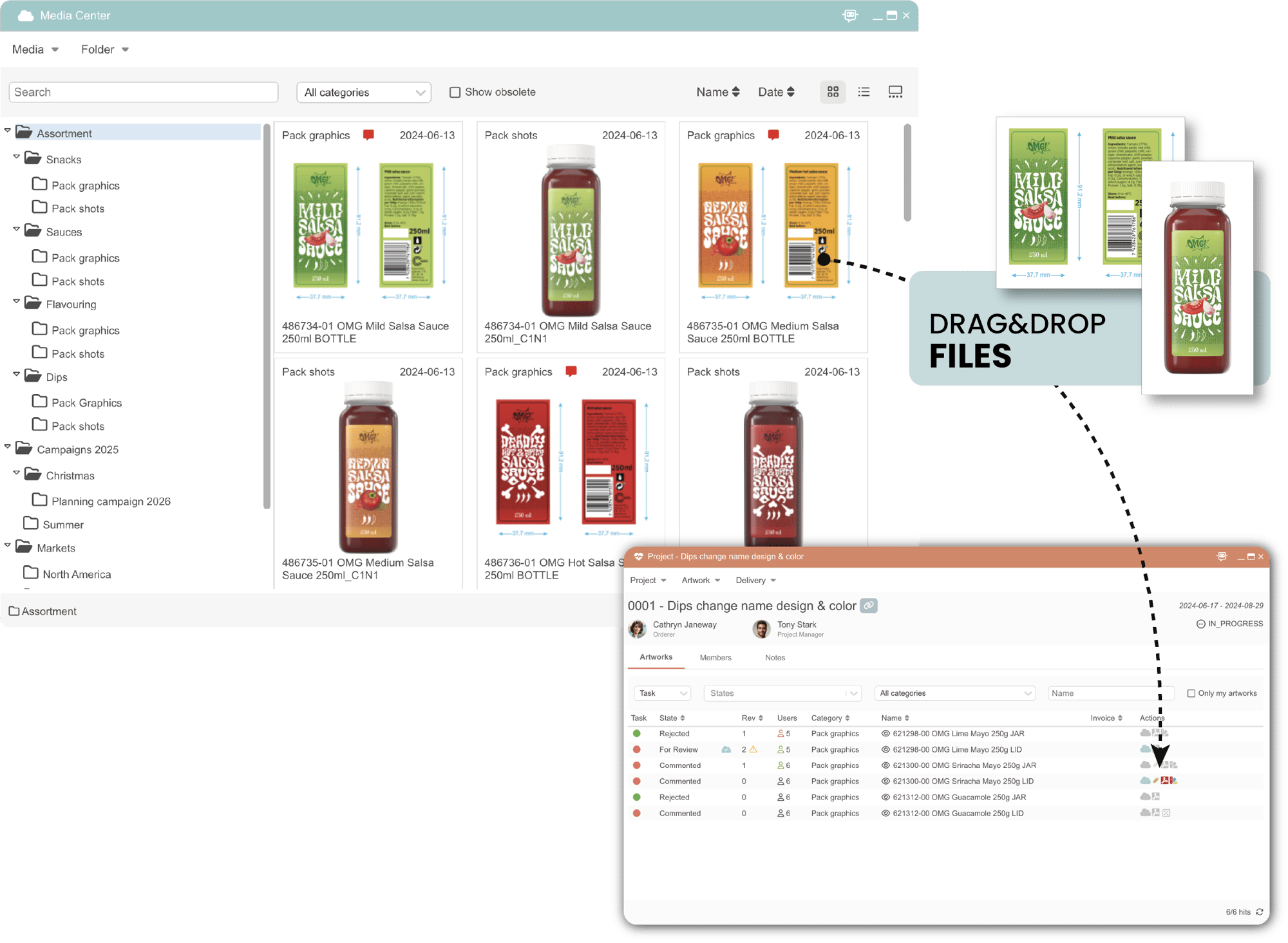
Integration between Media Center and Projects in Cway® keeps media at your fingertips, saving time. Meanwhile, memo notes can automatically become artwork briefs, cutting out extra steps and streamlining work.

Cway interface showing how to drag and drop packaging assets from Media Center into Projects to quickly start new artwork briefs
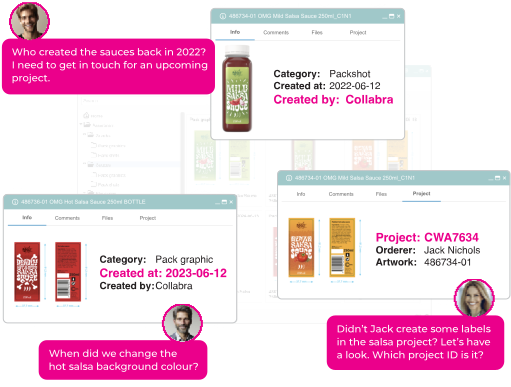
Screenshot of Cway Media Center showing metadata details like project ID, creation date, creator, and label versions for different packaging assets


FIND OUT ANYTHING

Product‑aware assets, not just files

Media Center not only securely hosts media but also automatically preserves essential data. Its centralized repository helps teams switch roles seamlessly and preserves critical organizational expertise.


SKIP MANUAL UPDATING

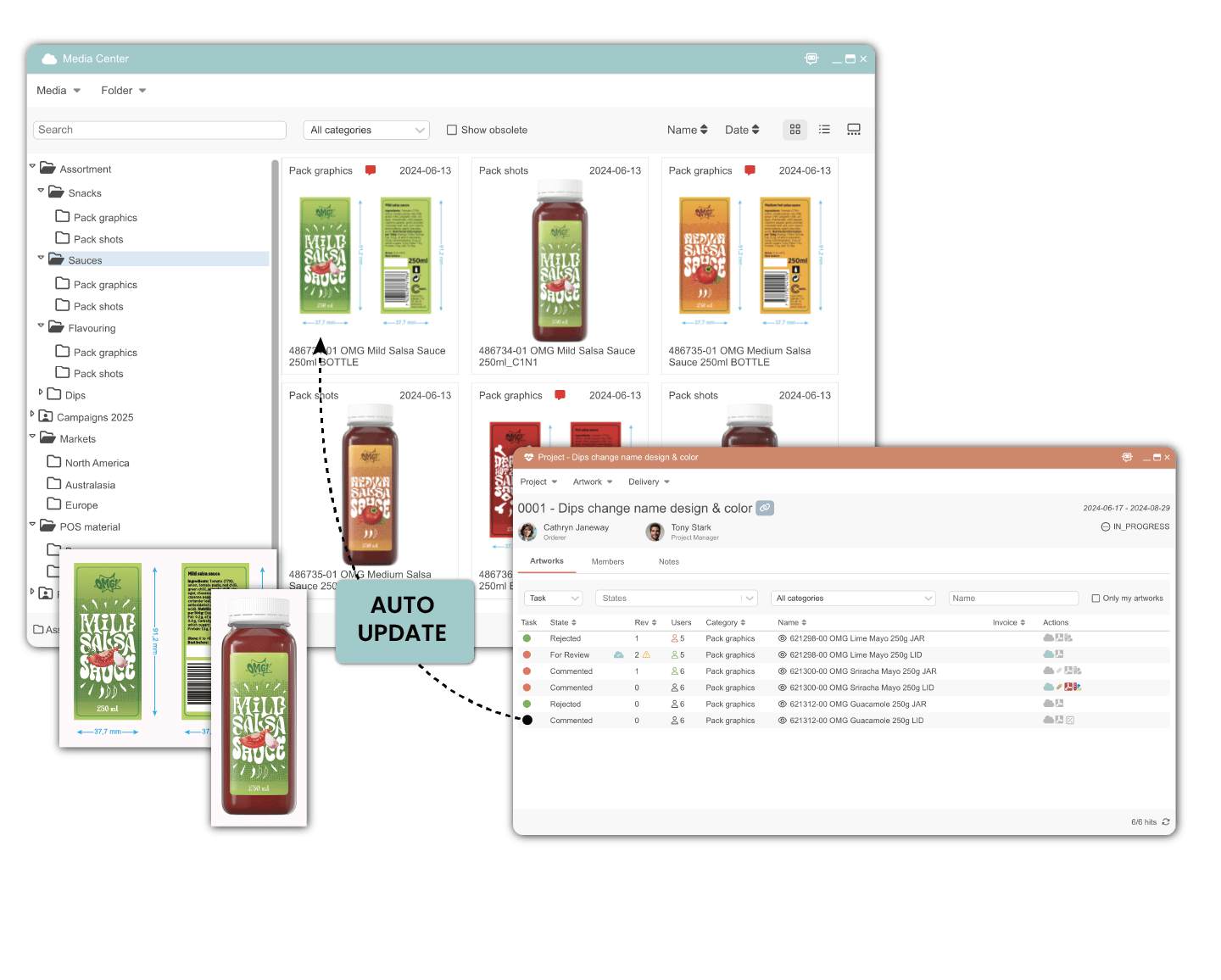
Auto sync upon approval

Once approved, final versions automatically save to Media Center, giving everyone immediate access to up-to-date files and removing manual transfers or delays. The rapid sync eliminates the risk of using outdated files.

Illustration of auto-sync in Cway: final approved packaging files are automatically updated in the Media Center without manual uploads

The benefits of Cway® digital asset management solution

security

Safe and secure

Protect your digital assets with encrypted storage and role-based access, so only the right people can see and edit your files.

kickstart

Kickstart projects

Select files from Media Center and drag them into your Projects workspace to launch projects instantly. Your notes transform into a brief.

version control

Version control

Always work with the latest files while maintaining full access to previous versions when needed.

collaboration-1

Collaborate & share

Share assets and folders easily with your team, design agency or clients, facilitating real-time collaboration.

find

Locate files fast

Use smart filters, purposeful categories, and powerful search tools to quickly locate assets. No more wasting time digging through folders.

file types

View all file types

Upload, store and view any file – PDF's, vector files, videos, images, and even complex 3D renderings.

Digital asset management that provides control

Don't just store files. Take control of your entire artwork lifecycle. From the moment a design is created, everything stays organized, accessible, and up to date. No more lost files, version confusion, or endless email threads.


Book a strategy call
Digital asset management that provides control

FAQ

Want a deeper understanding of how Digital Asset Management supports the full artwork lifecycle?

Explore our educational guide Digital Asset Management: The Complete Guide, where we explain best practices, common challenges and how DAM fits into modern creative and packaging workflows.


Discover the power of an all-in-one solution

Store, manage, and activate brand and packaging assets with confidence


Start your timesave today - get in touch!
accelerate your projects