Artwork management that connects teams, files, and approvals
The complete solution for artwork creation and distribution. From initial design to final approval, every step is tracked, reviewed, and organized in one place.
From brief to archive, in one place.
Artwork management for the whole packaging process
Brief, design, review, approve, deliver, archive, reuse. Cway manages every stage of the artwork lifecycle in one place, keeps each pack tied to its product data, and records every step, so the right file reaches print every time and is ready for the next run.

Trusted by product and packaging teams
“I’ve used Cway® for many many years across different companies. Before, artwork management was complicated, complex, and frustrating. Now we have control, peace of mind, time savings, and improved quality due to less errors. What took ten hours before now takes one.”
Lisa Müller
Head of marketing retail, Partner in Pet Food
THE ARTWORK PROCESS
Start Managing Artwork as an Operational System
Plan the work, track every revision, hand files to designers and printers, and keep a complete record from brief to archive.
CONTROL PROJECTS
Clear Overview, Live Status
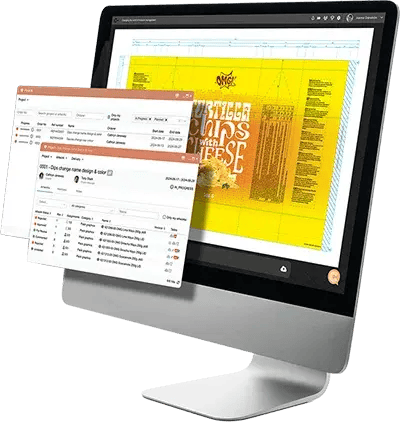
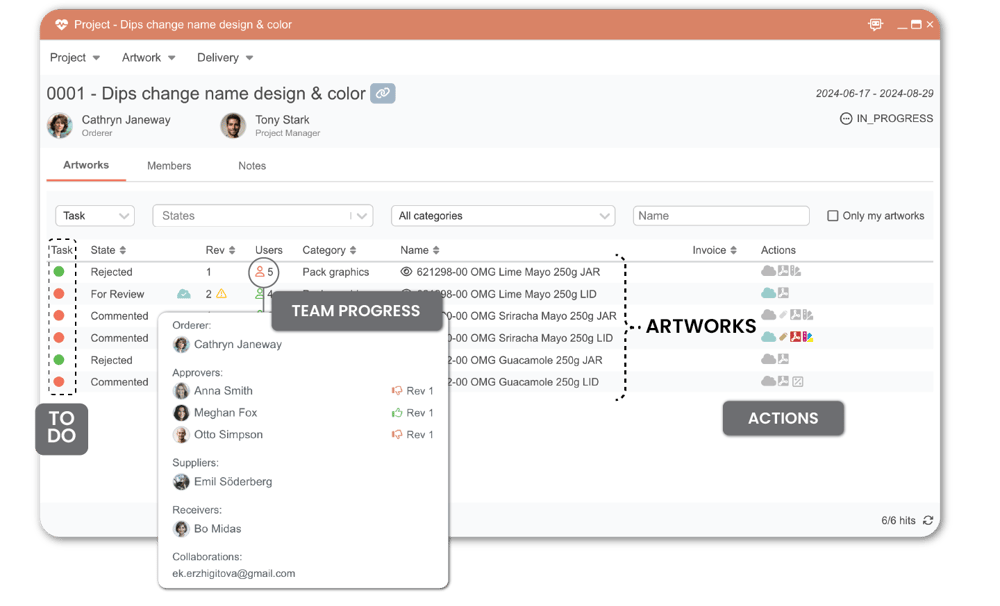
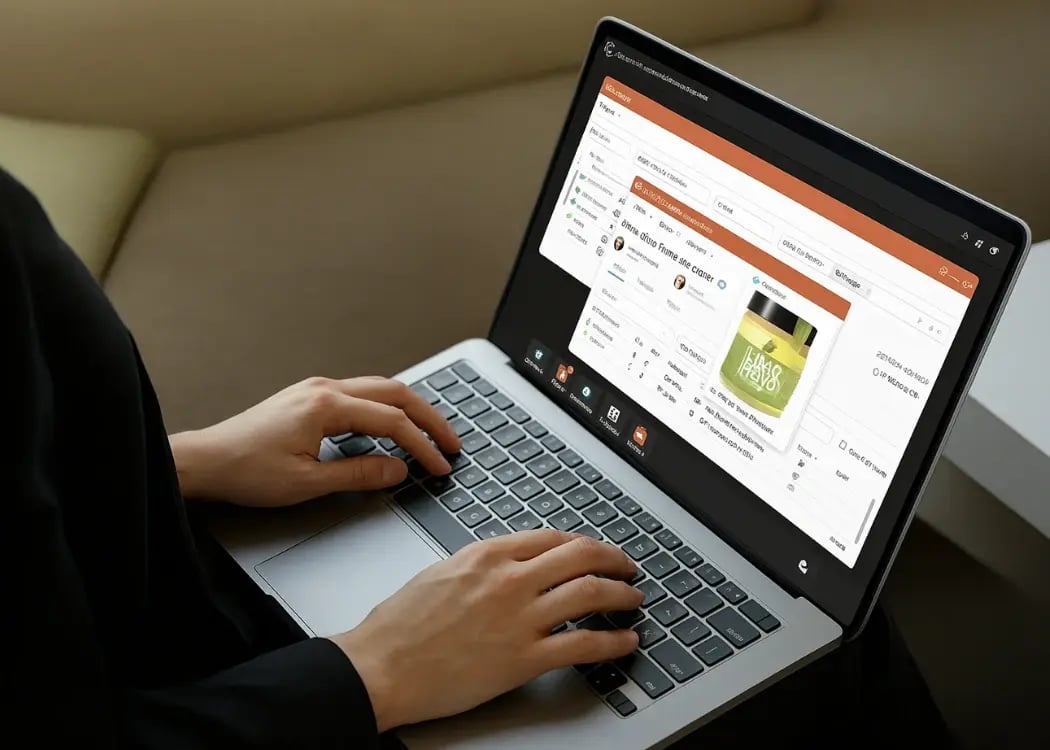
See every project on a planner timeline with percent complete, set custom statuses that match how your team works, and keep track of what's waiting on you in one live inbox. A project can't be closed while tasks are still open, so nothing is left half-done. Everything updates in real time, with no refresh.
USE CORRECT VERSIONS
Artwork Revisions, History, and Accuracy
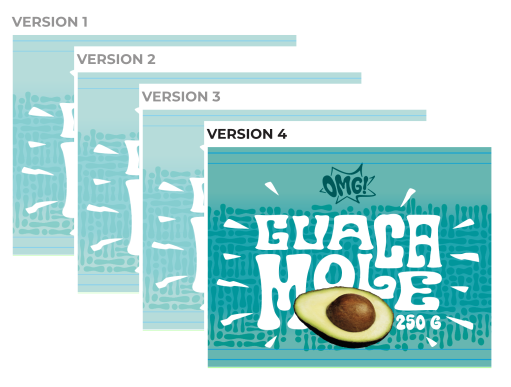
Every change to projects, artworks, files, the library and products is kept as a permanent event, and every approval is tied to the exact revision it was given on. A comment that turns out to be wrong can be taken out of the flow without being deleted, and restored later if needed. You always know which version is approved, and how it got there.
SKIP THE COORDINATOR
Auto alerts & task management
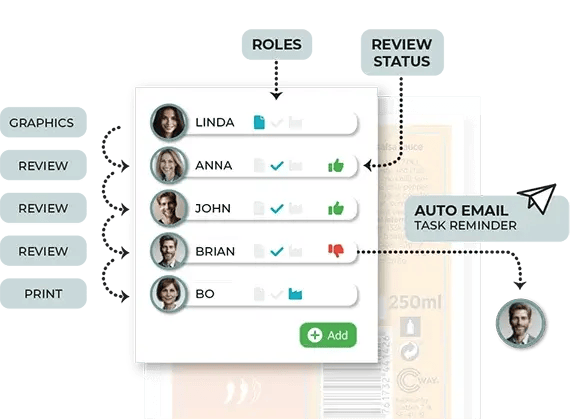
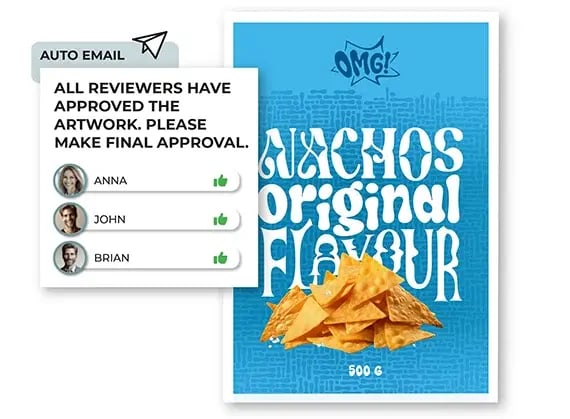
Stay in control of every task with automated alerts and structured assignments. Cway® keeps deadlines on track by notifying teams about tasks, approvals, and updates, while keeping responsibilities clear to reduce confusion and delays.
Assign, approve, reject, bundle, and deliver hundreds of SKUs at once. With automatic alerts and deadlines for each approver, everyone stays aligned—so an entire product range moves forward as smoothly as a single update.
WORK WITH DESIGNERS AND PRINTERS
Seamless teamwork in
real-time
Connect teams through real-time updates, shared workspaces, and streamlined workflows. Everyone stays informed, feedback moves smoothly, and approvals happen faster—keeping projects on track no matter where teams are located.
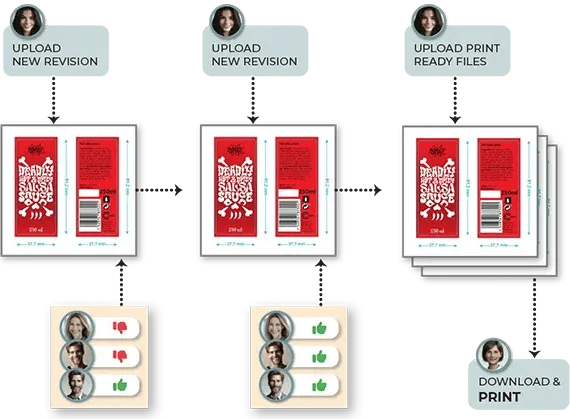
Designers can check artwork in and out, while returned files are automatically organized by type and every change is recorded in the file history. Printers can complete full print specifications directly from an emailed link—no account required—while a dedicated Repro role gives them access to delivery files only.
FROM BRIEF TO ARCHIVE
Rapid project completion
Keep artwork moving from concept to production with a clear workflow, organized reviews, and fast approvals. Everyone knows what needs to happen next, reducing bottlenecks and helping teams meet tight deadlines.
Once approved, the final master stays available for future use. When artwork is no longer active, mark it as obsolete instead of deleting it. It leaves daily workflows but keeps its complete history, ready to be brought back when the artwork is needed again.
OPEN API & INTEGRATIONS
Connects to the Tools You Already Use
Cway runs on an open API, the same one the app itself uses. With scoped API keys and webhooks on key events, artwork, product and approval data can flow into the systems your teams already rely on.
Teams already use it to sync approved artwork and metadata to Bynder, so their DAM always holds the latest approved master; to keep people up to date on artwork activity in Slack; and, for Nordic agencies and printers, to connect Blikk ERP, where linked projects are created, the closing status syncs back and time reports flow into Cway.
Need something else? Tell us which system you want to connect, and we'll work out the integration with you.
The benefits of Cway® artwork management software
Built for range launches
Bulk actions handle hundreds of SKUs at once, from assignment to delivery.
Real-time everywhere
Projects, tasks, the library and downloads update live, so everyone sees the same picture.
Clear team roles
Easily see who is responsible for what, preventing confusion and ensuring all tasks are completed on time.
Enterprise security
Azure AD single sign-on, custom roles built from around 50 permissions, and access set per folder.
Login audit with location
Every login records the time, IP address, browser, city and country.
Faster time to market
Structured workflows and automated approvals help artwork move quickly from concept to launch, avoiding delays.
Smart tools for artwork management
No more back-and-forth emails, lost files or wondering whether the printer has the right version. Cway keeps artwork, product data, revisions and deliveries in one system, so packaging teams can launch more with the same people.
Book a strategy call
FAQ
-
What is artwork management?
Artwork management is the process of creating, reviewing, approving, storing and distributing packaging artwork in a controlled way. Artwork management software centralises the files, tracks every revision, links artwork to the product it belongs to and keeps a record of each decision, so the right version reaches print.
-
What is an artwork management system?
An artwork management system is the software that runs that process: projects and tasks, version history, approvals, an asset library for approved masters, and a traceable handover to printers. It replaces scattered emails, shared drives and spreadsheets with one connected record.
-
What is Cway software?
Cway is an artwork management platform for packaging teams. It brings artwork workflows, approvals, a brand library and product data together, so every pack is tied to its product, every change is recorded, and approved artwork is filed and delivered to the printer in a traceable way.
-
How does Cway® improve packaging artwork production?
Cway links each artwork to its product and GTIN, flags outdated translations, keeps a permanent history of every change, and marks artwork Delivered only when the printer has downloaded it. Printers fill in their own print specifications, and approved masters are filed automatically, ready for reuse.

-
Can artwork be linked to product data in Cway?
Yes. Artwork is linked to products and articles by GTIN, so from any product you can find every artwork that belongs to it. Barcodes found on proofs are decoded automatically and searchable across the library.
-
Does Cway integrate with other systems?
Yes. Cway runs on an open API with scoped keys and webhooks on key events, so it can connect to the systems your teams already use. Examples include Bynder, where approved artwork and metadata sync to your DAM, Slack for artwork updates, and Blikk ERP for Nordic agencies and printers. Printers with automated pickup can also receive delivery files over FTP or FTPS. If you need a different integration, we're happy to discuss it.
Want to understand the artwork lifecycle from start to finish?
Get a clear overview of processes, risks, and best practices.
The complete Cway feature list
Workflow, approvals, compliance, asset management and analytics, every capability from brief to printer in one overview.
DISCOVER THE POWER OF AN ALL-IN-ONE SOLUTION
See how Cway turns artwork management into a controlled operational system
Start your timesave today - get in touch!