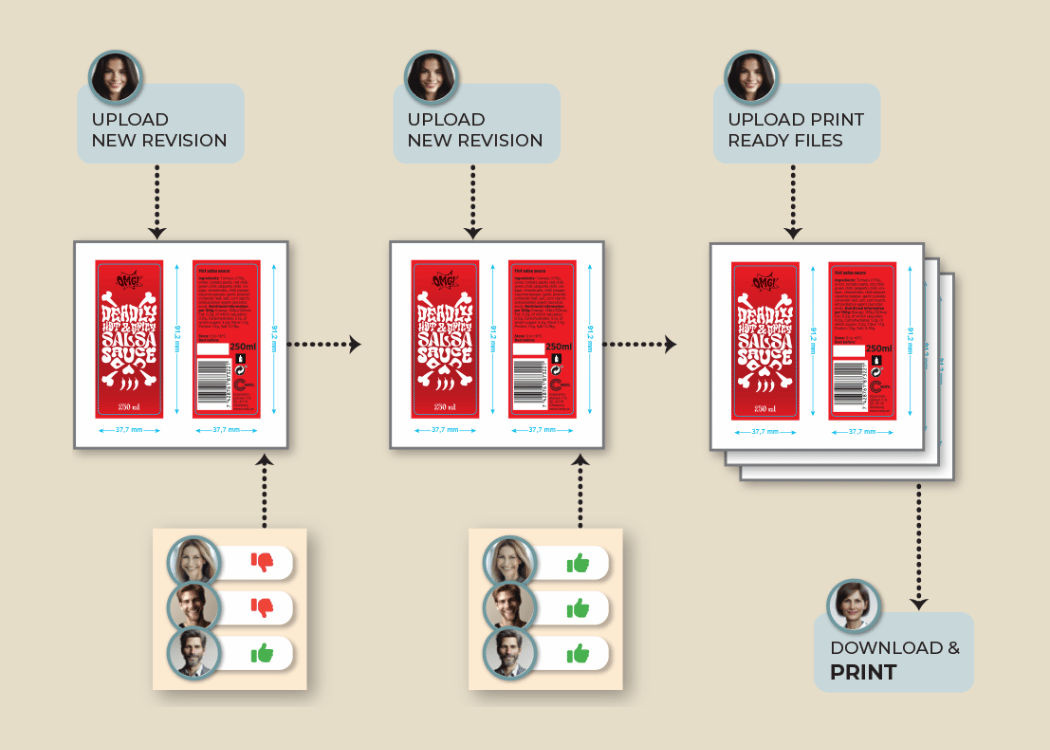
Artwork approval process: a complete step-by-step guide
The artwork approval process helps teams make sure packaging, labels, and designs are correct before they go live. But if the process isn’t clear, it...
2 min read
Ekaterina Skalatskaia
:
December 18, 2025 at 7:32 AM
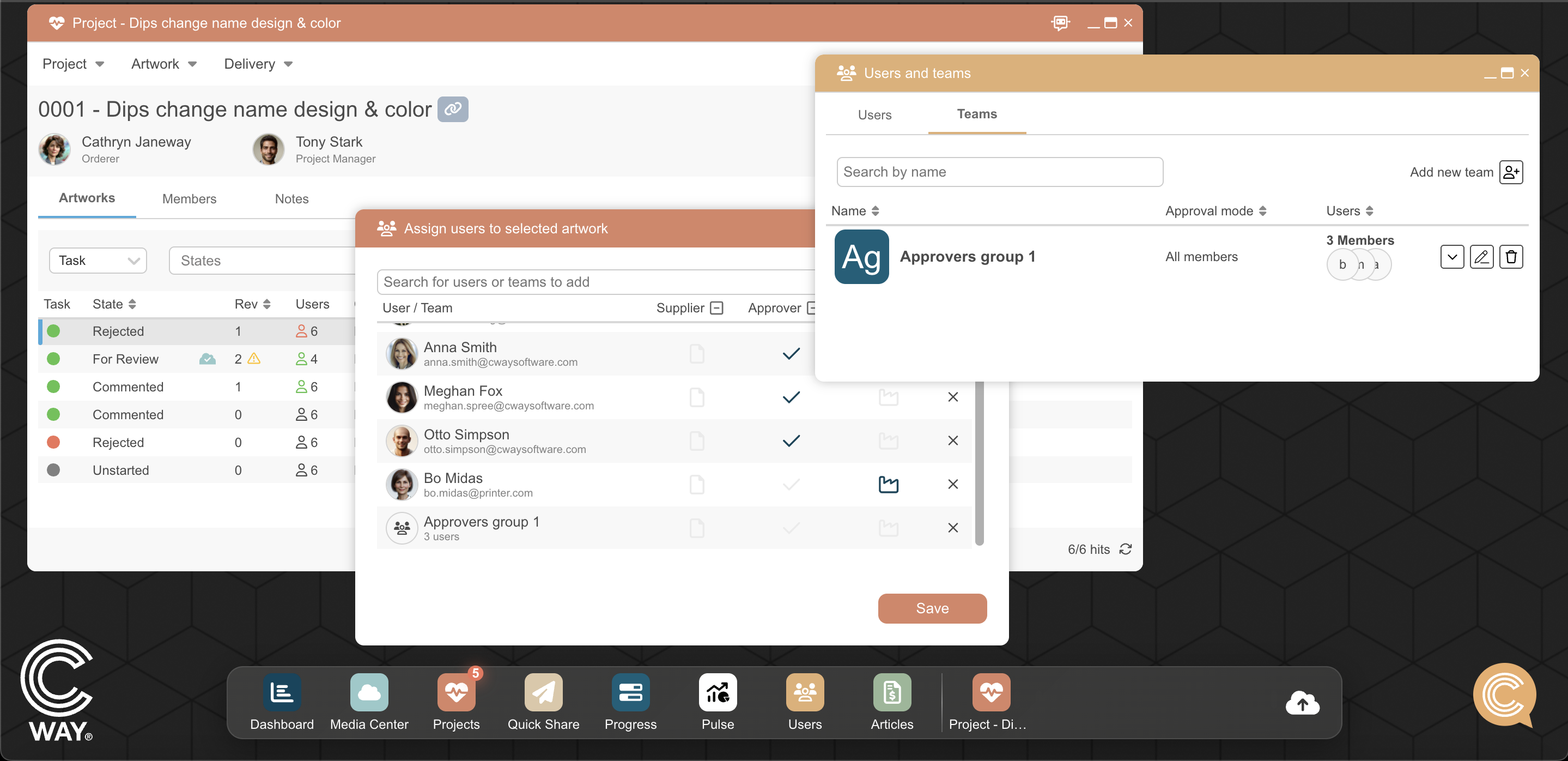
Managing packaging artwork projects often requires multiple teams, many reviewers, and different approval stages. To support the complexity of modern artwork approval workflows, we’ve expanded the Teams capabilities in Cway — giving you more flexibility, clearer control, and tools that truly adapt to the way your organization works.
These new features help streamline collaboration, speed up decision-making, and ensure that your artwork management workflow reflects real-life team structures and approval processes.
Teams can now be created and assigned to key roles within your artwork lifecycle, including:
Approvers
Suppliers
Receivers
This makes it easier to manage multi-department participation across design, marketing, regulatory, brand, and packaging teams. Instead of assigning individual users one by one, you can now configure workflow roles at the team level, dramatically reducing setup time and improving clarity in your approval routing.

Artwork processes differ across companies — and even across departments. That’s why Cway now supports two distinct team logic options, allowing you to map your artwork approval workflow exactly as it functions in reality.
This behavior requires all team members to complete their assigned action — for example, approving, commenting, or reviewing artwork.
Ideal for workflows involving:
quality assurance
regulatory checks
legal review
labeling compliance
multi-stakeholder artwork approval
This ensures that all required voices are heard before the artwork moves to the next stage.
Perfect for: teams where every perspective matters and oversight is critical.
In this configuration, the moment one member completes the action, the task is automatically removed for everyone else.
This dramatically simplifies situations where:
any representative from the team can approve
responsibility rotates
one decision is enough to move forward
the review step doesn't require multiple approvals
This setup reduces duplicated work and accelerates your packaging artwork process — especially when fast approvals are needed to keep projects on schedule.
Perfect for: brand teams, project managers, creative teams, or any workflow where one approval is sufficient.
Every organization has a unique approach to managing and approving artwork. Some have strict regulatory gates, while others move quickly and rely on individual sign-off. That’s why flexibility is essential in any artwork management workflow.
By expanding Teams capabilities, we ensure that Cway can adapt to different structures and approval routes used across modern FMCG, retail, and packaging operations.
Flexible workflows help you:
speed up artwork approvals
reduce repeated or unnecessary tasks
align responsibilities across teams
support cross-functional collaboration
maintain accuracy at every approval stage
adapt quickly as your business or brand operations evolve
This update is also a reflection of how we develop Cway:
we listen to user feedback and continuously build features that match real operational needs and real artwork processes.
Our mission is to help your teams collaborate more effectively and deliver packaging artwork faster, with fewer errors and a workflow that truly works for you.
The artwork approval process helps teams make sure packaging, labels, and designs are correct before they go live. But if the process isn’t clear, it...

When you’re managing packaging, marketing campaigns, or product labels, getting artwork approved quickly and correctly is key. A missed detail can...
Online artwork approval software transforms how teams manage feedback and collaboration during the packaging design process. In this article, we’ll...