
Managing Packaging Artwork Across Multiple Brands: A Practical Guide

Artwork Delivery Performance Dashboard Overview


Running artwork for a single brand is complex enough. When your team manages artwork across two, five, or fifteen brands simultaneously — each with its own visual identity, regulatory requirements, and approval stakeholders — the complexity doesn't multiply linearly. It compounds.

This guide explains how companies manage multi-brand packaging artwork workflows at scale and how packaging artwork management software helps teams streamline approvals, maintain compliance, and accelerate product launches.. You'll find practical frameworks for organizing workflows, establishing brand governance, and understanding where purpose-built tools make the biggest difference.

In Short

Managing packaging artwork across multiple brands requires:

  • centralized storage for artwork assets
  • structured approval workflows
  • clear artwork version control
  • brand-specific asset governance
  • regulatory compliance tracking
  • collaboration between marketing, regulatory, and supply chain teams

Many organizations streamline these processes using packaging artwork management software designed specifically for packaging operations.


Hidden Costs of Poor Artwork Management 2

1. Why Multi-Brand Artwork Management Is Different

Many companies underestimate how much complexity increases when moving from single-brand packaging operations to multi-brand portfolios.

When teams manage artwork for a single brand, knowledge often lives informally within the organization. Designers know which logo to use, regulatory teams know which claims apply, and packaging teams understand the supplier requirements.

This approach can work when the scale is small.

However, when organizations manage several brands simultaneously, informal knowledge quickly becomes insufficient.

Teams must coordinate:

  • different brand identities
  • multiple product categories
  • numerous product variants
  • several markets with unique regulations
  • multiple approval stakeholders

As the portfolio grows, packaging artwork workflows become increasingly difficult to manage without structured systems.

Multi-brand artwork management requires something single-brand operations can get away without: explicit structure. Clear ownership, documented rules, separated workflows, and a system that makes it impossible to accidentally apply Brand A's standards to Brand B's artwork.

The good news is that structure doesn't have to mean bureaucracy. Done well, it makes every brand run faster because no one is hunting for the right version, second-guessing whether the logo is correct, or waiting for an approval from someone who doesn't know what they're looking at.

Multi-Brand Packaging Artwork Management

Multi-brand packaging artwork management is the process of creating, reviewing, approving, and distributing packaging artwork across multiple brands while maintaining brand consistency, regulatory compliance, and version control.

What is Packaging Artwork Workflow

A packaging artwork workflow is the structured sequence of steps that packaging designs follow from initial brief to final production-ready artwork.

What is Artwork Version Control

Artwork version control is the process of tracking, managing, and documenting revisions to packaging artwork to ensure that the correct version is used for production and regulatory compliance.

2. The Hidden Costs of Managing Artwork Brand by Brand

Teams that manage multiple brands without a unified system typically pay for it in ways that are easy to miss because the costs are diffuse.

Version confusion across brands.

When each brand lives in its own folder structure — or worse, spread across email threads — teams spend enormous time just finding the right file. "Is this the approved version?" becomes a daily question. The answer requires checking with someone, which takes time neither person has.

Inconsistent brand standards over time.

Without a controlled, centralized repository, brand assets drift. An old logo gets used because it was the first file in a search result. A deprecated tagline survives in one market long after it was retired everywhere else. Each drift is small. Cumulatively, they erode brand equity.

Duplicated effort.

Teams managing brands separately often rebuild the same processes from scratch for each one — the same checklists, the same approval templates, the same corrective loops. The effort compounds without producing any shared benefit.

Regulatory risk.

Multi-brand portfolios almost always mean multi-market portfolios. Different markets carry different labeling requirements. When artwork moves through informal channels without audit trails, compliance teams can't reliably confirm what was reviewed, by whom, and when. That's an audit risk, and in some categories, a market withdrawal risk.

Slow time to market.

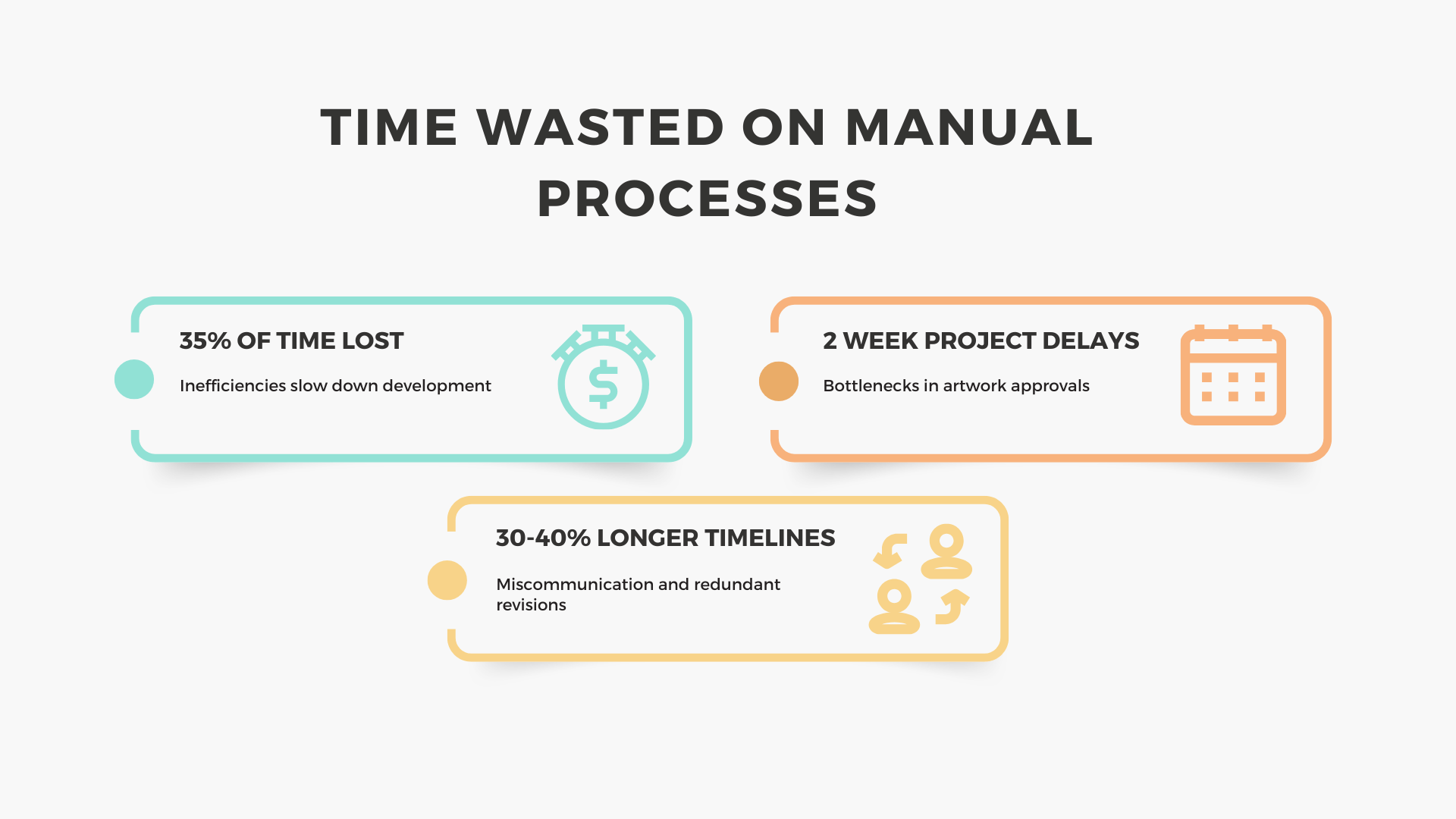
FMCG benchmark data shows that teams managing approvals over email average 32 days and 8.4 revision rounds per artwork. Teams using structured workflow tools average 18 days and 4.1 rounds. Across a portfolio of dozens of artworks and multiple brands, that gap translates directly into competitive disadvantage.


3. What Multi-Brand Artwork Management Actually Involves

Multi-brand artwork management is the practice of coordinating the creation, review, approval, and distribution of packaging artwork across a portfolio of brands — while maintaining each brand's individual standards and keeping cross-brand operations organized, traceable, and efficient.

It sits at the intersection of brand management, supply chain, regulatory compliance, and project management. In practice, it involves:

  • Artwork creation and revision — briefing designers, collecting feedback, managing iterations
  • Brand governance — ensuring each artwork conforms to the correct brand standards for the market it's intended for
  • Approval workflows — routing artwork through the right stakeholders in the right sequence, across brand, regulatory, legal, and commercial functions
  • Version control — maintaining a clear, unambiguous record of which version is current, which is approved, and which is archived
  • Market and SKU management — tracking which artwork belongs to which product, variant, and market
  • Supplier coordination — getting approved, print-ready files to the right supplier at the right time
  • Compliance documentation — maintaining audit trails that show who reviewed what, and when

In a well-functioning multi-brand operation, these activities happen in parallel across multiple brands simultaneously, without one brand's urgency derailing another's timeline.


Book a Free Session to See How This Works in Practice

4. Common Challenges at Scale

Teams managing artwork across multiple brands consistently encounter a set of recurring challenges. Understanding these patterns is the first step toward addressing them structurally rather than reactively.

Fragmented brand ownership

In many organizations, each brand has its own brand manager — but no one owns the cross-brand system. Individual brand managers optimize for their own workflows, which creates inconsistency across the portfolio. When a new brand joins the portfolio (through acquisition, launch, or license), there's no established onboarding path for the artwork process.

Parallel approval bottlenecks

Regulatory, legal, and commercial approvals often run through shared stakeholders who sit outside any individual brand team. When multiple brands need the same compliance reviewer at the same time, queues form. Without visibility into the full workload, the bottleneck is invisible until timelines start slipping.

Unclear separation between brands

Without a structured system, files for different brands end up in the same folders, the same shared drives, the same email threads. Designers working at speed pick up the wrong template. Reviewers approve against the wrong standard. These are errors that proper structure prevents almost entirely.

Difficulty onboarding new brands

When a company acquires a new brand or launches a new product line, onboarding it into an existing artwork process reveals how ad hoc that process was. If the workflow lives in people's heads, there's nothing to extend. The new brand gets improvised treatment until someone decides to formalize things — which usually happens after a costly mistake.

No unified view of the portfolio

Without a system that spans all brands, it's impossible to get a real-time view of where artwork stands across the full portfolio. What's in progress? What's awaiting approval? What's at risk of missing a launch date? Brand managers know their slice; no one knows the whole picture. That limits leadership's ability to make informed decisions about resourcing and prioritization.

Signals That You Need Artwork Management Software


You manage multiple brands (separate brand guidelines and workflows)


Artwork files exist in many locations (hundreds or thousands of SKUs)

Email-based approvals (artwork feedback scattered across threads)

Version confusion (teams ask "Which version is final?")

Slow launches (artwork approvals delay production)

Key Capabilities of Packaging Artwork Management Software


Capability Description Benefit
Centralized artwork repository Stores all packaging artwork in one system Eliminates file confusion
Automated approval workflows Routes artwork through defined approval stages Faster review cycles
Version control Tracks revisions and approval history Prevents outdated files
Brand asset libraries Maintains brand-specific assets Ensures brand consistency
Compliance tracking Logs regulatory approvals Simplifies audits
Supplier handover Delivers production files to printers Reduces production errors


Multi-Brand Portfolio Structure


Brand Portfolio

──────── Brand A ──────── SKU Variants ─────── Market Versions

──────── Brand B ──────── SKU Variants ─────── Market Versions

──────── Brand C ──────── SKU Variants ─────── Market Versions


Central Artwork Management Platform

Coordinated Packaging Workflows


5. How to Build a Cross-Brand Artwork Workflow

A cross-brand artwork workflow doesn't require every brand to operate identically. It requires every brand to operate within the same structure — with enough shared process that coordination is possible, and enough flexibility that each brand's specific needs are met.

Start with a shared taxonomy

Before anything else, define how your brands, markets, SKUs, and artwork types will be organized and named. A shared taxonomy is the foundation everything else rests on. Without it, even good tools will devolve into chaos because teams will name and organize things inconsistently.

A workable taxonomy includes: brand name, market/region, product category, SKU or variant identifier, language, and version. Applied consistently, this makes every file findable and every portfolio view meaningful.

Define workflow stages that apply across all brands

Map the stages every artwork goes through — brief, design, internal review, regulatory review, approval, sign-off, print-ready handover. Some stages will be brand-specific (a premium brand may require additional brand custodian sign-off; a brand in a regulated category may require an extra compliance step). But the backbone should be consistent.

Consistent stages allow you to report on portfolio-wide status. If your stages are defined differently for each brand, there's no common language for tracking where everything stands.

Separate brand governance from project management

Brand governance (is this artwork correct for this brand?) and project management (where is this artwork in the approval process?) are related but distinct. Conflating them creates confusion. The brand manager's job is to ensure brand standards are met; the project manager's job is to ensure the workflow moves forward on time. Both need visibility, but into different things.

Build approval chains by role, not by person

Approval chains built around named individuals are fragile. When someone is on leave, changes role, or leaves the company, the chain breaks. Build approval chains around roles — "Brand Custodian," "Regulatory Reviewer," "Commercial Approver" — and assign people to roles. When an individual changes, the workflow adapts automatically.

6. Brand Governance Without Slowing Everyone Down

One of the most common fears teams have when thinking about formalized multi-brand artwork management is that more structure means more bureaucracy, longer timelines, and more frustration for creative teams. In practice, the opposite is true — when governance is built into the workflow rather than bolted on at the end.

Embed brand standards into the briefing stage

Brand drift most often happens not at the approval stage but at the briefing stage. Designers work from incomplete or outdated briefs and produce artwork that needs significant revision later. Making current brand standards — logo files, color specifications, typography rules, approved copy — available at the point of briefing eliminates a large category of avoidable corrections.

Make approval requirements explicit upfront

When stakeholders receive an artwork for review and aren't sure what they're supposed to be checking, they check everything — which takes longer and generates inconsistent feedback. Explicit review criteria for each stage (brand standards checklist, regulatory requirements list, commercial sign-off criteria) reduce review time and produce more useful feedback.

Use structured feedback instead of email comments

Email-based feedback generates chains that are hard to trace, reconcile, and act on. Feedback that arrives through a structured system — tied to a specific revision, with a clear status (approved/rejected/requires change) — makes it unambiguous what needs to happen next. This is especially important in multi-brand environments where the same file may be receiving feedback from multiple stakeholders simultaneously.

Track brand compliance as a metric

If you have no visibility into how often artworks fail brand review, you have no ability to improve. Tracking rejection rates by brand, by stage, and by reason reveals where the process is breaking down and what needs to be addressed — whether that's a designer who needs briefing, a brief that's consistently incomplete, or a brand guideline that's too ambiguous to apply consistently.


7. Choosing the Right Packaging Artwork Management Software

The market for packaging workflow tools ranges from general-purpose project management software to purpose-built packaging artwork management platforms. Choosing the right tool depends on the specific complexity of your operation, but multi-brand environments have some specific requirements that general tools typically don't meet.

What multi-brand artwork management requires from a tool

Brand separation. The tool should make it structurally impossible to mix assets from different brands — not just possible to organize them separately if everyone remembers to do so. This means brand-level permissions, brand-specific asset libraries, and brand-level reporting.

Parallel workflow management. With multiple brands active simultaneously, you need to see and manage the status of artworks across all of them in a single view. A tool that requires you to look brand by brand gives you a fragmented picture.

Role-based approval chains. As discussed above, workflows built around roles rather than individuals are more resilient. The tool should support this natively.

Audit trail. Every review, comment, approval, and rejection should be logged automatically, with timestamps and user attribution. This is a compliance requirement in many categories and a basic operational necessity in all of them.

Supplier handover. The workflow should connect directly to supplier handover — so that print-ready files go to the right supplier with the right specifications, without requiring manual export and forwarding steps that introduce error.

Integration with existing systems. DAM systems, ERP systems, and PLM systems often hold the product data that drives packaging. A tool that integrates with these systems eliminates the manual data-entry errors that come from maintaining information in multiple places.

When general tools stop being enough

Many teams start managing multi-brand artwork in project management tools like Asana, Monday.com, or Notion. These work well at low volume. At scale, they hit the same wall: they're built for task management, not for managing complex approval chains, brand asset libraries, version histories, and supplier handover simultaneously.

When a team manages more than 3,500 packaging artworks across its portfolio, general-purpose tools no longer provide the structure needed to maintain control. The workflows become too complex, the approval chains too deep, and the audit requirements too demanding for a system that wasn't built for this purpose.

The transition to a purpose-built platform typically happens when the cost of the workarounds — the extra headcount, the missed deadlines, the corrective prints — exceeds the cost of the tool. The most common trigger isn't a single catastrophic failure but a gradual accumulation of friction that makes the current approach unsustainable.


8. How Cway Supports Multi-Brand Artwork Management

Cway is a packaging artwork management platform built for the specific complexity of FMCG and multi-brand operations. It provides a single, structured environment for managing artwork across every brand in your portfolio — from brief to approved, print-ready file.

For brand managers

Cway gives brand managers a clear overview of all packaging artwork projects related to their brand. From a single platform, they can track artwork status, review designs, and provide feedback directly within the workflow.

Instead of relying on email threads or scattered files, brand teams can collaborate with design, regulatory, and packaging stakeholders in one structured environment. This helps ensure that artwork moves through the approval process efficiently while maintaining consistency across brands, products, and markets.

For compliance and regulatory teams

Cway maintains a complete, timestamped audit trail of every review and approval. Every version is logged. Every decision is attributed. Compliance stops being a final checkpoint and becomes a documented thread running through every stage.

For operations and project teams

Cway provides cross-portfolio visibility — so you can see at a glance where every active artwork stands across all brands, identify bottlenecks before they cause delays, and manage resourcing across the full portfolio.

For companies managing multiple brands on a single platform

For organizations managing multiple brands, packaging workflows can quickly become difficult to coordinate. Different brands often have separate stakeholders, product portfolios, and approval processes, making it challenging to maintain consistency and visibility across the entire portfolio.

Cway helps companies bring these workflows together in a single platform. Teams can manage artwork projects across brands while maintaining clear structure and transparency throughout the process. This makes it easier to track progress, coordinate reviews between departments, and ensure that artwork moves efficiently from concept to production.

By centralizing artwork projects and approvals, companies gain better oversight of their packaging operations and can manage growing product portfolios with greater confidence and control.


Managing packaging artwork across multiple brands is solvable. The teams that do it well aren't working harder — they're working with better structure.

If you'd like to see how Cway handles multi-brand artwork management in practice, we're happy to walk through your specific situation.


Book a Personalized Cway Demo


FAQ