Digital proofing process explained: step-by-step guide
In packaging and marketing, approvals can often feel like a bottleneck. Endless email chains, version confusion, and last-minute edits slow down even...
3 min read
Ekaterina Skalatskaia
:
January 15, 2026
If your team creates packaging artwork—whether for food products, cosmetics, or medical devices—you already know how complex and multi-layered the process can be. Artwork files move across multiple departments, each version requires checks, and even a small mistake can result in costly reprints or compliance issues.
This is where Artwork Lifecycle Management (ALM) comes in. In this guide, you’ll learn what ALM is, why it matters, what each stage includes, and how modern tools help teams ensure accuracy, speed, and compliance.
Artwork Lifecycle Management (ALM) is the end-to-end framework for creating, reviewing, approving, distributing, and archiving packaging artwork files.
It ensures that all artwork assets—design files, regulatory texts, claims, barcodes, language variants—move through a controlled, traceable, and repeatable process.
Simply put:
ALM is how professional packaging teams avoid errors, reduce delays, and guarantee regulatory compliance.
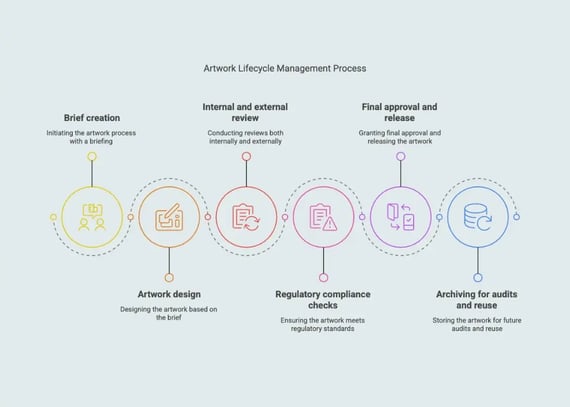
Briefing & asset prep
Design & version creation
Internal & external reviews
Regulatory approval
Final file release
Archive + future updates
Packaging artwork is not just a design—it's a legal, technical, and brand-critical document. A single error in allergens, claims, barcodes, or translations can lead to:
product recalls
non-compliance penalties
delays in product launch
increased print costs
damaged consumer trust
duplicated work and extra revision cycles
94% of packaging teams report workflow blind spots that lead to avoidable rework.
ALM eliminates these gaps by giving every stakeholder the visibility and structure they need.
Below is a standard ALM workflow used by packaging, regulatory, and marketing teams in FMCG, pharma, and cosmetics.
The lifecycle begins with a clear brief. This defines what needs to be created or updated.
Includes:
SKU details
target markets & languages
regulatory requirements
brand guidelines
existing assets
deadlines & dependencies
Why it matters:
A weak brief leads to endless revisions. A structured brief reduces back-and-forth and ensures alignment from day one.
Designers (internal or agency) create the first version of the artwork based on the brief.
Versioning must include:
file naming conventions
change logs
linked assets (texts, barcodes, images)
comparison tools to track visual changes
Without structured version control, teams risk mixing files or approving outdated versions.
This is where most bottlenecks happen if the process is manual.
Teams involved:
marketing
packaging
regulatory
legal
R&D
quality assurance
procurement
printers / vendors
Key ALM tasks:
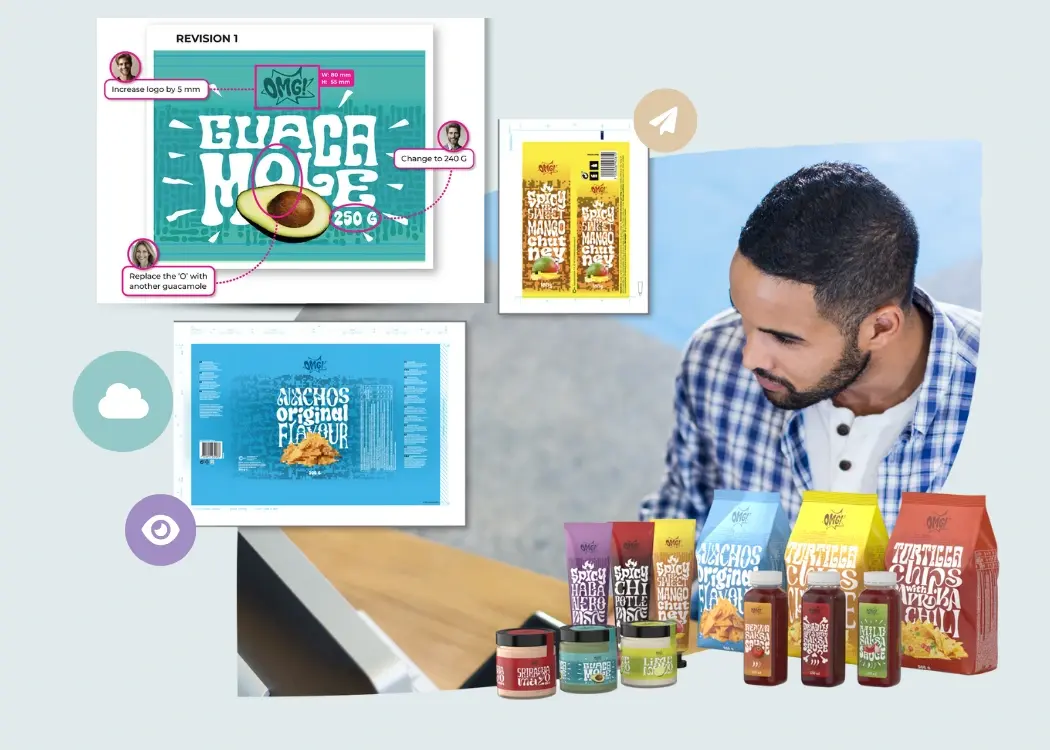
commenting directly on artwork
tracking who reviewed what
resolving conflicting feedback
ensuring correct version routing
Modern ALM tools reduce “feedback chaos” by gathering all comments inside one platform rather than across emails, PDFs, and messaging threads.
This step ensures compliance with industry standards and regional laws.
Includes checks for:
allergens
nutrition panels
mandatory symbols
claims & disclaimers
translations
pharma/medical information
ingredient hierarchies
barcodes, GTIN updates
Approval workflows need to be:
automated
role-based
auditable
deadline-driven
This ensures nothing moves forward without the right people signing off.
After all approvals, the artwork file is prepared for production and delivered to printers or suppliers.
Print-ready output includes:
final PDFs
technical layers
dielines & specs
print notes
regional variations
Archiving:
keeps files accessible for future updates
provides full audit history
prevents lost or outdated versions
speeds up future artwork adaptations
A clear archive policy ensures long-term consistency across SKUs and product lines.

ALM is essential for any team working with multi-SKU, multi-market packaging.
FMCG brands
Pharma & medical device companies
Beauty & cosmetics
Retail & private label
Design & artwork agencies
Printing and packaging suppliers
These industries rely on accuracy, compliance, and traceability—exactly what ALM provides.
Here are the most common issues when ALM is not in place:
Teams work on different files, leading to contradictory feedback.
Emails get lost, deadlines slip, nobody knows who approves what.
Missing allergens or incorrect translations create legal issues.
This causes delays and production bottlenecks.
Teams redo versions because they cannot track changes.
Printers receive incorrect or outdated files.
ALM removes these barriers by giving teams structure, control, and a single source of truth.
Modern ALM platforms—like Cway®, ManageArtworks, Kallik—provide:
All files, versions, and comments in one place.
Sends each version to the right stakeholders.
Detects even tiny pixel differences.
Ensures secure and compliant workflows.
Tracks who approved what and when.
Shows bottlenecks, workload, and performance.
Especially important for regulated industries.
Start a free trial of Cway® and see how packaging-first workflows transform the way your team collaborates
Imagine updating a yogurt packaging line across 7 countries.
Changes may include:
updated allergens
new legal wording
multiple languages
barcode change
new marketing claim
packaging sustainability icons
ALM ensures that every change moves through a clean, documented, and fully approved workflow, reducing time-to-market and minimizing mistakes.
Cway includes:
structured project workflows
version control + visual compare
contextual annotation tools
automated approval routes
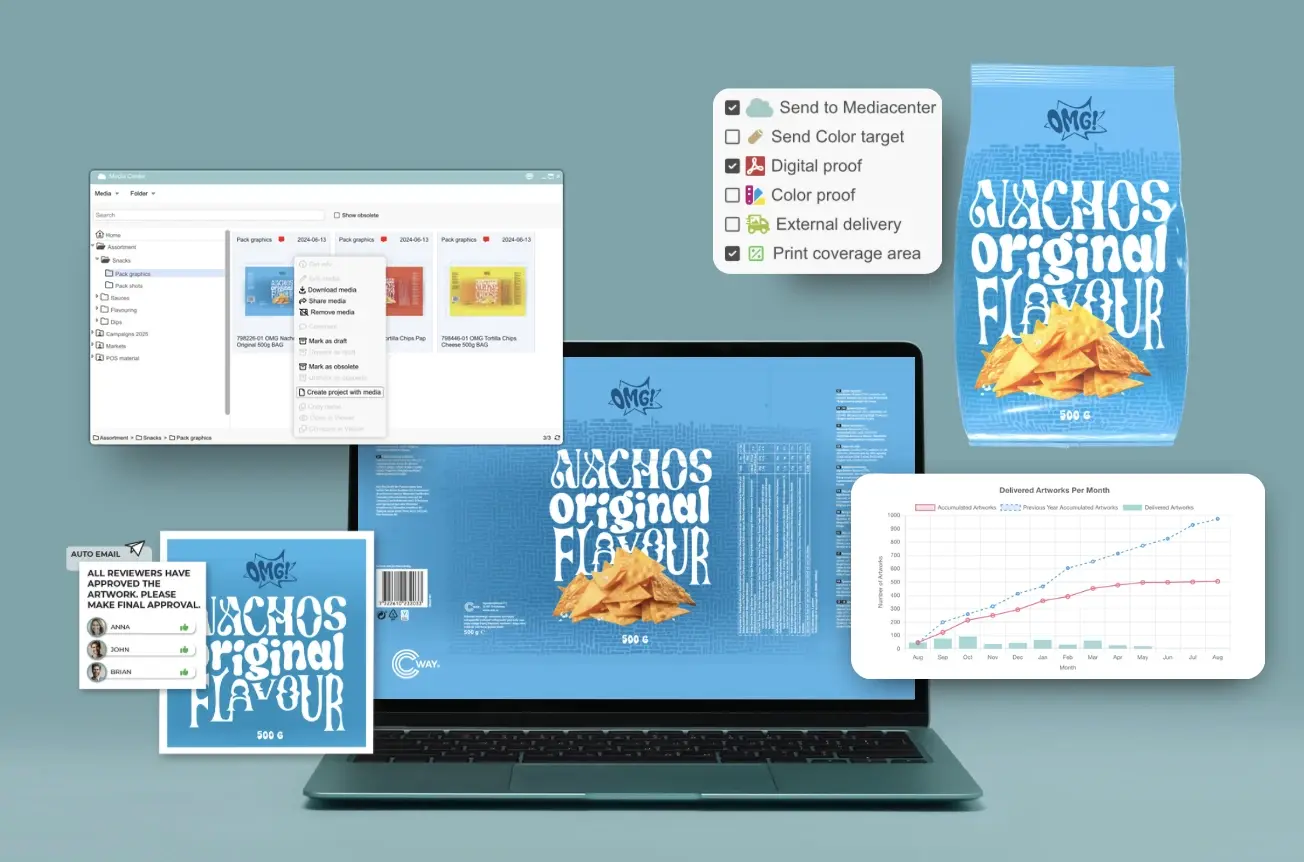
Media Center for all artwork files
analytics & performance dashboards
compliance-ready audit trails
Cway® helps brands reduce errors, speed up approvals, and keep every artwork stakeholder aligned.
In packaging and marketing, approvals can often feel like a bottleneck. Endless email chains, version confusion, and last-minute edits slow down even...
Packaging mistakes cost global brands billions every year — in recalls, redesigns, delays, and lost shelf space. That's why more and more companies...
In this article, you’ll learn how to choose the best label and packaging proofing software for your team. We’ll cover what features matter most, why...