ManageArtworks vs Cway: which software suits your packaging needs?
When it comes to managing packaging artwork, businesses in the food, consumer packaged goods (CPG), and pharmaceutical industries face the challenge...
3 min read
Ekaterina Skalatskaia
:
February 26, 2026
The packaging and labeling landscape is changing faster than ever. Global teams must manage regulatory updates, artwork variants, multilingual content, and accelerated launch cycles — all while maintaining absolute accuracy. Traditional project management tools can track tasks and deadlines, but they fall short when it comes to the complexity of packaging artwork workflows.
A purpose-built artwork management system (AMS) like Cway goes far beyond task tracking. It manages version control, artwork briefs, approvals, copy changes, regulatory verification, digital assets, multi-market variations, and workflow automation — all in one controlled, auditable environment.
Below, we break down the key differences between project management tools and a dedicated artwork management system, and why packaging teams rely on Cway to deliver faster, more accurate artwork at scale.
Artwork teams must ensure that every variant meets brand guidelines, technical requirements, and print specifications. Without structured controls, inconsistencies quickly creep in — leading to rework, quality issues, or compliance risk.
From ingredient updates to multi-market legal requirements, packaging teams must stay compliant. Manual tracking across emails, PDFs, and spreadsheets creates gaps that increase the risk of costly recalls.
Each new SKU introduces artwork updates, layout changes, new claims, translations, or structural variations. Managing this across spreadsheets or email-based workflows slows launches and increases the likelihood of error.
Artwork projects involve many stakeholders: marketing, regulatory, packaging development, suppliers, printers, and agencies. Tracking revisions manually or through generic tools makes it difficult to ensure teams are working from the correct version.
Artwork often requires regulatory review, translation, design, proofreading, and technical validation — sometimes simultaneously. Without automated workflows, bottlenecks emerge and deadlines slip.
Email approvals, PDF markups, or chat-based feedback create confusion, lost comments, and unclear ownership. This slows down sign-off and increases launch risk.
Project management tools like Asana, Airtable, Trello, or Monday excel at:
Task lists
Timelines
Resource allocation
Generic workflow creation
Cross-team communication
They are versatile but not specialized.
These tools aren’t built to manage:
Artwork briefs
Packaging specifications
Version control of regulated files
Content comparison
Compliance checks
Multi-market variants
Print-proof workflows
Supplier & agency collaboration
Artwork-specific audit trails
They can track what needs to be done — but not how artwork should be created, controlled, or approved.
Project Management Tools:
Built for general tasks across any department.
Cway Artwork Management System:
Designed specifically for packaging artwork and labeling workflows, including:
structured artwork briefs
approval flows
content & artwork comparison
regulatory validation
variant management
version control
full artwork lifecycle tracking
Cway ensures teams follow a controlled, compliant, and repeatable process.
Project Management Tools:
Basic file storage with limited tagging, inconsistent version naming, and no regulatory context.
Cway:
A built-in digital asset library designed for packaging teams.
automatic version control
advanced tagging & metadata
artwork & dieline libraries
easy retrieval and reuse
approved asset distribution
This ensures teams always work from the right file, right version, right market.
Project Management Tools:
May rely on third-party add-ons or manual checks, creating fragmented workflows.
Cway:
Purpose-built compliance tools:
automated comparison for copy, layout, and graphics
tracking of legal, ingredient, and market-specific changes
approval trails with sign-off accountability
workflows tailored to regulatory checkpoints
This reduces risk and helps teams avoid expensive recalls.
Project Management Tools:
Flexible but generic, not tailored to artwork lifecycle logic.
Cway:
Automation built for packaging workflows:
structured sequential & parallel flows
automated routing based on role or market
escalation rules
due-date tracking
Pulse insights to identify bottlenecks
Cway gives teams the control needed to scale artwork across multiple product lines and markets.
Project Management Tools:
Comments may scatter across tasks, PDFs, and chats.
Cway:
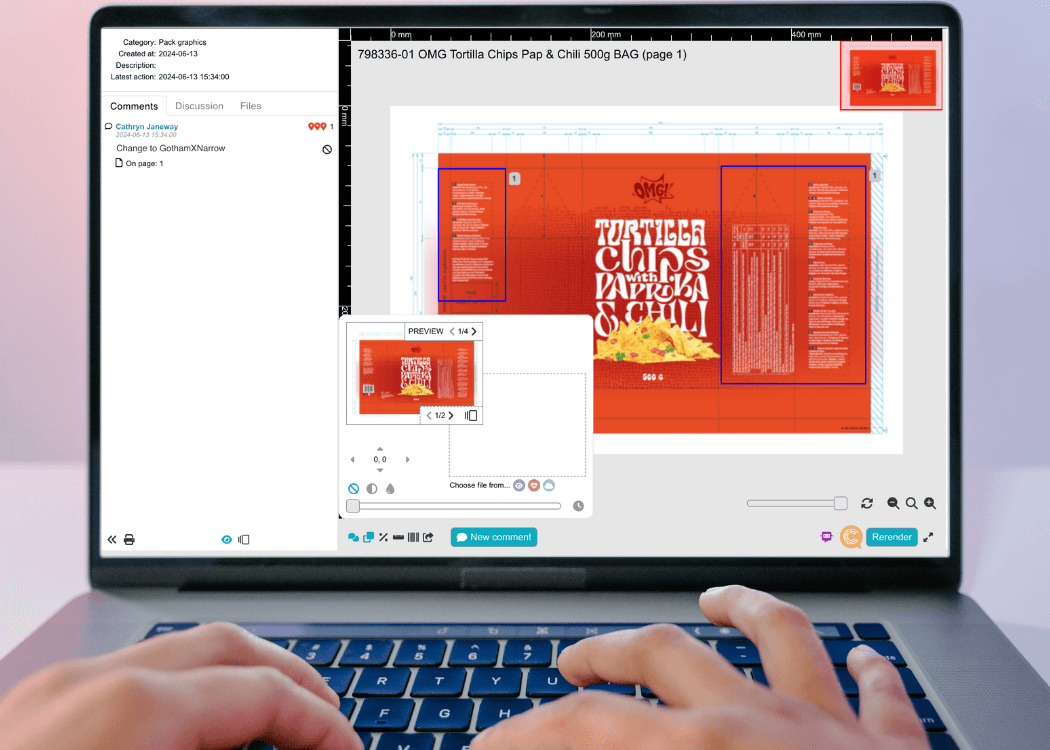
Centralized, artwork-specific collaboration:
unified markup tools
consolidated comments
tracked decisions
artwork comparisons
automated audit logs
Nothing gets lost, misinterpreted, or duplicated.
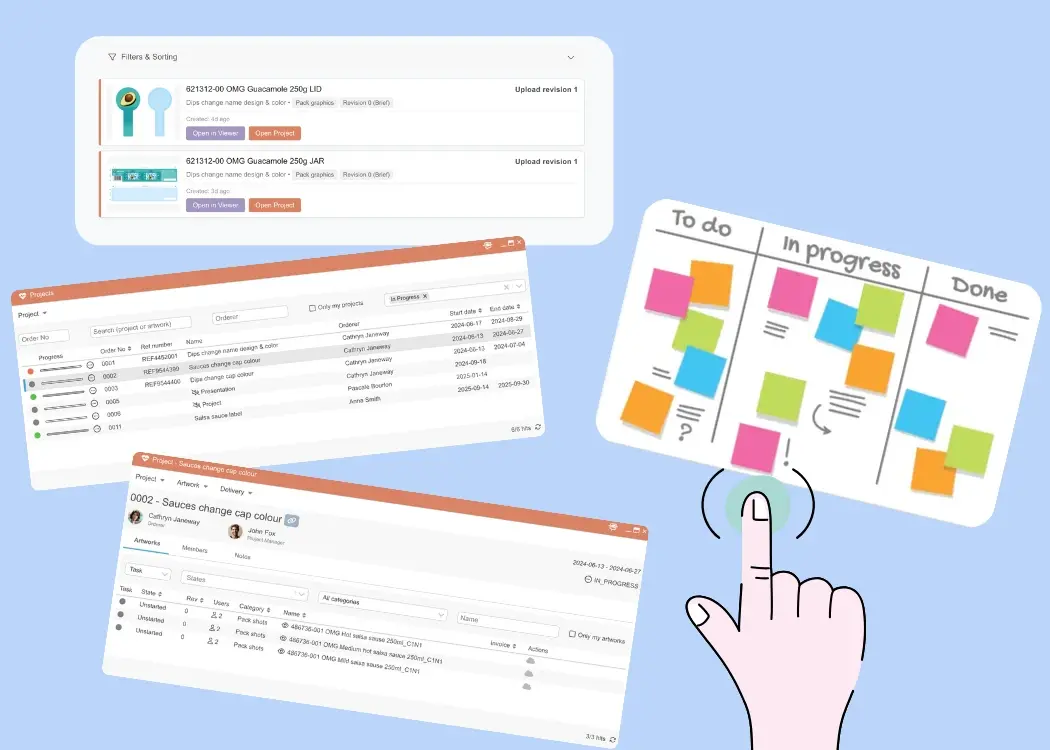
Cway combines artwork lifecycle management, approval workflows, compliance support, asset libraries, and Pulse analytics in one unified platform.
Teams gain:
✓ faster artwork approvals
✓ fewer errors and miscommunications
✓ full lifecycle visibility
✓ repeatable, compliant workflows
✓ easy management of multi-market variants
✓ faster time-to-market
Project management tools show progress.
Cway shows the entire artwork lifecycle — and controls it.
Generic project management tools can support task tracking, but they cannot support the complexity of packaging artwork. An artwork management system like Cway is purpose-built to help teams manage compliance, workflows, versions, assets, and approvals — all in one place.
For brands managing high artwork volumes, frequent updates, and multi-market packaging demands, Cway offers the control, speed, and visibility necessary to deliver accurate, compliant, and consistent artwork every time.
When it comes to managing packaging artwork, businesses in the food, consumer packaged goods (CPG), and pharmaceutical industries face the challenge...
Managing packaging artwork can be a nightmare — endless email threads, unclear responsibilities, missed deadlines. Sound familiar? Without the right...
Your Guide to the Artwork Workflow Behind Great Packaging When you pick up a product in a store — from a yogurt cup in Colombia to a shampoo bottle...