![]()
Cway vs Ziflow for Packaging Teams:
Artwork Approval Comparison (2026)
Ziflow is a best-in-class online proofing tool designed for creative and marketing teams. It handles review, annotation, and approval well — but stops there.
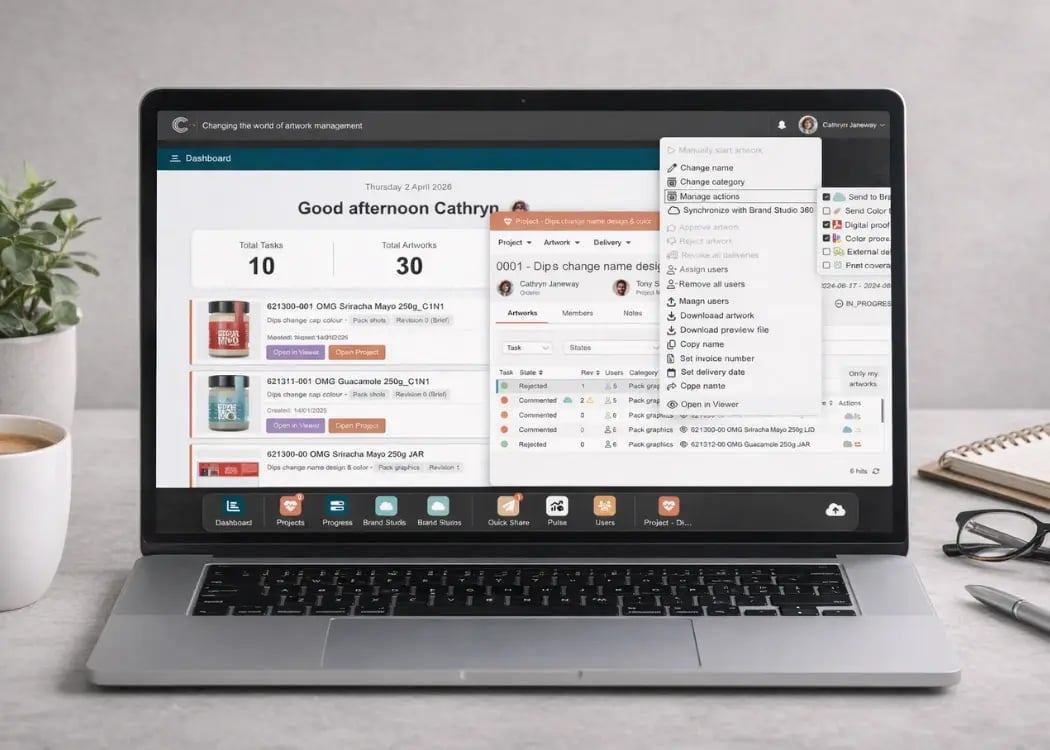
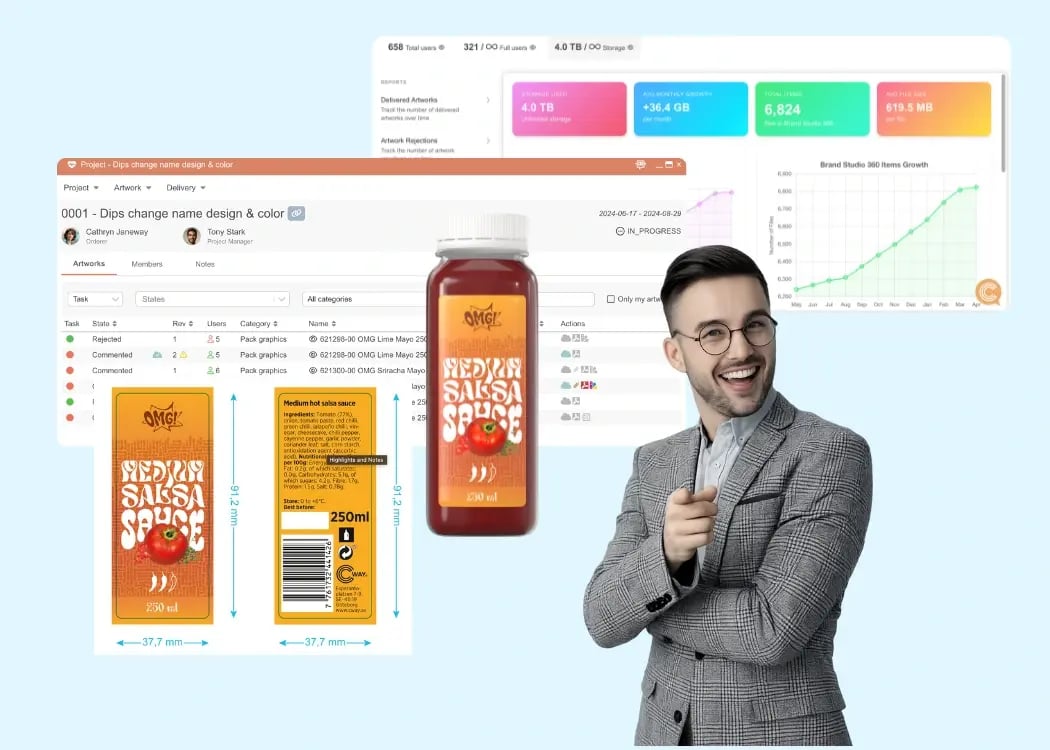
Cway is a purpose-built artwork management platform for CPG and FMCG packaging teams. It manages the full artwork lifecycle: from brief and technical specs through multi-stage approvals, supplier collaboration, compliance tracking, and print-ready handoff.
If your team manages packaging with multiple SKUs, markets, or external vendors — Cway is built for that workflow. If you need fast creative review for marketing assets, Ziflow does the job.
Who This Comparison Is For
This page is for:
- Packaging and brand teams evaluating Cway vs Ziflow before purchase
- CPG / FMCG teams looking for more than a proofing tool
- Teams currently using Ziflow and wondering if they've outgrown it
- Buyers comparing artwork management software vs online proofing platforms
Your packaging team just spent three weeks getting a new product label approved. Seventeen email threads. Four rounds of PDF markups. A supplier who worked off the wrong version. And a final sign-off that nobody can actually find in writing.
You know there has to be a better way — and there is. The question is which type of tool you actually need.
Search for "online proofing software" and Ziflow will come up. It's well-reviewed, widely used by creative and marketing teams, and genuinely good at what it does: getting visual files reviewed, annotated, and approved faster. For ad campaigns, social content, and design assets, it's a strong choice.
But packaging artwork is not a design asset. It's a regulated, multi-stakeholder, technically complex document that needs to move from brief through prepress, regulatory sign-off, supplier handoff, and version archiving — all in one traceable system.
That's the distinction this comparison is built around. Not "which tool has better annotation features," but what kind of problem you're actually trying to solve.
Cway vs Ziflow: Feature Comparison
This table covers the criteria that matter most for packaging artwork teams. We've been as honest as we can be — including where Ziflow is stronger.
| Feature / Criteria | Cway | Ziflow |
|---|---|---|
| Primary use case | Artwork lifecycle management | Online proofing & creative review |
| Target team | Packaging, brand & ops teams | Creative, marketing & agencies |
| Setup time | 2–4 weeks | Days |
| Online proofing & annotation | ✅ Built-in | ✅ Core feature |
| Full artwork lifecycle management | ✅ Brief to print-ready | ❌ Review & approval only |
| Project brief | ✅ Built-in | ❌ Not available |
| Packaging-specific features | ✅ Purpose-built | ❌ Generic file review only |
| Structured version control | ✅ Automatic, packaging-aware | ✅ Version chains |
| Supplier & printer portal | ✅ Dedicated external portal | ⚠️ Limited |
| Browser-based viewer | ✅ Full (Cway runs in browser) | ✅ Full (Ziflow supports browser reviews) |
| Pixel-level zoom | ✅ Full | ⚠️ Limited (implied via auto-compare) |
| Color separation preview | ✅ Built-in | ❌ Not available |
| Video proofing | ⚠️ Limited (supports files, not specialized tools) | ✅ Full |
| Measurement tools | ✅ Built-in | ❌ Not documented |
| Digital asset management (DAM) | ✅ Built-in | ❌ Not core feature |
| Audit trail | ✅ Full, end-to-end | ⚠️ Approval history only |
| Notifications & reminders | ✅ Full | ✅ Full |
| Analytics / operational insights | ✅ Built-in | ⚠️ Limited |
| Pricing model | Modular SaaS — Starter, Pro, Enterprise | Tiered SaaS by users & volume |
| Pricing transparency | ✅ Published on website | ✅ Published on website |
| Free trial / demo | ✅ Demo available | ✅ Trial available |
The Core Difference: Proofing Tool vs Artwork Management Platform
Ziflow solves a specific, real problem: creative files get stuck in email chains, reviewers mark up different versions, approvals are impossible to track. Ziflow fixes that. For marketing assets — banners, campaign visuals, social content, video — it’s an excellent solution.
Packaging artwork has a different lifecycle, and a different set of stakeholders.
Before a single file goes out for review, a packaging team needs to capture the brief: substrate, dimensions, dieline, regulatory market, language, barcode format, mandatory legal copy. The file then moves through prepress checks, artwork creation, internal brand review, regulatory or legal sign-off, and finally a supplier or printer handoff — all while maintaining a version history that could be audited months or years later.
|
Ziflow handles the review slice in the middle. Cway handles the entire chain. |
This isn’t a criticism of Ziflow — it’s a product built for a different use case. The problem arises when packaging teams adopt a creative proofing tool and try to adapt it to a workflow it was never designed for, patching the gaps with spreadsheets, shared drives, and email threads.
Key Differences Explained
1. Workflow Scope
Cway manages every stage of the packaging artwork process — from the initial brief to final print-ready file handoff. That means structured intake forms, version-controlled file management, configurable multi-stage approval workflows, and archiving. Ziflow begins at the point where a file is ready to review and ends when it’s approved. Everything before and after is out of scope.
2. Packaging-Specific Features
Cway is purpose-built for packaging workflow. Cway supports multi-stage reviews involving different stakeholders (e.g., regulatory, quality, marketing) and emphasizes audit trails, version control, and integration with product data (like SKUs or PIM systems). Ziflow leans more toward creative/media workflows. It is optimized for reviewing a wide range of content types—especially digital assets and video—and supports fast feedback cycles, real-time collaboration, and dynamic project workflows.
3. External Collaboration
Cway includes a dedicated supplier and printer portal at no extra cost. External partners — packaging suppliers, contract manufacturers, print vendors — get structured access to the files they need, with permissions controlled by the brand team. Ziflow supports external review, but external users require accounts and the collaboration model is not designed around a supplier-brand relationship.
4. Multi-Market Management
Cway natively handles master-variant artwork — a single product with label variants for different markets, languages, or regulatory requirements. This is one of the most common challenges for FMCG brands and one of the first things that breaks in a generic proofing tool. Ziflow has no native concept of master-variant relationships.
5. Compliance & Audit Trail
Cway maintains a full, automatic audit trail for every file version, every reviewer, every approval decision, and every comment — across the entire lifecycle. This matters for regulatory compliance, quality audits, and reprint disputes. Ziflow tracks approval history within a proof, but does not maintain the kind of end-to-end traceability packaging teams need.
Who Should Choose Cway
Cway is the right choice when:
- Your team manages packaging artwork end-to-end — from brief to print-ready file
- You work with external suppliers, co-manufacturers, or print vendors who need structured access
- You handle multiple SKUs, markets, or language variants simultaneously
- You require a full audit trail for every version and approval decision
- You are part of a CPG, FMCG, Food & Beverage, Beauty, or Household brand
- You are replacing manual processes: email approvals, SharePoint folders, spreadsheet tracking
Who Should Choose Ziflow
Ziflow is the right choice when:
- Your team focuses on creative review and approval for marketing or agency work
- You do not need packaging-specific features
- You work in a marketing or design workflow without technical handoffs to suppliers
- You need fast setup for a straightforward review-and-approve cycle
- Your primary deliverables are ads, campaigns, social content, or video — not regulated packaging
Pricing Comparison
Pricing is one of the most meaningful differences between these two platforms — not just in cost, but in what is included.
|
|
Cway |
Ziflow |
|
Pricing model |
Modular pricing model with three package levels — Starter, Pro, and Enterprise |
Tiered SaaS by users & volume |
|
Entry cost |
From €450 / month |
From approx. $100–200/month |
|
Supplier portal |
✅ Included in all plans |
⚠️ Limited / add-on |
|
Audit trail |
✅ Full, included |
⚠️ Basic |
|
External users |
✅ No seat tax |
⚠️ Per-user pricing |
|
Free trial / demo |
✅ Demo available |
✅ Trial available |
The right cost comparison is not monthly seat price — it is total workflow cost: the hours spent on email coordination, version confusion, missed errors, and reprint costs that a generic proofing tool does not eliminate for packaging teams. Contact Cway for a quote based on your actual SKU volume.
Why Packaging Teams Outgrow Online Proofing Tools
There is a predictable pattern. A packaging team adopts Ziflow — or a similar tool — to solve the “people keep approving the wrong version” problem. It works for a while.
Then the team scales: more SKUs, more markets, more external suppliers. Suddenly the tool does not track the brief. There is no place to store regulatory requirements. The printer still gets files over email. Version confusion just moves to a different stage of the process.
The most common complaints we hear from teams switching from proofing tools to Cway:
- "We were managing the gaps with a spreadsheet and it became a full-time job"
- "Our supplier kept working off the wrong version because there was no single source of truth"
- "We had no way to prove which version was approved when a reprint dispute came up"
- "Every new market meant a new folder structure and more manual tracking"
This is the gap Cway was designed to fill — the point where a packaging team needs more than a smarter email thread, and less than a six-month enterprise implementation. Onboarding takes 2–4 weeks. The result is a single platform where every stakeholder — internal brand owners, regulatory reviewers, external suppliers, printers — works from the same file, the same version, and the same approval status.
Real-World Scenario: Which Platform Wins?
|
Scenario |
Better fit |
Why |
|
FMCG brand, 60 SKUs, 4 markets, needs full workflow from brief to print |
✅ Cway |
Designed for end-to-end packaging workflows (brief → approval → print) Handles multi-market complexity + compliance via structured approvals and audit trails Connects SKU/product data (PIM) with artwork → critical for FMCG scale |
|
Marketing agency reviewing campaign visuals and ad creatives |
✅ Ziflow |
Fast setup, strong annotation, designed for creative review |
|
Beauty brand, 120 SKUs, external design agency + printer collaboration |
✅ Cway |
Strong at multi-stakeholder workflows (agency + regulatory + printer) Provides clear ownership, approval stages, and traceability Reduces errors before print (critical in beauty packaging) |
|
Small brand team reviewing packaging mockups alongside other content types |
✅ Ziflow |
Simple, fast, no complex setup needed |
|
Food & beverage brand managing multi-language label variants |
✅ Cway |
Built for complex packaging variations across markets Ensures controlled approvals + audit trail (critical for compliance) Keeps artwork aligned with product/SKU data |
|
CPG team scaling from 20 to 150 SKUs across new markets |
✅ Cway |
Designed to scale packaging operations (not just review files) |
See how Cway compares for your team
Get a 30-minute demo tailored to your packaging workflow — no sales pitch, just the platform
Book a DemoFAQ
-
Is Ziflow a good tool for packaging artwork approval?
Ziflow works well for the review and approval stage of packaging artwork — annotating files, tracking rounds, and getting sign-offs. However, it does not manage the full packaging artwork lifecycle. It has no artwork briefing, no packaging-specific compliance fields, no barcode tracking, no multi-market variant management, and no dedicated supplier portal. Teams with more than basic approval needs typically outgrow it.
-
What is the difference between online proofing and artwork management?
Online proofing tools (like Ziflow, Filestage, or ReviewStudio) focus on the review and approval stage: annotating files, managing feedback rounds, and tracking sign-offs. Artwork management platforms (like Cway) manage the full lifecycle: brief, file creation, version control, multi-stage approvals, supplier handoffs, and archiving. For packaging teams, online proofing solves part of the problem. Artwork management solves all of it.
-
Can I use both Ziflow and Cway?
In practice, teams that adopt Cway typically stop using Ziflow — because Cway includes online proofing and annotation as part of the platform. Running both in parallel creates the same version-confusion problem you were trying to solve. Cway is designed to be the single system of record for packaging artwork.
-
Does Cway have online proofing and annotation built in?
Yes. Cway includes online proofing and file annotation as a native feature — reviewers can annotate directly on packaging artwork, compare versions side by side, and track approval status across multiple rounds. The difference is that proofing in Cway is one step in a managed workflow, not the entire product.
-
Which is better for a CPG brand managing 50–200 SKUs?
For most CPG brands in the 50–200 SKU range, Cway is the better fit. At that volume, you almost certainly have multiple markets, external suppliers, and regulatory requirements that a proofing tool cannot handle. Cway customers in this segment typically go live in under 4 weeks and consolidate their artwork process into a single platform.