7 min read

Artwork Version Control: How to Track Changes Without Losing Your Mind

Artwork Version Control: How to Track Changes Without Losing Your Mind
10:05


You've been there. A folder called Final_Artwork_v3_REVISED_FOR_PRINT_FINAL2_USE_THIS_ONE.pdf.

Or a Slack message that says: "Don't use the file I sent earlier — there's a new one. Or actually, wait, use the one from Tuesday."

Or a printer who called to say they used last week's file because they couldn't tell which was current.

This is the packaging industry's version control problem — and it's more common, and more costly, than most teams admit. According to Cway's analysis of 19 packaging team interviews, version confusion was cited as a primary artwork management challenge in 12 out of 19 conversations — making it the single most frequently mentioned pain point across the research.

This article explains what proper artwork version control looks like, why the workarounds most teams use don't scale, and what changes when you put a structure around it.

What Is Artwork Version Control in Packaging?

Artwork version control is the practice of tracking every change made to a packaging artwork file — who changed it, what changed, and when — so that all stakeholders are always working from the correct, current version.

In its most basic form, it means knowing the answer to three questions at any point in the approval process:

  1. What is the latest approved version of this artwork?
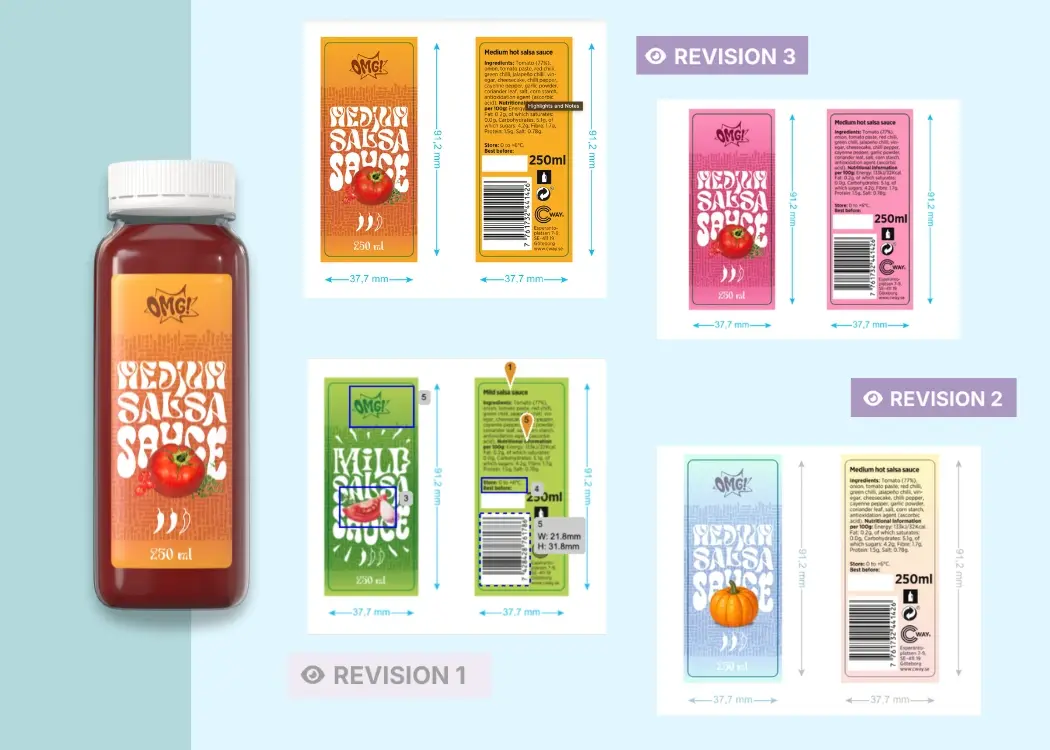
  2. What changed between this version and the previous one?
  3. Who approved each version, and when?

Simple in theory. Difficult in practice when you're managing dozens of artworks simultaneously, across multiple brands, involving three different agencies and a regulatory team who doesn't use the same systems as anyone else.

Why the Naming Convention Approach Fails

Most packaging teams start with a naming convention. Something like:

BrandName_SKU_Artwork_v1.pdf
BrandName_SKU_Artwork_v2_amends.pdf
BrandName_SKU_Artwork_v2_amends_FINAL.pdf
BrandName_SKU_Artwork_v2_amends_FINAL_approved.pdf
BrandName_SKU_Artwork_v2_amends_FINAL_approved_PRINT_READY.pdf

Everyone knows what this looks like. It works — until it doesn't. Naming conventions break when:

Multiple people are sending files. If your agency sends a revised file directly to the regulatory manager, and the regulatory manager sends their markup directly to the designer, you have three people each holding what they believe to be the current file. No one is wrong. The system is.

Changes happen in parallel. A legal team spots an allergen issue at the same time the marketing team requests a copy change. Both send feedback on different versions. The design team reconciles the comments and produces a file that reflects both — but now nobody has a clear audit trail of what changed.

Decisions happen outside the file. The production manager approved this version verbally. The regional team gave sign-off via email. The brand team left a comment in a shared Google Drive comment thread that's since been resolved. None of this is on the file. None of it is findable in an audit.

The Real Cost of Version Confusion

The waste from version errors is rarely captured in a single line item. It shows up everywhere else:

Reprints. The most visible cost. A file with an outdated ingredient list, a superseded allergen warning, or last season's promotional copy goes to print. The batch has to be redone. In FMCG, this can run to thousands of euros per incident.

Regulatory exposure. If the wrong version of a label reaches the market — one that hasn't been through regulatory sign-off — the compliance audit trail doesn't exist. "We approved a version, just not that version" is not a defence.

Revision loop inflation. When stakeholders aren't sure which version they're reviewing, they re-flag issues that were already resolved in a previous round. The Packaging Artwork Approval Benchmark 2026 from Cway found that teams using email-based workflows average 8.4 revision rounds per artwork project, compared to 4.1 rounds for teams using structured workflow software — a difference explained largely by rework and confusion rather than new issues.

Approval cycle extension. Each unresolved version question adds a day or more to the cycle. The benchmark found that teams operating without structured version control average 32 days from artwork submission to production-ready approval. Teams with structured workflows average 18 days. That's a 14-day gap, mostly made up of back-and-forth that shouldn't exist.

"Approval cycle duration is not primarily driven by artwork complexity — it is driven by workflow structure." — The Packaging Artwork Approval Benchmark 2026, Cway


What Structured Artwork Version Control Actually Looks Like

The difference between "we have a naming convention" and "we have version control" comes down to whether the version history lives in the file system or in a system built to manage it.

Here's what the two approaches look like side by side:

Dimension Email + file naming Structured artwork management
Who holds the current version? Whoever sent the last email The system — visible to all stakeholders
How are changes tracked? File names and email threads Automatic version log with timestamps
Who approved each version? Email trail (if you can find it) Structured sign-off record, per stage
What changed between versions? Manual comparison or memory Side-by-side comparison built in
Can external reviewers access it? Only if someone sends the file Controlled access without full account
What happens if someone uses the wrong file? You find out when it's too late System enforces current version only
Is there an audit trail? Reconstructed after the fact Continuous, automatic
Average revision rounds 8.4 (benchmark) 4.1 (benchmark)
Average approval cycle 32 days (benchmark) 18 days (benchmark)


Why Version Control Is Harder in Packaging Than in Other Industries

Software teams have had version control solved for decades — Git, GitHub, branching strategies. The packaging industry has fundamentally different constraints:

Files aren't text. A .pdf or .ai file doesn't diff like source code. You can't see "line 47 changed from X to Y." The comparison has to be visual — and ideally, annotatable.

Reviewers aren't technical. The regulatory manager, the brand director, the external print buyer — none of them are going to run a version control system from a command line. The interface has to work for people who review artwork twice a quarter, not daily.

External parties are always involved. Design agencies, print suppliers, contract manufacturers, regulatory consultants — these aren't employees. They can't be given full system access. But they need to see the current version, submit feedback, and ideally sign off. This is what file-sharing tools were never built to handle cleanly.

Compliance isn't optional. In FMCG, food, pharma, and cosmetics, version history isn't just organisational hygiene — it's a regulatory requirement. Being able to show, three years later, who approved which version and when, is part of the product lifecycle record.

How Teams Actually Fix It

The teams that get version control right tend to have made one structural decision: they moved from "everyone holds a copy of the file" to "there is one system that holds the file, and everyone accesses it there."

That decision changes everything downstream:

  • The design agency uploads new versions to the system. The system tracks the version number. No one emails files.
  • Reviewers leave comments on the version in the system. Not in the file. Not in email.
  • When a version is approved, the approval is logged — who, when, at what stage.
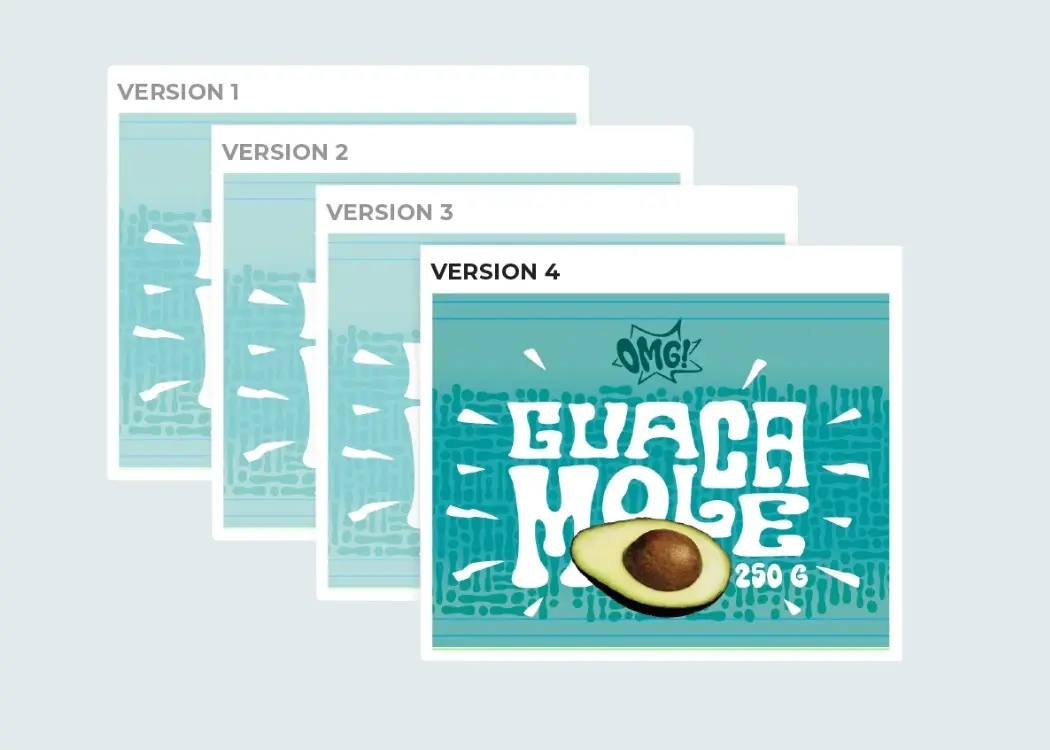
  • When a new version is uploaded, previous versions are archived. The system makes the current version obvious.
  • The print-ready file released to the supplier comes from the system with a version stamp. There's no ambiguity about which file is current.

This isn't a theoretical ideal. It's how Cway customers manage hundreds to thousands of packaging artworks per year — with full audit trails and without the version chaos that typifies email-based processes.

Signs Your Version Control Process Has a Problem

If any of these are true, your current process is carrying more version risk than it should:

  • You've had a reprint caused by a wrong file in the last 18 months
  • You've had a stakeholder review an outdated version and provide feedback on changes already made
  • Your audit trail for a regulatory inspection would require someone to manually reconstruct an email thread
  • New team members can't figure out which version of an artwork is current without asking someone
  • Your agency and your internal team regularly have different "latest" files
  • Someone on your team has a folder on their desktop with artwork files that don't exist anywhere else


Summary

Version confusion in packaging artwork isn't just a minor inconvenience — it's the leading cause of reprints, extended approval cycles, and rework that should never have happened. The benchmark data is unambiguous: teams that manage version control through a structured system cut revision rounds roughly in half and complete approvals nearly two weeks faster.

The fix isn't a better naming convention. It's removing the file from email and giving it a home where the version history, the approval record, and the current file are all in the same place.

If your team is still tracking versions through file names and email threads, the Cway demo shows what a managed alternative looks like in practice.


Based on Cway's Packaging Artwork Approval Benchmark 2026, a study of packaging and artwork management practices across FMCG, food, pharma, and cosmetics brands in Europe and North America. The benchmark analysed approval cycle data and workflow patterns from 200+ packaging projects. 


FAQ

Best version control systems for packaging & artwork teams

Best version control systems for packaging & artwork teams

Up to 70% of packaging delays are caused by artwork-related issues.When file versions get mixed up or approvals go off-track, launches stall and...

View Full Article
How artwork lifecycle coordination improves packaging workflows

How artwork lifecycle coordination improves packaging workflows

In complex packaging projects, artwork doesn’t move in a straight line. A single label or carton design may pass through marketing, regulatory,...

View Full Article
Reduce artwork errors with a smart version control system

Reduce artwork errors with a smart version control system

Ever caught a typo after hitting print? Yikes. When it comes to packaging artwork, even the smallest slip-up can lead to big problems—like delayed...

View Full Article