2 min read

Use Case: Starting a Packaging Project Directly from Brand Studio 360

Use Case: Starting a Packaging Project Directly from Brand Studio 360
Starting a Packaging Artwork Project from Your DAM | Cway
2:44

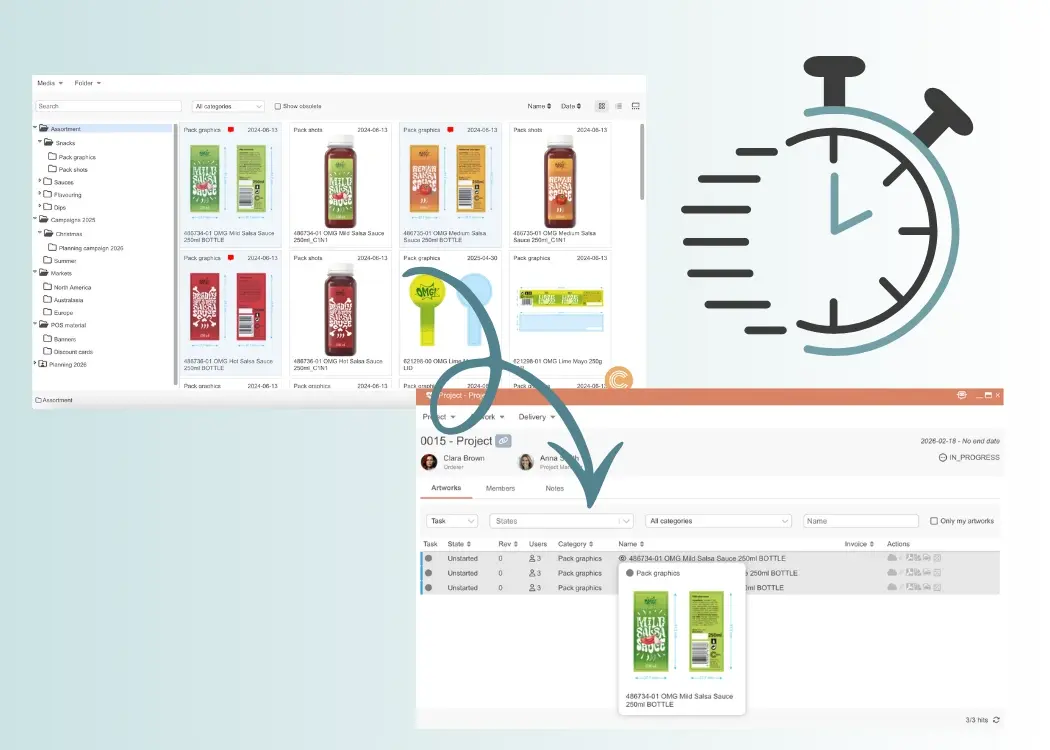
One of the most powerful advantages of a workflow-embedded DAM is the ability to move directly from asset management to project execution.

Here’s how it works in practice.

Scenario: Launching a Packaging Update for an Existing SKU

A marketing team needs to update packaging artwork for an existing product — for example:

  • A regulatory text change
  • A new promotional claim
  • A seasonal design variation
  • A market-specific adaptation

Traditionally, this process might look like this:

  1. Search for the correct “latest approved” file
  2. Download it from the DAM
  3. Create a new project manually in a separate system
  4. Re-upload files
  5. Reattach references and documentation
  6. Manually build the project brief

This creates duplication, increases the risk of version errors, and slows down launch timelines.

How It Works in Brand Studio

With Brand Studio, the process is streamlined and controlled.


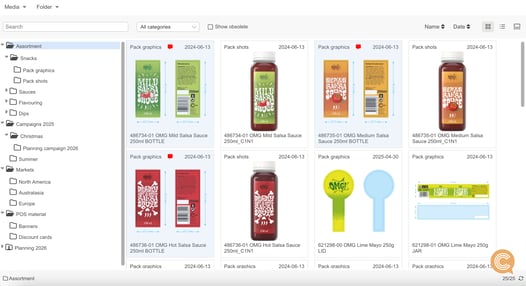
brand-studio-dam-packaging-artwork-libraryStep 1: Select the Artwork in Brand Studio


The team navigates to the approved packaging artwork stored in Brand Studio 360. Because assets are structured with tags, metadata, and filtering, finding the correct file takes seconds.


Step 2: Prepare the Context Before Launch


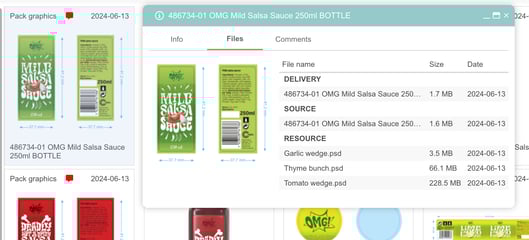
dam-file-details-packaging-artworkBefore even creating a project, the team can:
  • Add notes about required changes
  • Attach regulatory documents or updated claims
  • Include reference materials or design guidelines
  • Leave internal comments

All relevant information is connected directly to the artwork.


Step 3: Click “Create Project”

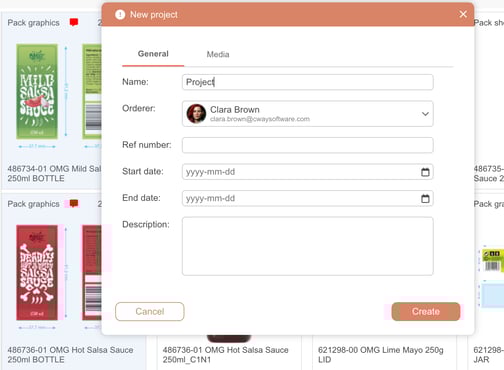
brand-studio-packaging-workflow-collaborationWith one click, the selected artwork becomes the foundation of a new project.
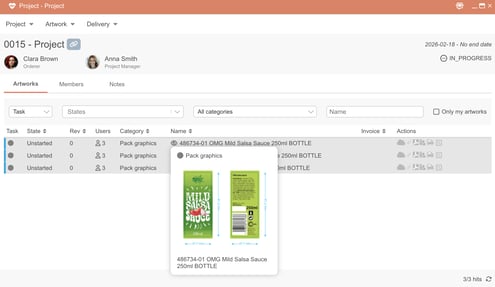
The system automatically:

  • Transfers the selected asset into the project
  • Preserves version history
  • Carries over attached documentation
  • Generates a structured project brief

There is no need to re-upload or rebuild context.


Step 4: Move Seamlessly into Workflow

brand-studio-packaging-project-workflowThe project immediately enters the artwork workflow:
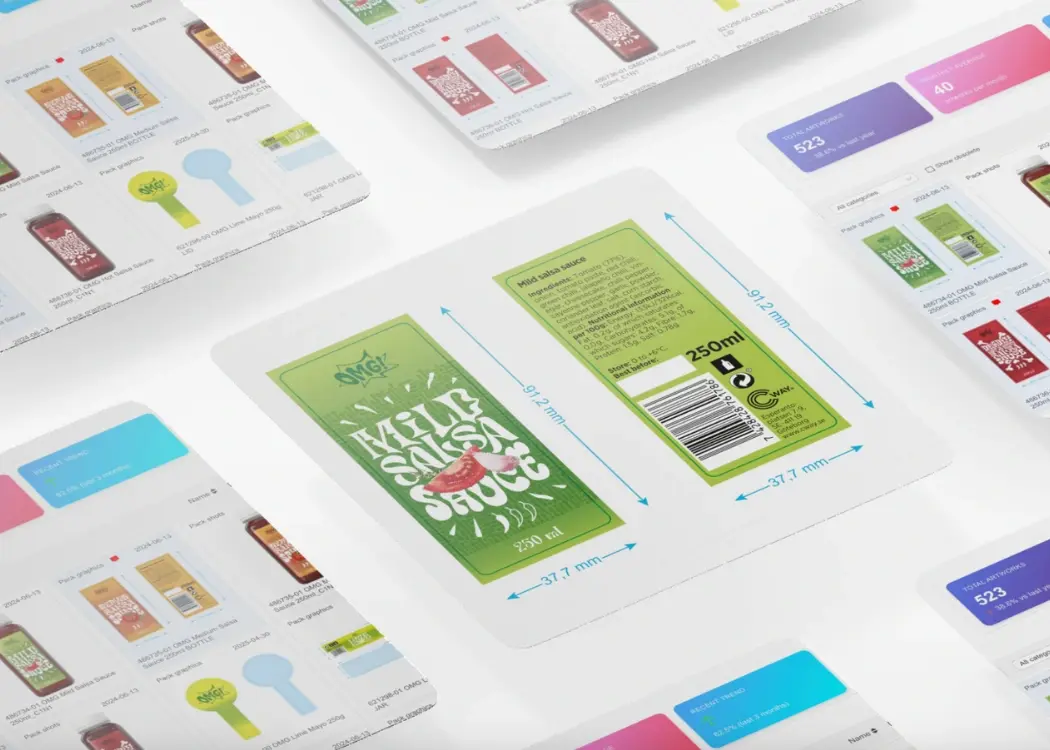
  • Designers update files
  • Reviewers comment in Viewer
  • Approvals are tracked
  • Versions are controlled
  • Changes are logged

When updates are finalized, the new approved version can be synchronized back to Brand Studio with one click — maintaining a single source of truth.

Why This Matters for FMCG Teams

For organizations managing hundreds of SKUs and frequent packaging updates, having artwork management software that is fully integrated with workflow delivers measurable impact.

Unlike traditional digital asset management systems, workflow-embedded packaging artwork management software ensures that assets are not isolated from execution.

This integration helps teams:

  • Eliminate manual project setup time
  • Reduce version confusion across artwork revisions
  • Prevent outdated packaging artwork from being reused
  • Maintain compliance through full audit trails and traceable version history
  • Accelerate time-to-market for new launches and updates

For FMCG teams handling high SKU volumes, disconnected systems create operational friction. Integrated artwork management software removes that friction by aligning digital asset management with real packaging workflows.

Instead of moving files between systems, teams move seamlessly from asset to action.

Brand Studio 360 ensures that packaging artwork is not just archived in a DAM — it is continuously managed, controlled, and embedded within operational artwork workflows.


Brand Studio 360: Where Assets Meet Workflow

Brand Studio 360: Where Assets Meet Workflow

Media Center is now Brand Studio 360. The new name reflects what this space truly represents: a central environment where brand assets connect...
View Full Article
Artwork sharing tool for packaging and asset management

Artwork sharing tool for packaging and asset management

Efficient artwork sharing is essential for creative, marketing, and packaging teams working across multiple stakeholders. In this article, we’ll...

View Full Article
Choosing design project management software: key features

Choosing design project management software: key features

Design teams today are under constant pressure to deliver faster, stay aligned, and manage ever-growing creative demands. The right design project...

View Full Article