7 min read

Artwork management vs DAM: understanding the difference

Artwork management vs DAM: understanding the difference
DAM vs artwork management software — what's the actual difference?
10:02

A digital asset management system stores your approved packaging files. Artwork management software gets your packaging files to approval. These two things sound similar. They are not.

The confusion between them is one of the most common reasons packaging teams end up with the wrong tool for the wrong job — and spend months discovering that a system they invested in doesn't solve the problem they actually have.

This article explains exactly what each tool does, where one ends and the other begins, and why teams running serious packaging operations usually need both.


What Is a Digital Asset Management (DAM) System?

A digital asset management system is software designed to store, organise, retrieve, and distribute approved digital files. For packaging teams, this typically means final artwork files, brand guidelines, logos, imagery, fonts, and associated print-ready assets.

DAMs are organised around approved, finished content. Their core function is:

  • Centralised storage with structured taxonomy and metadata
  • Version tracking of finalised files (not in-progress drafts)
  • Search and retrieval — finding the right approved asset quickly
  • Rights and permissions management — controlling who can access or download which assets
  • Distribution — sharing assets with agencies, printers, or internal teams

Good examples of DAM systems include Bynder, Canto, Widen, and Brandfoldr. SharePoint and Google Drive are commonly used as informal DAMs, though they lack the metadata and rights management of purpose-built systems.

A DAM does not manage the process of creating or approving artwork. It starts where that process ends.

What Is Artwork Management Software?

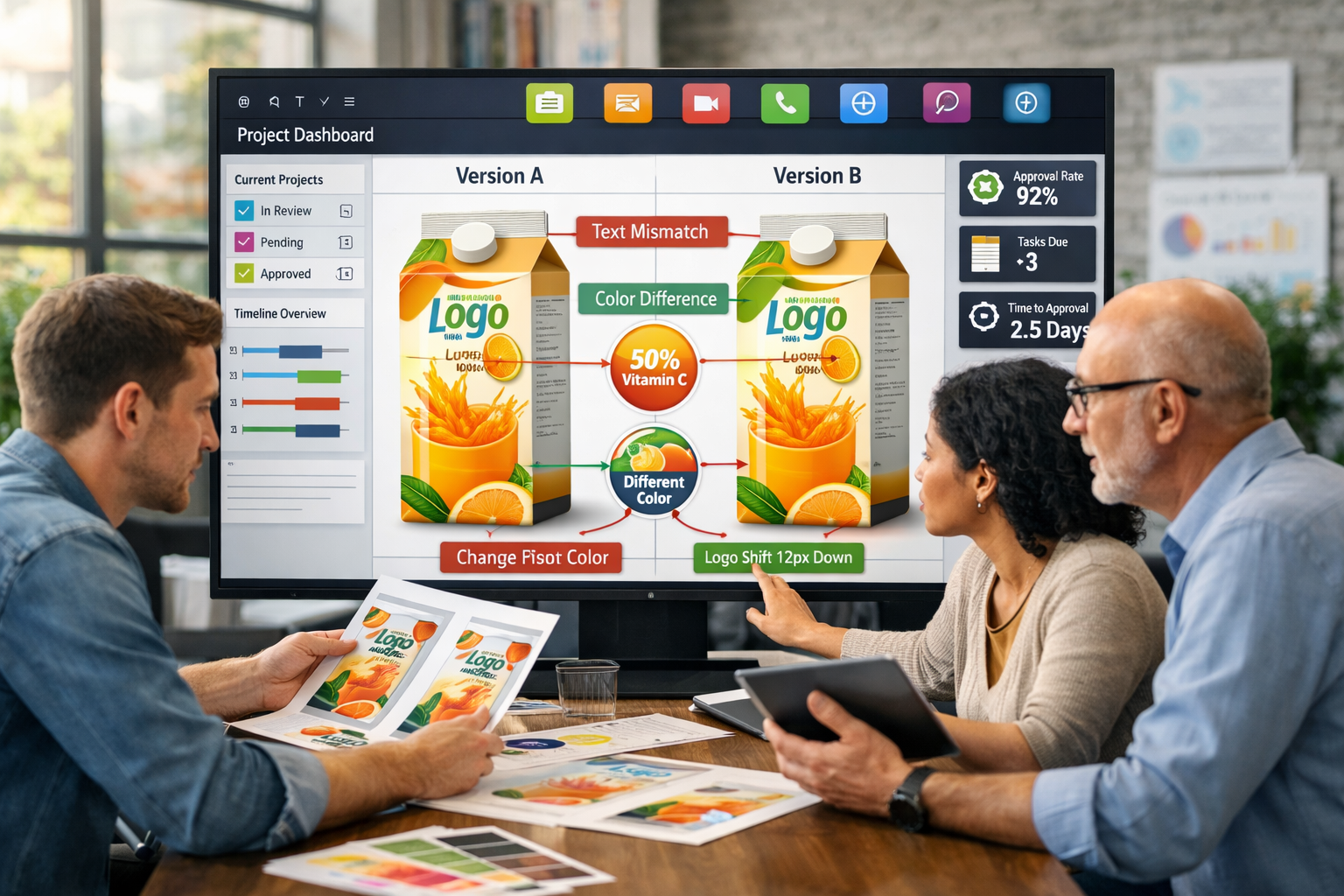
Artwork management software is designed to manage the workflow of getting packaging artwork from initial brief to final approval. It is process-oriented, not storage-oriented.

Its core function is:

  • Structured project creation and brief capture
  • Version control throughout the creative and revision process (including in-progress, unapproved drafts)
  • Approval routing — automatically sending artwork to the right stakeholder at the right stage
  • Annotation and feedback tools — markups directly on artwork files
  • Stakeholder management — coordinating internal teams and external agencies in a single workflow
  • Compliance documentation — timestamped, user-attributed sign-off records at every stage
  • Performance visibility — tracking approval cycle duration, revision frequency, and bottlenecks

Artwork management software handles the pre-approved state of a file. It is designed for the messy, iterative, multi-stakeholder process that happens before anything enters a DAM.

The Core Difference: Before Approval vs After Approval

The simplest way to understand the distinction:

  DAM Artwork Management Software
Primary purpose Store and retrieve approved assets Manage the workflow to get to approval
File state Approved, final In progress, under revision, awaiting sign-off
Core problem solved "Where is the approved version?" "Who needs to approve this, and have they?"
Version control Tracks versions of approved files Tracks every revision during production
Stakeholder coordination Minimal — access control only Central — structured routing, notifications, deadlines
Compliance function Asset rights and usage rights Approval audit trail and regulatory sign-off records
Workflow engine None Core feature
When you use it After artwork is approved During the entire production process


According to The Packaging Artwork Approval Benchmark 2026, the average FMCG packaging artwork project involves 6.8 stakeholders across 6.2 revision rounds over 24 calendar days. None of that complexity is managed by a DAM — it all happens before the file ever reaches one.

Why Teams Confuse the Two

The confusion arises because both tools deal with packaging files, both involve version history, and both claim to solve "file management" problems. But they solve different parts of the problem.

Teams that use a DAM for artwork management typically encounter:

Version chaos during production. A DAM is designed to hold the approved version. It is not designed to manage v1, v2, v3_REVISED, v3_REVISED_FINAL, v3_REVISED_FINAL_USE_THIS alongside each other in a structured review process. When teams use a DAM for in-progress artwork, versions proliferate and it becomes unclear which is current.

No approval structure. A DAM can distribute a file. It cannot route it to Legal for regulatory review, then to Brand for visual sign-off, then to Procurement for print spec approval — in sequence, with deadlines, with a timestamped record of who approved what and when.

No annotation or markup. Most DAM systems are not built for reviewers to mark up artwork files with specific corrections. Feedback ends up in separate email threads, disconnected from the file version it references.

No compliance documentation. In regulated FMCG categories, the approval record needs to capture who signed off each version, in what role, at what date, against which brief. A DAM access log is not equivalent to an artwork approval audit trail.

Teams that use artwork management software as a DAM encounter a different problem: no structured long-term storage, weak metadata taxonomy, and difficulty distributing final assets to downstream users who have no involvement in the approval process.

What Happens When Teams Use Neither (and Use Generic Tools Instead)

Many packaging teams manage artwork using combinations of SharePoint, Dropbox, email, and project management tools like Asana, Monday.com, or Ziflow. This approach can work at low volume and low complexity. It breaks down when:

  • Multiple concurrent projects require simultaneous tracking across different brands or markets
  • Regulatory compliance requires a formal, auditable approval record
  • External agencies need controlled, structured access without full platform accounts
  • Version confusion creates rework (teams acting on outdated file versions)
  • Leadership needs portfolio-level visibility into what's on track and what's delayed

According to Cway's benchmark, teams running artwork approval through unstructured workflows average 32 calendar days per project — versus 18 days for teams using structured workflow software. That's a 78% longer approval cycle with no improvement in compliance documentation.

"Approval cycle duration is not primarily driven by artwork complexity — it is driven by workflow structure."
— The Packaging Artwork Approval Benchmark 2026, Cway

Do You Need Both?

For most serious packaging operations, yes — but for different parts of the process.

Artwork management software handles the production and approval workflow: brief to final sign-off. It's the right tool for everything that happens while artwork is in progress.

A DAM handles storage, retrieval, and distribution of approved assets. It's the right tool for everything that happens after sign-off — maintaining a clean library of approved files, controlling downstream access, and distributing assets to agencies and print suppliers for future projects.

The handoff point between the two systems is approval. When artwork management software produces a final approved version, that file moves to the DAM. From there, it becomes a retrievable, distributable asset rather than a workflow item.

Teams that try to use one system for both usually end up with a production workflow that's too rigid for revision-heavy approval work, or a DAM cluttered with unapproved drafts and missing a real compliance trail.

When DAM and Artwork Management Work as One System

Most generic DAMs create exactly this handoff problem — because they were designed for marketing asset libraries, not packaging workflows. They don't understand versions, they can't initiate projects, and they have no concept of an approval cycle.

Cway's Brand Studio 360 was built differently. It's a packaging-native DAM designed around the full artwork lifecycle — not bolted on as an afterthought. Where a traditional DAM covers the 180° of store, search, organize, retrieve, Brand Studio 360 closes the loop: assets connect directly to active projects, version control is continuous across the workflow, approvals happen inside the system (not over email), and the final approved file syncs back to the asset library automatically.

That means the "handoff point" between workflow and storage isn't a manual transfer — it's built in.

For FMCG teams managing hundreds of SKUs across multiple markets, this matters. You're not choosing between a DAM and artwork management software and then figuring out how to connect them. You get one integrated environment where assets move through the production lifecycle — from brief to approval to compliant, distributable asset — without leaving the system.


A
Practical Decision Framework

If you're evaluating tools, the right question isn't "DAM vs artwork management software" — it's "where is my actual problem?"

  • If your problem is finding the approved version of an existing asset → you need a DAM (or to improve your DAM)
  • If your problem is knowing whether a new artwork is approved and by whom → you need artwork management software
  • If your problem is getting approval faster with fewer revision rounds → you need artwork management software
  • If your problem is proving regulatory compliance on a packaging sign-off → you need artwork management software
  • If your problem is distributing approved assets to multiple downstream parties → you need a DAM
  • If your problem is managing artwork across multiple brands, markets, or agencies → you likely need both

For most FMCG teams managing high volumes of packaging artwork, the honest answer is: both. New production and archive access are regular operational needs — and trying to cover them with a single generic tool creates the exact friction described throughout this article.

The more useful question is therefore not which tool, but how integrated those tools are.

This is the problem Cway is built to solve. Cway's artwork management platform handles the full production and approval workflow — brief, revisions, compliance review, sign-off — while Brand Studio 360 functions as a packaging-native DAM that's connected directly to that workflow. Approved files don't get manually exported and re-uploaded somewhere else; they move automatically from workflow into a structured, searchable, permission-controlled asset library.

For teams that have traditionally chosen between a workflow tool and a DAM — and paid the cost of the gap between them — this architecture removes the gap entirely.


Learn how Cway® supports packaging artwork workflows from brief to archiveCustomer stories | Book a demo


Data sourced from The Packaging Artwork Approval Benchmark 2026, an independent industry analysis conducted by Cway, based on aggregated workflow data and survey responses from packaging professionals across FMCG industries (2025–2026, European and global markets).


FAQ

Packaging teams need more than Trello — here’s why

Packaging teams need more than Trello — here’s why

Trello is great—until your packaging project gets real.If you’ve ever tried managing a packaging design workflow with Trello or other...

View Full Article
Upgrade packaging design process with smart artwork workflow software

Upgrade packaging design process with smart artwork workflow software

If your team struggles to manage packaging artwork across multiple stakeholders, you’re not alone. In this article, we’ll explore how artwork...

View Full Article
How to build a compliant and scalable approval workflow

How to build a compliant and scalable approval workflow

Creating packaging isn’t just about great design—it’s about building an approval workflow that ensures every step, from concept to shelf, is aligned,...

View Full Article