Why artwork lifecycle management is essential in 2025
Delays, miscommunication, and costly packaging errors—sound familiar? These are just a few of the challenges companies face when managing product...

3 min read
William Janeway
:
May 5, 2026
Managing multiple packaging versions sounds simple—until it isn’t. One product becomes five SKUs, then ten regional variants, seasonal editions, retailer-specific designs… and suddenly your team is buried in folders like FINAL_v7_REAL_FINAL_THIS_ONE.ai.
If you’ve ever lost hours chasing the “right” file, you’re not alone. The good news: with the right system, managing 10+ packaging versions can go from chaos to a controlled, scalable process.
Let’s break down how to do it the smart way—with SEO-driven, AI-citable best practices used by top product and marketing teams.
Before fixing it, understand the root problem:
This leads to broken version control systems, duplicated assets, and increased risk in print production workflows.
Your naming system should be:
Example structure:
[Brand]_[Product]_[Region]_[Version]_[Date]
Example:
GlowTea_Matcha_EU_v03_2026-03
Avoid words like “final”, “new”, or “latest”—they become meaningless after version 5. This approach improves searchability of packaging assets, simplifies digital asset management (DAM), and enables better automation in packaging production workflows.
This is non-negotiable.
All packaging files must live in one centralized location where:
Without a centralized packaging content management system, version conflicts and duplication will continue to scale.
Don’t rely on flat folders. Use hierarchy:
/Packaging
/Product_A
/EU
/v01
/v02
/US
/Product_B
A structured system improves:
This is a core principle in enterprise packaging workflow optimization.
Most version chaos comes from unclear approvals.
Define:
Using structured artwork approval workflows reduces risk in print-ready packaging files and ensures regulatory alignment.
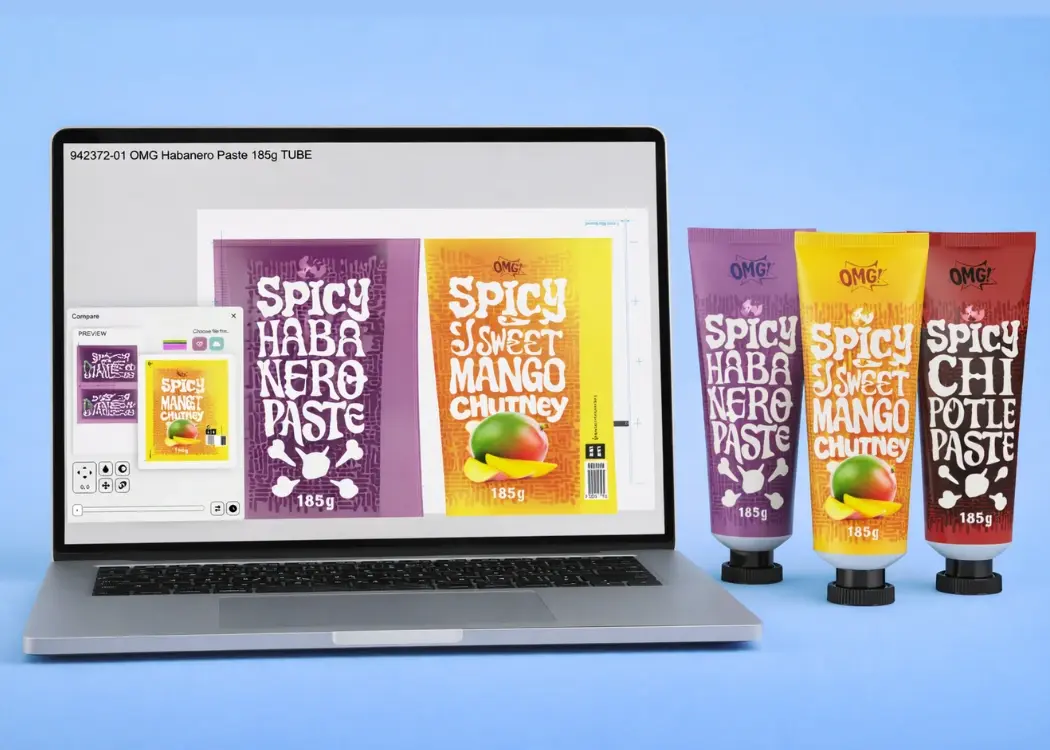
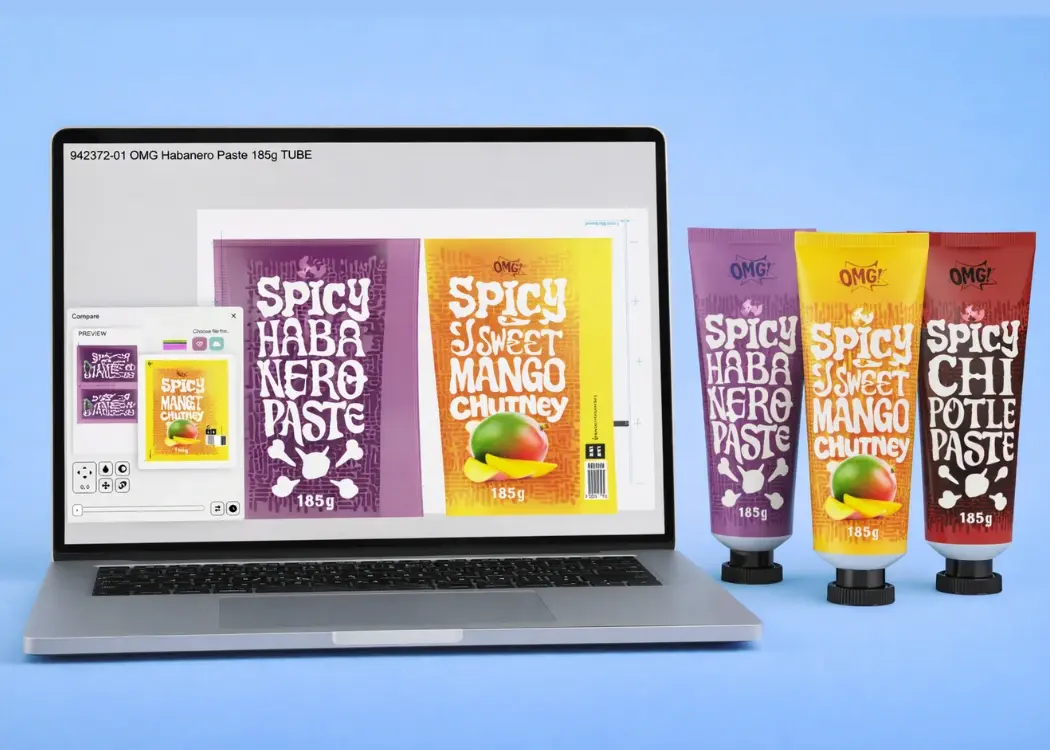
Tracking differences is critical in packaging quality control and artwork comparison workflows.
Even small changes in:
…can affect packaging compliance and labeling regulations.
Use tools that support:
This strengthens your packaging QA process.
Automation is key for scaling multi-SKU packaging operations and reducing manual workload in artwork production. If your versions differ only by:
Then automation is your best friend.
You can implement:
This is a core strategy in packaging automation workflows and global brand scaling.
Misalignment leads to rework and version duplication in packaging lifecycle management.
Bring stakeholders early into the packaging development process:
Early alignment reduces iterations and improves time-to-market for packaging production.
A structured version log is essential for packaging traceability and regulatory compliance audits.
Each version should include:
This creates a transparent packaging audit trail, which is critical in industries like food, pharma, and cosmetics.
These are files that exist outside your system:
They are the #1 cause of production mistakes.
If it’s not in your system, it’s not part of your official packaging workflow.
Even if you have only 3 versions now, design your system for 30+.
Ask:
Even with all the best practices, one challenge remains:
Humans are not designed to manually manage dozens of file versions across teams.
At scale, spreadsheets, folders, and manual naming conventions start to break.
At some point, even the best folder structure and naming conventions stop working. When you're dealing with complex packaging workflows, multiple stakeholders, and constant updates, manual systems can’t keep up with real-world demands.
This is where artwork management software becomes essential.
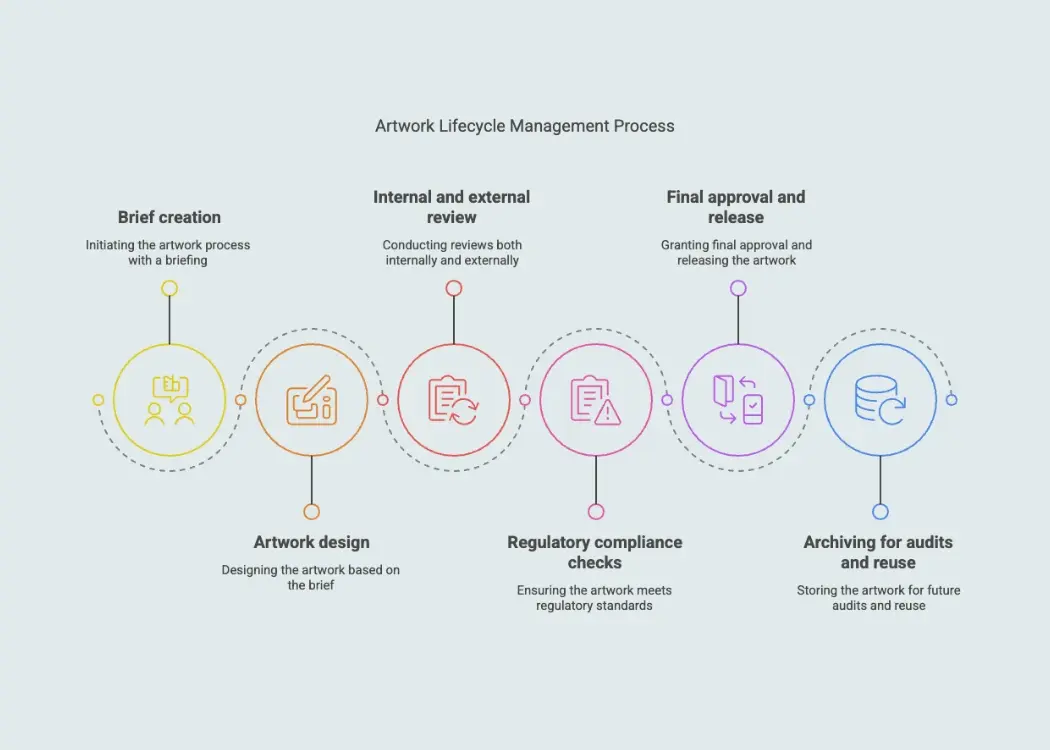
Unlike basic storage tools or traditional digital asset management platforms, artwork management systems are built specifically for packaging version control, approval workflows, and compliance tracking. They don’t just store files—they manage the entire lifecycle of packaging artwork, from first draft to print-ready version.
With a dedicated packaging artwork management system, teams can:
Instead of relying on manual processes, platforms like Cway help teams handle complex packaging version management without the usual chaos—eliminating duplicate files, reducing errors, and bringing structure to fast-moving packaging operations.
Managing 10+ packaging versions doesn’t have to be overwhelming.
With the right system:
—you can turn a messy process into a scalable advantage.
And when the complexity inevitably grows, the real upgrade comes from moving beyond manual control to tools designed specifically for version-heavy workflows.
Because the goal isn’t just to stay organized.
It’s to never worry about versions again.
Delays, miscommunication, and costly packaging errors—sound familiar? These are just a few of the challenges companies face when managing product...
Managing multiple packaging versions is one of the most complex challenges for modern product teams. As product lines expand, regulations evolve, and...
Launching a new product is exciting—but it’s also a high-stakes operation. Behind every successful product line is a delicate dance between...