
How to Assign Roles to Artwork.
There are four roles for artwork members in a project:
-
Supplier
The supplier creates and adjusts the artwork file (graphics). Typically it's an artwork management agency or a design agency.
-
Approver
The approver participates in the review and approval process of the artwork. Typically it's an employee at a brand owner, but it can also be external persons, such as a translator or an external legal body.
-
Receiver
The receiver receives files once the artwork is approved. Typically it's a printer or prepress.
-
Follower
A follower is anyone that doesn't participate in any of the above but needs to keep track of the progress of the artwork. Typically it's a coordinator of functions adjacent to or dependent on the artwork progress, e.g. planner of pack material supply at the factory.
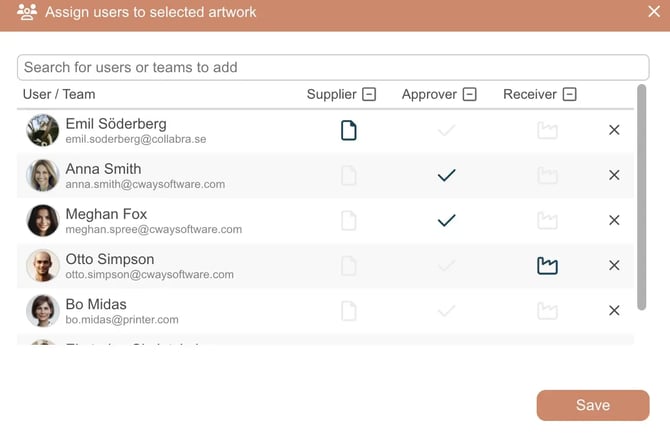
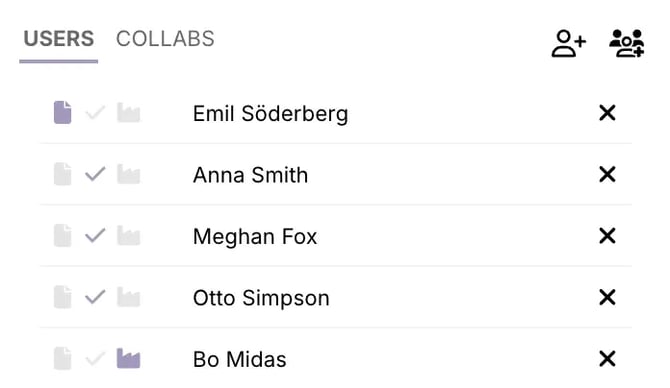
In the Viewer, where you can choose artwork roles, icons illustrate these roles (in the above order). For Followers all icons are grey.
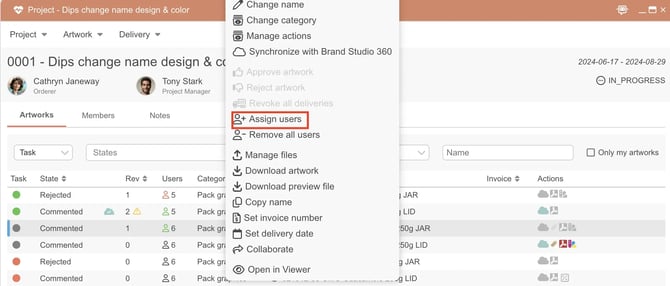
Watch this short clip to learn how to assign members to an artwork in Cway: