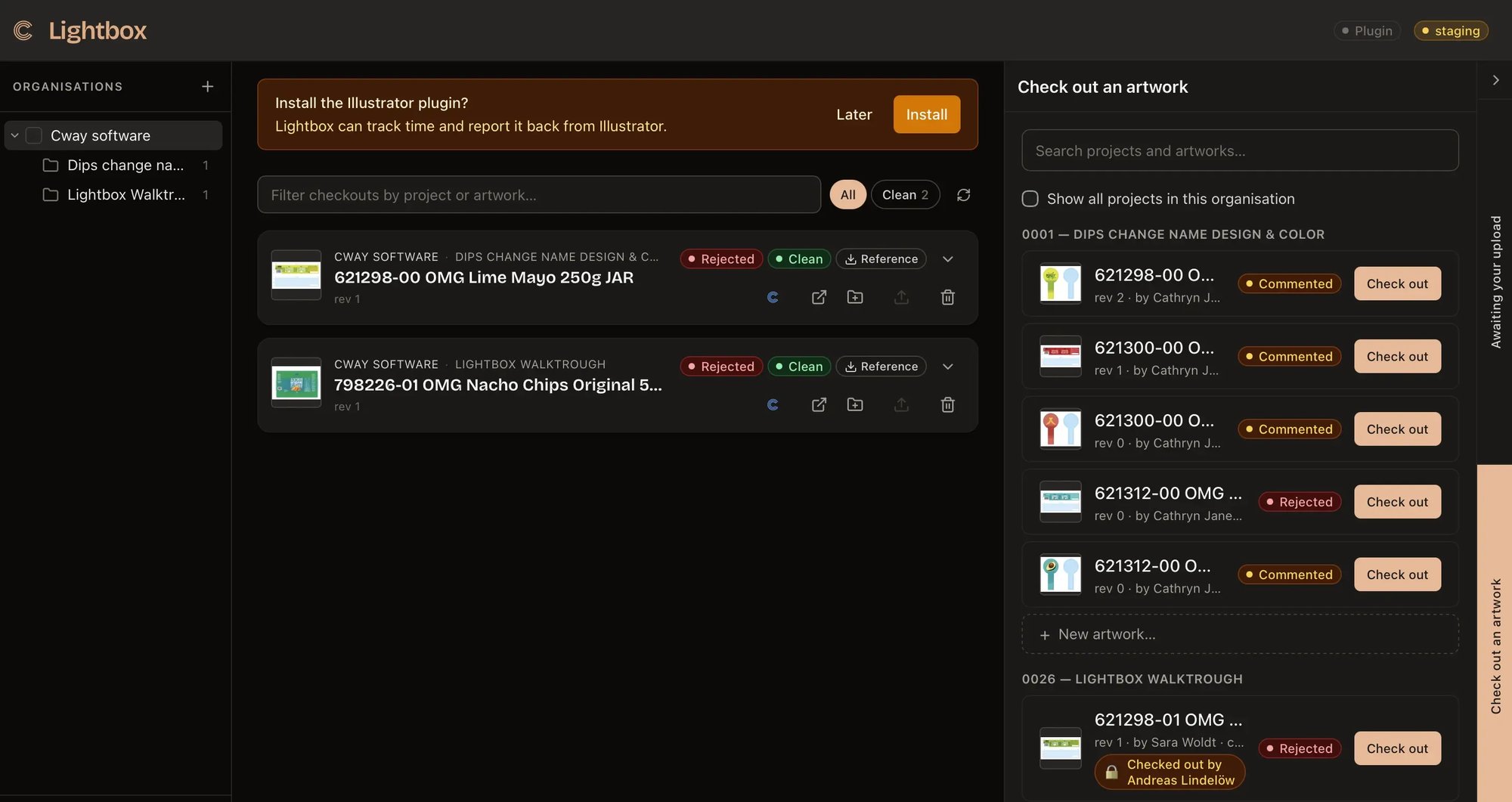
CHECK OUT. EDIT. CHECK BACK IN.
Lightbox by Cway — Desktop Client for Packaging Artwork
A native macOS and Windows app that connects Cway artwork projects to your desktop. Packaging designers work in Illustrator and Photoshop — Lightbox handles file transfer, versioning, and locking automatically.
THE PROBLEM
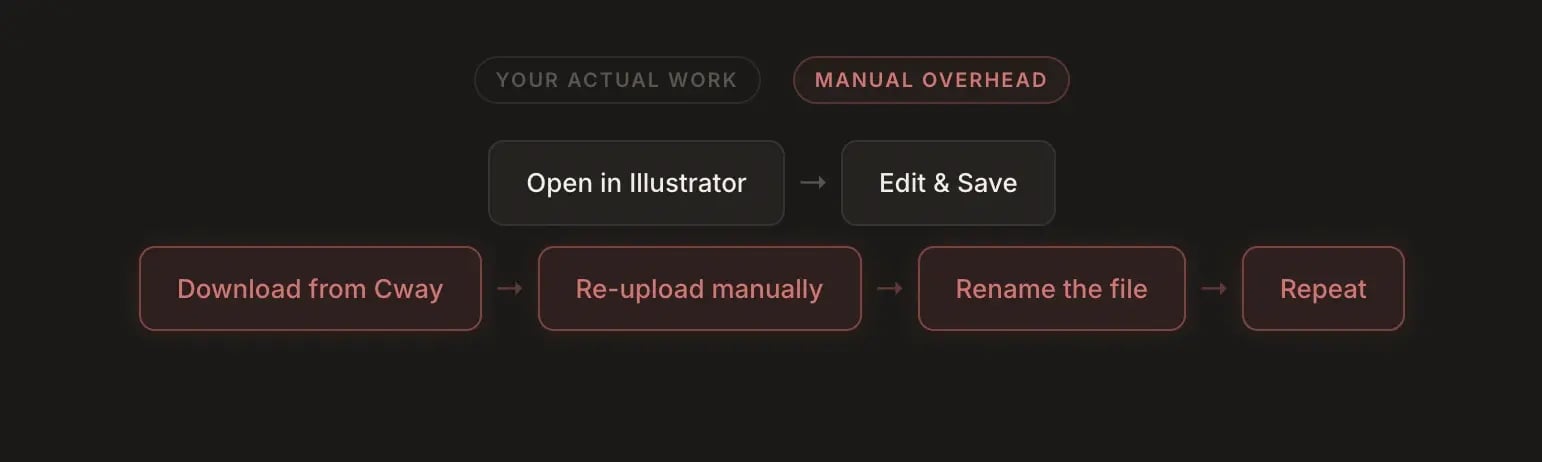
Designers Shouldn't Live in a Browser

HOW IT WORKS
Three Steps. No New Tools.
Native macOS and Windows. Works with Illustrator, Photoshop, or any app set as default for the file type.
STEP 1 — CHECK OUT
Select an artwork, pull the files
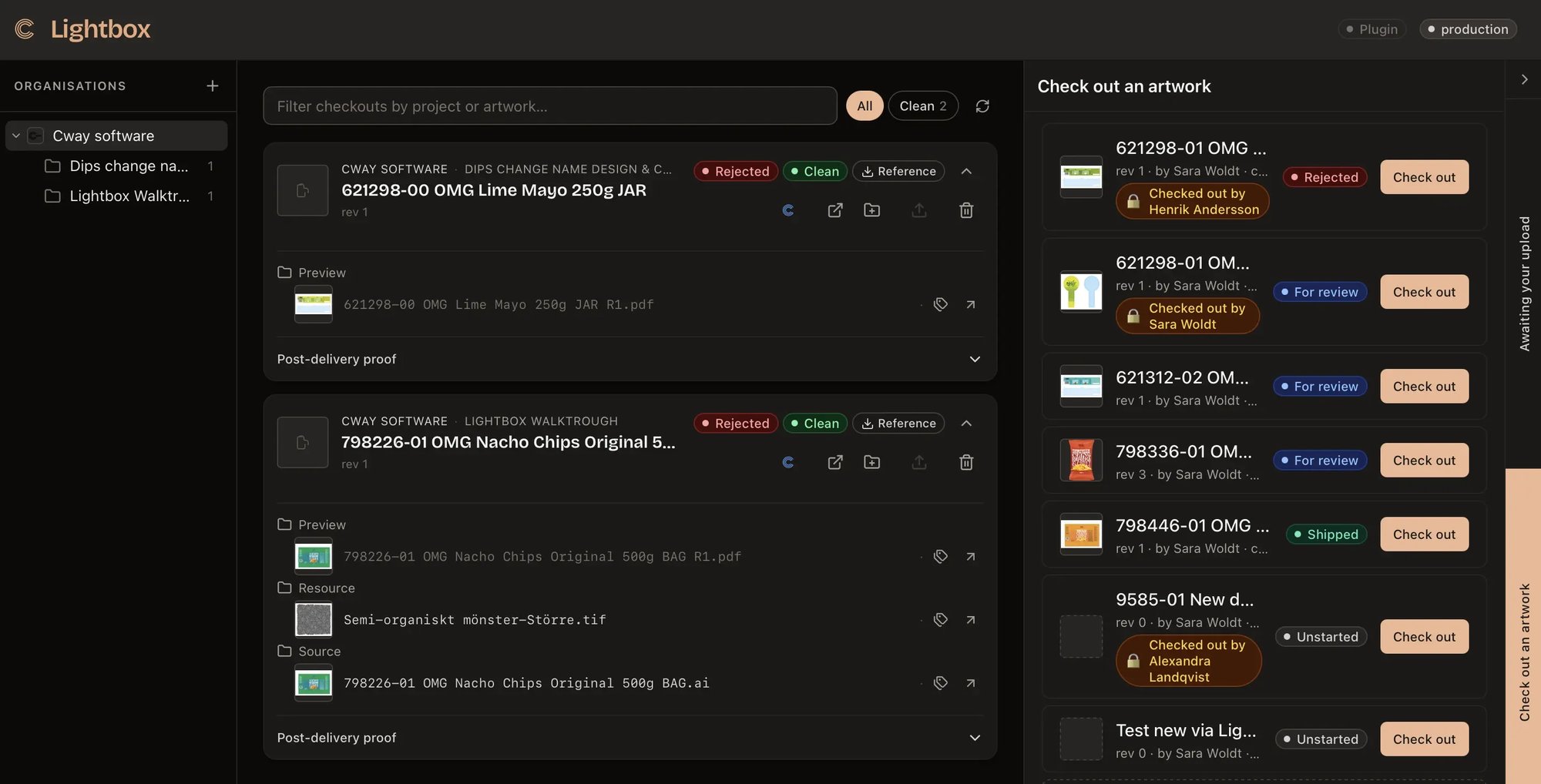
Open Lightbox, find your project and artwork. One click pulls source files, resources, and delivery assets into a structured local folder. The artwork is locked in Cway instantly — no one else can edit it while you have it checked out.

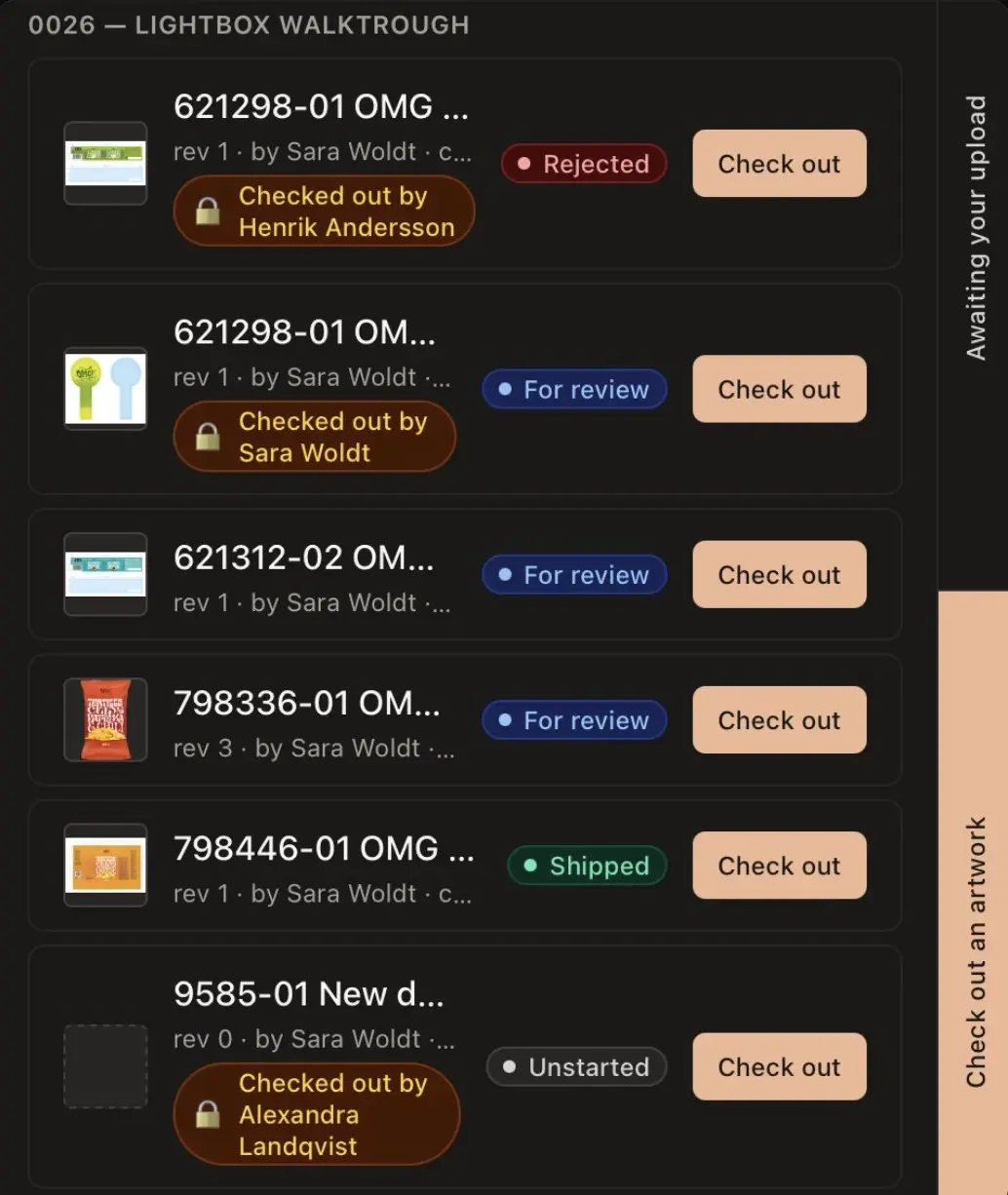
STEP 2 — EDIT
Work in the tools you already use
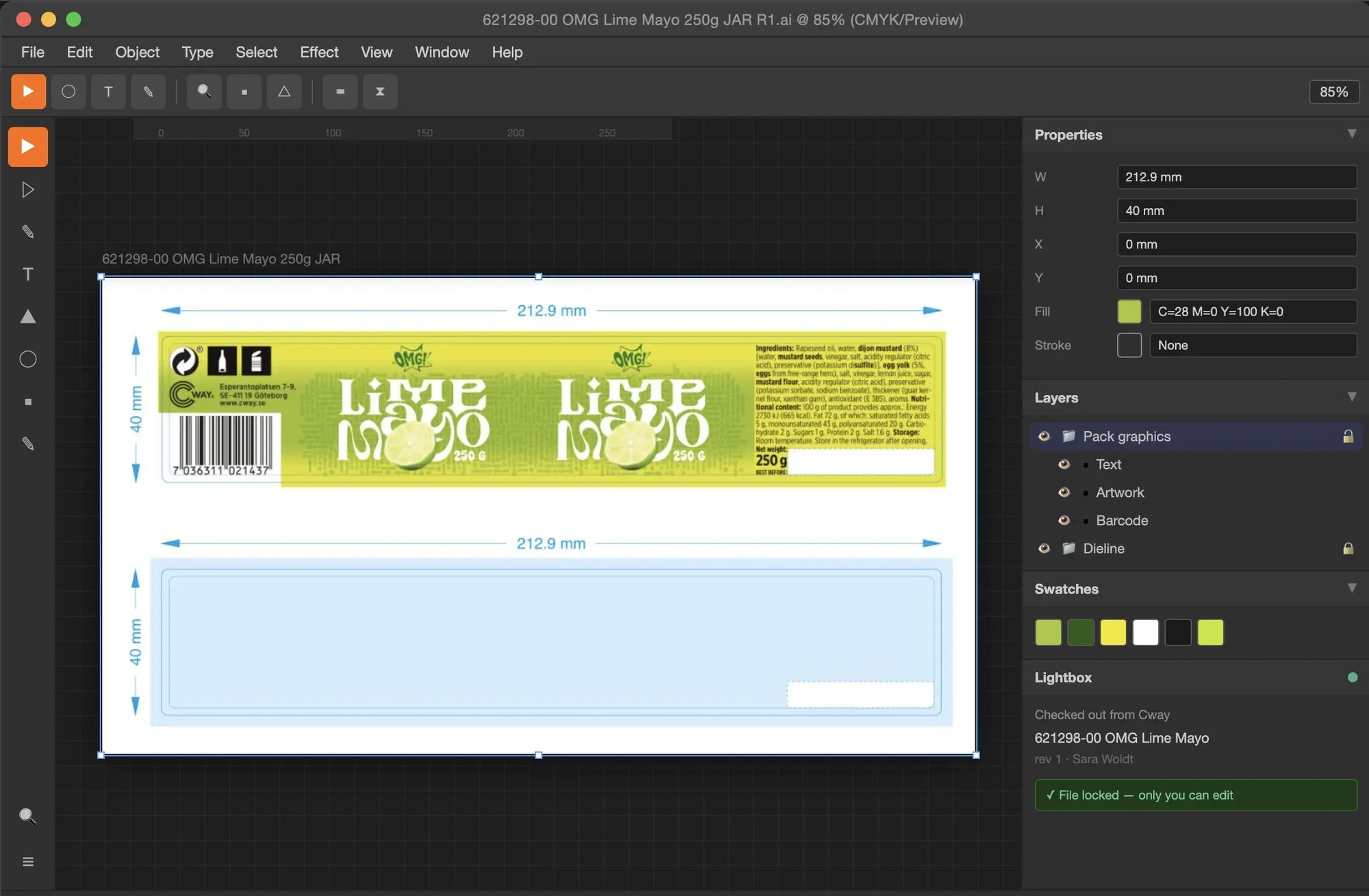
Files open directly in Illustrator, Photoshop, or any app set as the OS default. Lightbox stays out of the way — no plugin, no new interface, no changes to how you work.
While you edit, Cway shows the artwork as checked out by you. Everyone else on the team sees the lock.
STEP 3 — CHECK IN
Done editing — one click to sync
When edits are done, check in from Lightbox. It diffs the local folder, uploads only what changed, and creates a new versioned revision in Cway automatically.
The lock is released. The history is preserved. The previous version stays on disk as a read-only archive.
No more conflicting edits
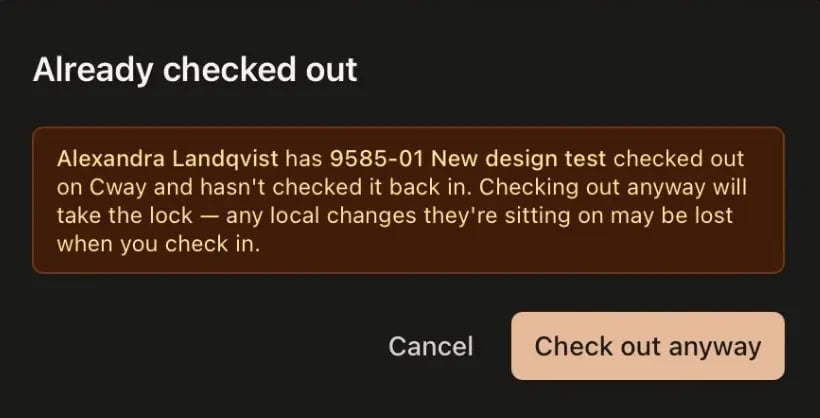
When a designer checks out an artwork, Cway locks it. If someone else tries to check out the same file, they see exactly who has it. No silent overwrites, no lost work, no "who was working on this?" conversations.
LIGHTBOX BENEFITS
What Packaging Teams Get With Lightbox
No re-upload friction
Changes sync directly from your local folder to Cway. No manual uploads, no renamed files, no "which version is this?" conversations.
No version conflicts
Server-side locking prevents two people from editing the same packaging artwork simultaneously. One checks out — others see it locked.
Full revision history
Every past version is preserved on disk as a read-only folder and recorded in Cway. Nothing gets lost, everything is traceable.
Works with tools you already use
No plugin required. Files live in OS folders. Designers open them in Illustrator, Photoshop — whatever they use. Zero onboarding friction.
Built for Packaging and FMCG Design Teams
Lightbox is designed for packaging and FMCG teams who manage high volumes of artwork in Cway and need a faster, more reliable desktop workflow — without replacing the creative tools their designers already rely on.
It's not a plugin. It's not a browser extension. It's a native desktop client that makes Cway artwork feel like it lives on your computer — because for the duration of your edit, it does.
If your designers are spending time on file logistics instead of design — downloading, renaming, re-uploading, figuring out which version is current — Lightbox is built for that problem.