
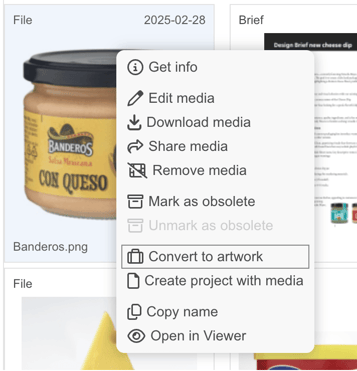
To create an artwork directly in the Brand Studio 360 (Media Center) you first need to upload a preview file (pdf, png or jpeg for example). Then right-click on your file and choose Convert to artwork.
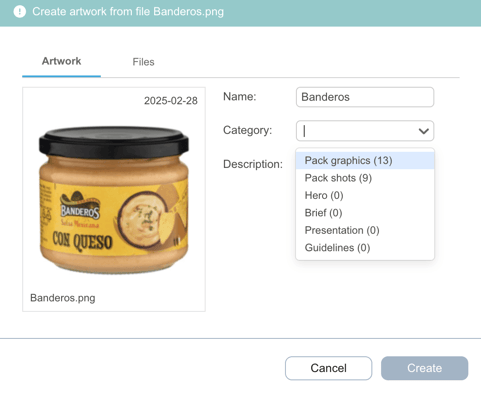
In the next dialogue name your artwork and choose Category.
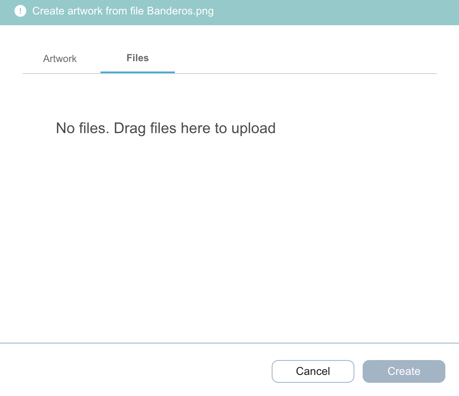
Then upload (drag and drop into the drop zone) your source, delivery, and preview files to the specified tab.
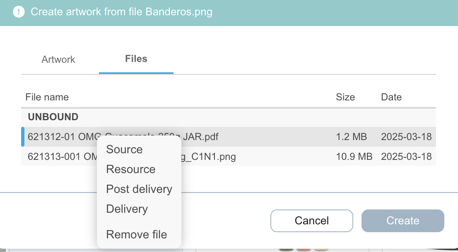
Right-click the file to open the drop-down menu, where you can mark its type (source, resource, delivery, post delivery) or remove it.
Don't forget to click the Create button.
Watch this short clip to learn how to add and categorize media in Brand Studio 360 (Media Center):