
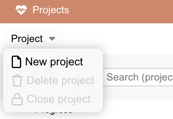
To create a New Project* you start by clicking the New Project from the Projects menu.
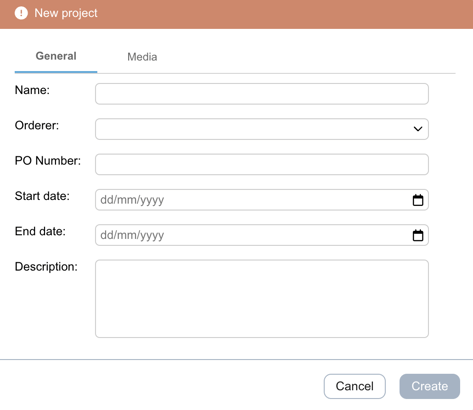
Fill in your project details and Create.
Now you have a Planned Project in the Projects list so you can create artworks and assign members without notifying them.
*To create a new project you need to be organization owner or admin.
Watch this short clip to learn how to create a new project.
Want more tips and tricks? Visit our YouTube channel where we have collected all of our short How To's. Subscribe to be the first to know when a new video is up.