
Add a user:
-
Right-click the folder you want to grant access to.
-
Click Share in the menu.
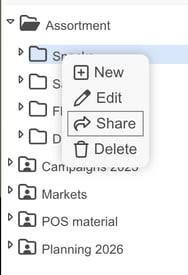
- Select Add users to folder
-
Search and add users
.png?width=670&height=256&name=add%20user%20to%20the%20folder%20in%20brand%20studio%20(media%20center).png)
You can manage permissions for each user. Managing folder permissions in Brand Studio 360 allows you to control who can view, edit, share, or download content
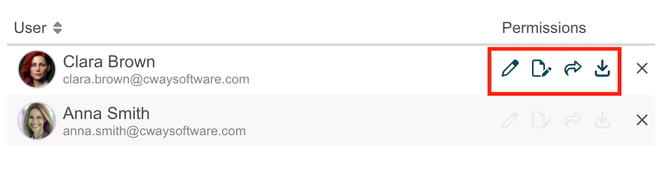
Understand Permission Icons
Each user has permission controls displayed as icons. These represent different access levels:
Write - Allows uploading, renaming, and deleting files in this folder.
Manage - Allows creating folders, editing folder settings, and updating metadata.
Share - Allows sharing this folder with other users.
Download Delivery Files - Allows downloading files marked for delivery.