
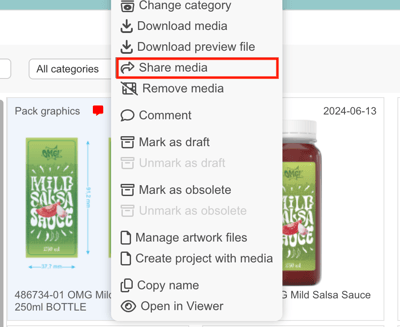
Right-click the icon of the artwork. Choose the alternative Share media.
Add Recipients
-
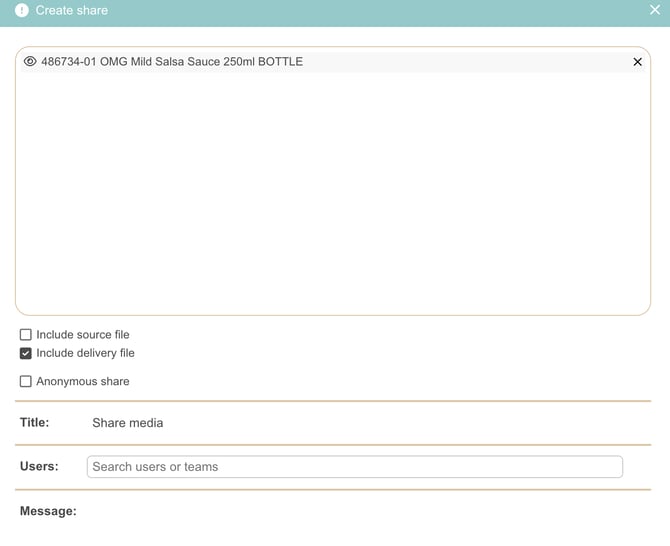
In the Users field, search for users or teams.
-
Select the people you want to share the media with.
In the Create share window, you can also select:
-
Include source file – Share the original artwork file.
-
Include delivery file – Share the delivery-ready file.
-
Anonymous share – Allows you to create a shareable link without adding specific users or email addresses. You can copy the generated link and send it manually to anyone who needs access.
Select the appropriate options depending on what you want to share.
Add a Message (Optional)
You can include a message to provide context or instructions for the recipients.