
To find the comments made by sub-approver for artworks in a project, open the article from Projects by double clicking it. This opens the artwork's Viewer (in another browser window).
In the Viewer the comments are displayed to the left:
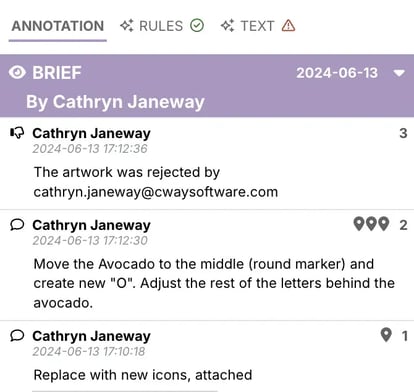
You can see comments for each revision by clicking drop down for each revision.
If you also wish to see any revision with comments placed on the artwork, click the revision name in the list. The selected revision will replace the current revision in the artwork window.
Watch this short clip to learn how to comment, reject and approve in the Viewer:
Want more tips and tricks? Visit our YouTube channel where we have collected all of our short How To's. Subscribe to be the first to know when a new video is up.