
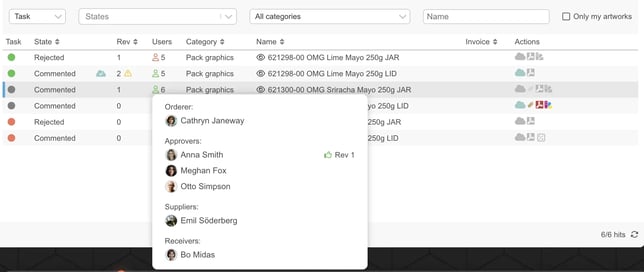
You can see all assigned members by hovering over the Assignments symbol in the artwork list.
You'll also find the members in the upper left corner when you open the Viewer.
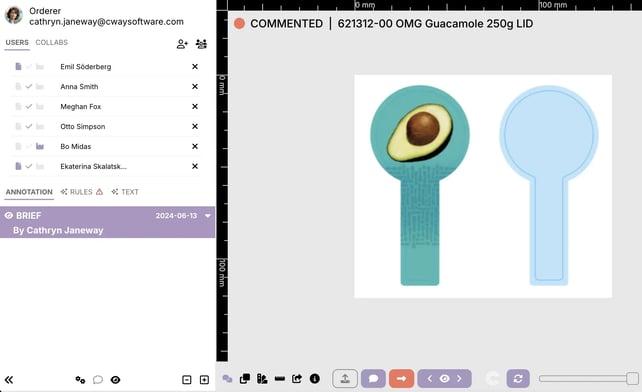
NB: the orderer isn't present in the above mentioned lists because the orderer has overall presence in the project. You'll find the orderer right under the project name in the artwork list.
Watch this short clip to learn how to assign members to an artwork.
Want more tips and tricks? Visit our YouTube channel where we have collected all of our short How To's. Subscribe to be the first to know when a new video is up.