2 min read

Introducing AI-powered text extraction in the Cway Viewer

Introducing AI-powered text extraction in the Cway Viewer
AI text extraction for packaging artwork: faster reviews, fewer errors
3:08

Packaging artwork is complex, text-heavy, and highly regulated. From ingredients and nutritional values to legal disclaimers and multilingual content, even a small typo can lead to delays, compliance risks, or costly reprints.

That’s why Cway software now introduces AI-powered text extraction directly inside the Viewer App — making packaging artwork reviews faster, smarter, and more reliable.

This new capability makes it easier than ever to review, copy, and spellcheck text from packaging and artwork files — in just a few clicks.

What Is AI Text Extraction in Artwork Management? (How it works)

AI text extraction automatically identifies and pulls text from your packaging artwork files, allowing teams to review, copy, and spellcheck content without manually retyping or zooming into PDFs.

Inside the Cway Artwork Viewer, the process is simple:

  1. Open your artwork
  2. Navigate to the Text tab
  3. Click “Extract Text Now”

And that’s it — the system automatically extracts all detectable text from the artwork and presents it in a structured, easy-to-review format.

Within seconds, you can:

  • View all extracted text content
  • Identify potential spelling issues
  • Copy specific sections (e.g., headings, labels, ingredients)
  • Ensure accuracy before approval

The result? Faster reviews, fewer manual checks, and greater confidence in your packaging text.

AI text extraction in cway app (1)

Compare Text Across Artwork Revisions

AI Text Extraction also enables you to compare text between different artwork revisions.

This makes it easier to identify changes in product descriptions, ingredients, nutritional values, or regulatory text — without manually reviewing the entire artwork.

Instead of visually scanning PDFs side by side, you can quickly see what has changed and validate updates with greater confidence.

This is especially valuable for packaging updates, reformulations, or multilingual revisions where even small text adjustments matter.

OCR and Embedded Text: What You Should Know

Text extraction works using AI and OCR (Optical Character Recognition) technology when needed.

For the best possible accuracy — especially when it comes to spellchecking — we recommend uploading PDFs with selectable, embedded (live) text rather than flattened or scanned files.

While OCR delivers strong results, embedded text PDFs provide even higher precision and improved spellcheck performance.

Built-In Spellchecking for Greater Accuracy

Once text is extracted, Cway automatically checks for potential spelling errors.

If issues are detected, they are clearly highlighted with suggested corrections — allowing teams to resolve problems before artwork moves further in the approval process.

For packaging and regulatory teams, this means fewer last-minute corrections and stronger quality control across projects.

A Smarter Approach to Artwork Lifecycle Management

AI-powered text extraction is more than a convenience feature — it’s a strategic improvement to digital artwork management.

By embedding intelligent text analysis directly into the Viewer App, Cway software helps teams:

As packaging projects become more complex and global, automated quality checks are no longer optional — they are essential.

Experience AI-Driven Packaging Artwork Management

With AI text extraction, Cway software continues to advance packaging artwork management with automation that delivers real operational impact.

Faster reviews. Better accuracy. Fewer costly mistakes.


Introducing smarter, more flexible team management in Cway

Introducing smarter, more flexible team management in Cway

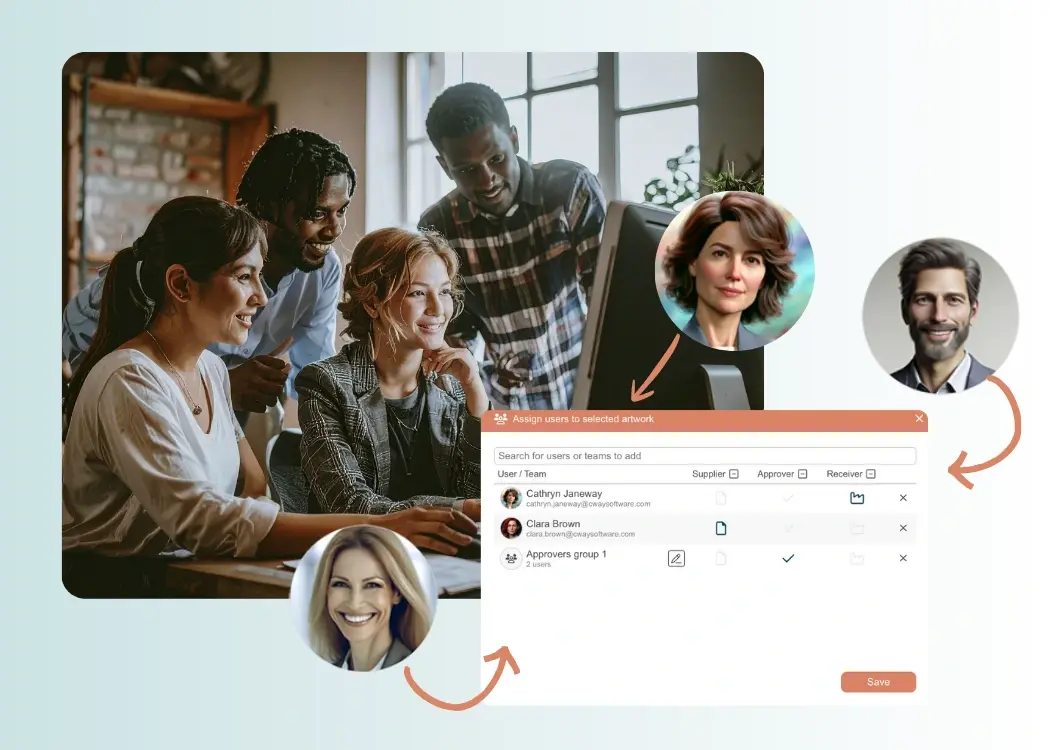
Managing packaging artwork projects often requires multiple teams, many reviewers, and different approval stages. To support the complexity of modern

View Full Article
New features & workflow enhancements in Cway

New features & workflow enhancements in Cway

We’re excited to introduce three major updates that make Cway even more powerful, intuitive, and aligned with the real workflows of creative,...

View Full Article
Pulse update: a more powerful analytics hub for artwork management

Pulse update: a more powerful analytics hub for artwork management

Pulse has evolved into an even more powerful analytics hub — giving you deeper visibility, clearer insights, and beautifully visualized data to...

View Full Article