
Cway Feature List
The complete overview of what Cway does, from brief to printer. Use this page to see every capability in one place, check Cway against your requirements, or share it with your team.
FREE DOWNLOAD
Take the full feature list with you
Download the complete Cway feature list as a PDF to share with your team, attach to an RFP or compare against your requirements.
Download the PDF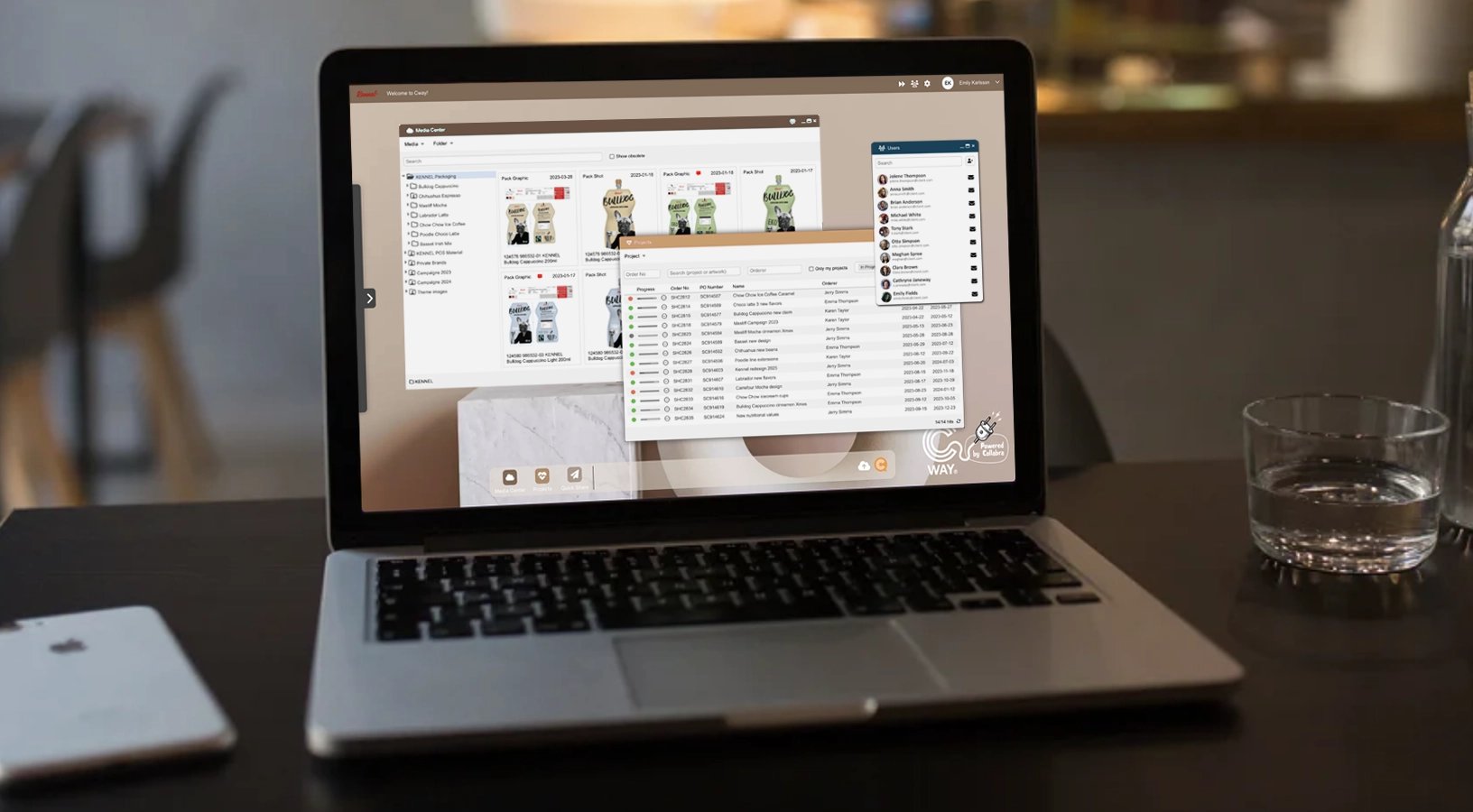
What is Cway?
Cway is an artwork management platform for packaging teams. It brings together workflow automation, artwork approvals and proofing, a brand asset library and analytics in one cloud platform, so brands, agencies and printers work on the same artwork, from the first brief to the approved file in production.
Cway is built for FMCG, food and beverage, cosmetics and retail brands, and for the agencies and printers who work with them. It is developed by Cway AB in Gothenburg, Sweden.


How to use this page
Features are grouped by area. Each line describes one capability in plain words. If you’re comparing artwork management platforms or preparing an RFP, this list gives you a structured starting point; for anything specific to your process, talk to us and we’ll walk you through it in the product.
Some capabilities appear in more than one section, because they serve different needs: for example, the full change history matters for both project management and compliance.
Workflow and automation
Cway runs the artwork process around your team: approvals happen in parallel, the orderer has the final word, and reminders, deadlines and filing happen on their own. The result is fewer handovers to chase and one clear answer for the designer in every round.
Feature |
Description |
|---|---|
| Orderer-led approvals | The orderer has the final word on every artwork, so conflicting feedback never reaches the designer. |
| Parallel approvals | All approvers review at the same time by default, so artwork never waits in a queue and the review takes as long as the slowest approver, not the sum of all of them. |
| Selective re-approval | After a change, only the approvers it affects need to review again. Legal doesn’t have to re-approve a colour tweak. |
| Team approvals | Assign a whole team as an approver and choose how it decides: either every member must approve, or any one member can decide for the team. |
| Bulk actions and bundles | Handle hundreds of SKUs at once: assign participants, approve or reject, bundle and send for delivery in bulk. Group related artworks into a bundle to handle them together. |
| Projects from the library with automated brief | Start a project directly from files and artwork in Brand Studio 360 in a few clicks, and get an automated kickoff brief with all comments included. |
| Auto-filing of approved artwork | Approved artwork syncs automatically into the right folder in your brand library, with no manual export. |
| Live artwork status | Every artwork shows its current state (such as Rejected or Commented), the next step, who it’s waiting on, how many days it has been waiting, and how many tasks and actions are still open. Coloured rings on approver avatars show each approver’s status at a glance. |
| Reminders and escalation | Remind an approver with one click, with every reminder logged. Overdue tasks trigger automatic emails, and SLA-based escalation steps in when reminders aren’t enough. |
| Deadline and overdue tracking | Set a delivery date per artwork. Artwork past its due date is flagged as “Past its deadline”, and the project list shows how many days each project is overdue. |
| Revoke and undo | Every key step can be reversed: revoke an approval, remove a rejection, undo a bundle, or revoke a delivery, even after it has happened. Every step stays in the history. |
| Changes for the next print run | Mark changes on an artwork in the library to be made at the next print run, so they aren’t forgotten between projects. |
| Roles and assignments | Assign approvers, suppliers and receivers to each artwork, directly from the artwork menu. Observers can view or comment without approving and don’t receive approver reminders. Receivers get the final files. |
| Designer check-out and check-in | Designers check files out and back in. Returned files are sorted by type, and every step is written to the history. |
| Brief and file checks | Designers confirm the brief is complete before they start uploading, and file names are checked against your naming convention on upload. |
| Tracked workflow actions | Turn steps such as print coverage into tracked actions on each artwork, and see how many are still open. |
| Custom artwork types | Give each artwork a type, such as Pack graphics, using categories you define yourself. |
| Files and billing per artwork | Drop files directly onto an artwork, with list and grid views, and record an invoice number for supplier billing. |
| Real-time updates and notifications | Projects, tasks, the library and downloads update live without refreshing. Silent mode turns notification emails off per project or artwork for internal or test jobs. Share a direct link to any project. |
| Webhooks on key events | Trigger actions in external systems when key events happen in Cway. |
Approvals and proofing
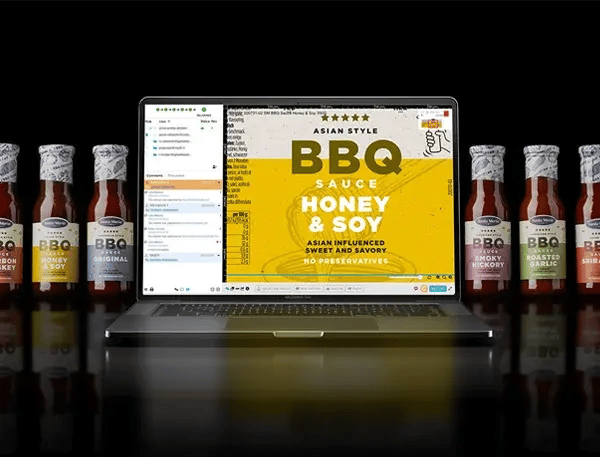
Everything reviewers need to check artwork in the browser, with no design software: deep zoom, markup that stays on target, side-by-side and overlay comparison, measurement and colour separations. Every decision is tied to the exact revision it was made on.
The Viewer also includes AI-assisted tools: text extraction into blocks with multilingual spell-check and translation, plain-language rules that the AI checks the artwork against, and image generation and editing in comments. AI results are suggestions for reviewers to verify; decisions are always made by people.
2.1 Viewer and upload
Feature |
Description |
|---|---|
| Browser-based Viewer | Review artwork in the browser, with no design software or special hardware. |
| 100+ file formats | Upload PDF, PDF/X, AI, EPS, PSD, TIFF, PNG, JPG and many more formats. |
| Auto-generated preview | A reviewable preview is generated automatically for every upload. |
| Upload new revision | Upload a new revision to an artwork; every revision is kept, starting from revision 0. |
| Upload metadata | Every file records who uploaded it, when, and which version it is. |
| Deep zoom | Zoom deep into small text and symbols, with accuracy kept on rotated artwork too. |
| Rotation and pan | Rotate artwork and move smoothly across it. |
| Multi-page preview | View every page of a file and move between pages. |
| Next artwork navigation | Jump straight to the next artwork in the project. |
| Video preview and streaming | Preview and stream video alongside static artwork. |
2.2 Markup and comments
Feature |
Description |
|---|---|
| Markup that stays on target | Pins and markup stay exactly where they were placed when a proof is re-rendered or rotated. |
| Markup tools | Comment exactly where a change is needed, with pins, shapes, arrows, highlights, freehand drawing and text. |
| Invalidate and restore comments | Take a wrong comment out of the flow without deleting it, and bring it back later if needed. |
| Annotation records | Every annotation stores its author, time, status and revision. |
| AI image generation in comments | Generate a visual directly in a comment to show what you mean. |
| AI image editing in comments | Edit an image directly in the comment field. |
| Export PDF with comments | Export a proof with all its comments to PDF, also for large files. |
| Comment attachments | Add files to a comment. |
| Comments per artwork in Projects | View all comments on an artwork from within the project. |
| Hide comment panel | Hide the comment panel when you need more space to review. |
2.3 Compare
Feature |
Description |
|---|---|
| Split screen compare | View two versions side by side. |
| Compare revisions | Compare revisions of the same artwork. |
| Compare across projects | Compare an artwork with artwork from any other project. |
| Compare with library files | Compare an artwork with a file from Brand Studio 360. |
| Transparency overlay | Overlay two versions with adjustable transparency. |
| Blinking | Flick between versions to spot moved or missing elements. |
| Red mode | Highlight differences in red. |
| Black-and-white mode | Switch to a high-contrast mode to make differences easier to see. |
| Swap files | Swap the two compared files with one click. |
| Compare from the context menu | Select two artworks with a right-click in a project or the library and open them in compare. |
2.4 Technical prepress checks
Feature |
Description |
|---|---|
| Printer spec sheets | Printers fill in the full print specification themselves from an emailed link, without a Cway account. |
| Print coverage analysis | Measure ink coverage against a target and approve it as a separate, tracked step. |
| Colour separations | Inspect each process and spot ink separately. |
| Pantone and CMYK values | Check the colour values used in the artwork. |
| Measurement tool | Measure dielines, panels, bleed and safe zones directly in the Viewer, in millimetres or inches. |
| Physical size check | See the real size of every page in millimetres and inches. |
| Resolution check | See the resolution of every page; low-resolution files are flagged. |
2.5 Decisions and approval control
Feature |
Description |
|---|---|
| Approvals tied to the exact revision | Every approval or rejection records exactly which revision it was given on, and when. |
| AI text checks | Cway’s built-in AI extracts the artwork text into tagged blocks, runs a spell-check built for packaging that flags a word only if it is wrong in every language on the pack, and translates text blocks. |
| Plain-language rules | Write your own rules in plain words, and the AI checks the artwork against them, showing each rule as passed or failed. |
| Supplier upload without an account | Agencies and printers view, download and upload revisions from a secure link, with no login. |
| Final release gate | Final release is blocked until all mandatory approvals are in and the responsible person has signed off. |
| Mandatory rejection reason | Require a comment with every rejection, so designers know what to fix. Configurable. |
| Live task inbox | Everything waiting on you, in one list that updates in real time. |
| Artwork status dots | Coloured dots show each artwork’s status: not started, no action needed, action needed, or delivered and downloaded. |
| Role-based approval authority | Only authorised roles can approve. |
| Revoke approval or rejection | Undo a decision when needed. |
| Change an approved artwork | Change approved artwork by uploading a new revision; the approved version stays on record. |
YOUR WORKFLOW, IN CWAY
See how it would work for your team
Every packaging team approves artwork a little differently. Book a call with one of our experts and walk through how your approval flow would run in Cway, from brief to printer.
TAILORED WALKTHROUGHCompliance and traceability
Cway records every action as a permanent event: uploads, comments, revisions, approvals, rejections, downloads and logins, each tied to the exact revision and the person who acted. Artwork is marked Delivered only when the printer has downloaded it. When an audit or recall comes, the record is already there, and we build audit reports around your organisation’s needs, such as approval logs as PDF, as part of your plan.
Feature |
Description |
|---|---|
| Exact-revision approval record | Every decision records exactly which revision was approved and when, giving you clear evidence for audits and recalls. |
| Proof of delivery | Artwork is marked Delivered only once the printer has actually downloaded the file. |
| Complete permanent event history | Every change to projects, artworks, files, the library and products is kept as a permanent event that is never overwritten. |
| No edit-in-place | Every upload, comment and change creates a new record, so nothing that has happened can be overwritten. |
| AI-assisted content checks | Cway’s built-in AI extracts the artwork text into tagged blocks, runs a spell-check built for packaging that flags a word only if it is wrong in every language on the pack, and checks the artwork against rules you write in plain language, showing each rule as passed or failed. |
| Artwork origin and approval history | See where every artwork came from and its full approval history. |
| Rejection reason in audit log | The reason for every rejection is written to the log, alongside who rejected it and when. |
| Access and role-change logs | Every change to who has access, and in which role, is logged. |
| Obsolete instead of delete | Retire artwork without deleting it: it leaves day-to-day use, keeps its full history and can be brought back at any time. |
| Compare against approved copy | Check new artwork against the approved version or a reference file from your library. |
| Automatic barcode detection | All barcodes on an artwork are found automatically. |
Project management
Plan and follow artwork projects with clear roles, per-approver deadlines, a planner timeline and one live inbox for everything waiting on you. Bulk actions make range launches with hundreds of SKUs as manageable as a single update.
Feature |
Description |
|---|---|
| Create new project | Set up a new project in a few steps. |
| Create project from Brand Studio 360 | Start a project directly from files and artwork in your asset library. |
| Roles and access control | Everyone on a project has a clear role. The orderer owns the project and has the final word. The project manager keeps it on track. Reviewers comment on their own area, such as legal, quality or marketing. Graphic designers create and upload the artwork, and printers receive the final files. You can add or remove participants on any single artwork and control exactly who can see, comment on, approve or download it. |
| Planner timeline | See every project on a timeline and set deadlines for the whole project and for each artwork. |
| Progress indicators | See the state of every project at a glance in the project list: a progress bar shows how many artworks are done, in progress or not started, and hovering over it shows the exact numbers, without opening the project. Each artwork also shows its workflow steps with a clear visual status. |
| Status by colour | Every artwork has a coloured status signal, so you can see straight away which artworks need action, which are on track and which have been delivered. |
| Artwork progress tracking | Follow each artwork from first upload to delivery, with every step and its status visible. |
| Active projects view and filters | See all active projects in one overview, and search, filter and sort them, for example to show only your own projects. |
| Task view | See all active tasks in one overview, with search, filters and sorting. |
| One-click reminders | Remind an approver who is running late with one click. |
| Close protection | A project cannot be closed while tasks are still open, so nothing is left half-done. |
| Project notes | Keep notes, checklists and key information for the whole team in the project. |
| Gamification | Earn trophies with star levels for delivered artworks, uploads and closed projects, which keeps the team engaged and adopting the platform. |
Digital asset management
Brand Studio 360 is Cway’s built-in asset library. Approved artwork is filed in it automatically, so the master you approved is the one you reuse. Share files with expiry and read tracking, give printers download-only access, and retire old artwork without losing its history.
Feature |
Description |
|---|---|
| Built-in asset library | Brand Studio 360 is the asset library built into Cway, so approved artwork and brand files live on the same platform where the work is done. |
| Brief-to-archive in one platform | The same platform runs the artwork job and stores the approved master, ready to reuse for the next print run, extension or relaunch. |
| Artwork origin and approval history | See where every artwork came from and how it was approved. |
| Controlled sharing | Choose exactly what to share: source files, delivery files or both. |
| Share with non-Cway users | Share files with people outside Cway; the recipient doesn’t need an account. |
| Folder permissions | Set access rights per folder, so each team, agency or printer sees only what’s relevant to them. |
| User permissions | Control what each user can do in the library. |
| Smart tags | Organise files with coloured tags, see how often each tag is used, merge duplicate tags, and filter files by including or excluding tags. |
| File search | Find any file in the library quickly. |
| Obsolete instead of delete | Mark artwork as inactive when it leaves use, find obsolete files whenever you need them, and restore them at any time. The history is never lost. |
| Comment future changes | Leave notes on artwork in the library for changes to make at the next print run. |
| Share from library | Share files directly from Brand Studio 360. |
| Download from library | Download files directly from the library. |
| Smart downloads | Download many files at once as a single zip. |
| 100+ file formats | Store any working format, from print-ready PDFs to native design files. |
| Folder structure editing | Organise and change the folder structure to match how your brand works. |
| Sorting options | Sort files to find what you need faster. |
| Viewing options | Switch between display modes to browse files the way you prefer. |
Learn more about digital asset management →
Analytics
Cway Insights, delivered in the Pulse app, reads performance straight from the work in Cway: on-time delivery, approval time, rejections by category and supplier scorecards. There’s no setup and no exporting. For anything beyond the standard metrics, we build reports around your organisation.
Feature |
Description |
|---|---|
| Pulse analytics app | Cway’s built-in analytics app, one click away in the Dock. Performance data comes straight from the work your teams already do in Cway, so there’s nothing to set up, export or maintain. |
| On-time delivery rate | See what share of your artwork is delivered on time, and get a clear, objective measure of how reliably your packaging operation hits its deadlines. |
| On-time delivery per month | Follow your on-time delivery rate month by month to see whether things are improving, and whether changes to your process are paying off. |
| Average approval time | Know how long approvals really take. Use it to set realistic timelines, spot slow periods and show the impact of a faster process. |
| Rejections by category | See why artwork gets rejected, broken down by category, so you can fix the root cause, whether it’s the brief, the copy or the design, rather than the symptoms. |
| Rejections metric | Track the total number of rejections over time as a simple indicator of first-time quality. |
| Delivered artworks metric | See how many artworks your team has delivered, a clear measure of output to share with management. |
| Custom reports per organisation | Every action in Cway is recorded, so the data you need is always there. We build reports around your organisation’s own KPIs, from approval logs to management dashboards, included in your plan. |
| Report Tool | Explore both historical and real-time data across your organisation in one place. |
| Active projects and task dashboards | Get an overview of all active projects and tasks, and filter it to focus on what matters to you right now. |
| Open projects metric | See how many projects are open at any time, to keep workload and priorities in view. |
| User statistics | See how your team uses Cway, to follow adoption and spot where people may need support. |
| Storage usage | Keep track of how much storage your organisation uses. |
| Gamification trophies | Trophies with star levels reward delivered artworks, uploads and closed projects, encouraging adoption and giving you a playful view of how actively teams use Cway. |
Learn more about artwork analytics →
Security
Cway is hosted on AWS with encryption in transit and at rest. Access is controlled through Azure AD single sign-on, custom roles and per-folder permissions, and every login is recorded with time and location.
Feature |
Description |
|---|---|
| Azure AD single sign-on | Users log in with their company account through Azure AD, so access follows your company directory and is removed automatically when someone leaves. |
| Role-based access control | Every user gets access based on their role, so people see and do only what their job requires. |
| Multi-factor authentication | Add a second verification step at login to protect accounts even if a password is compromised. |
| Encryption in transit | All data moving between users and Cway is encrypted with TLS 1.2 or higher. |
| Encryption at rest | Stored files and data are encrypted with AES-256. |
| AWS hosting | Cway is hosted on Amazon Web Services, on infrastructure trusted by enterprises worldwide. |
| GDPR compliance | Personal data in Cway is handled in line with the EU General Data Protection Regulation. |
| Login audit with location | Every login is recorded with time, IP address, browser, city and country, so unusual access is easy to spot. |
| User activity logging | See who opened, changed or shared files, and when. |
| Access and role-change logs | Every change to who has access, and in which role, is logged. |
| Impersonation flagging | When someone acts on behalf of another user, the action is clearly flagged in the history with both names. |
| Per-folder access | Set access rights folder by folder, so each team, agency or printer sees only what’s relevant to them. |
| Permission groups | Group permissions and assign them to users together, making access easy to manage as your team grows. |
| External user isolation | Agencies, printers and other external users see only the projects they work on, never anyone else’s. |
| Repro role (download-only) | Printers get a dedicated role that lets them see and download delivery files only. |
| Secure links without an account | Suppliers work through secure links without needing a Cway login, so you don’t have to create and manage accounts for every partner. |
| Share expiry | Set an expiry date on shared links, so access ends automatically when it’s no longer needed. |
| Geo-redundant storage | Data is stored across several AWS locations, so it stays available even if one location fails. |
| Automated backups | Your data is backed up automatically and regularly. |
| Disaster recovery | A tested recovery plan keeps Cway available and your data safe in case of a major incident. |
| Vulnerability assessments | Cway is checked for security vulnerabilities on a regular basis. |
| Strong password policy | Passwords must meet strength requirements, protecting accounts against simple attacks. |
| Session timeout | Inactive sessions log out automatically, so unattended devices don’t stay signed in. |
| Multi-organisation separation | Users who work with several organisations switch between them, and their access is always tied to the organisation they’ve selected. |
| Scoped API keys | Each integration gets only the access it needs, through API keys limited in scope. |
| Admin-controlled deletion | Only administrators can delete versions, so records can’t be removed by accident. |
| Change password | Users can change their own password at any time. |
Integrations
Cway runs on an open API, the same one the application uses, with scoped API keys and webhooks on key events. Ready-made integrations include Bynder, Slack and Blikk ERP, and printers with automated pickup can receive files over FTP or FTPS. If you need another integration, we’re happy to discuss it.
Feature |
Description |
|---|---|
| Open API | Cway runs on an open API, the same one the application itself uses. Anything you can do in Cway can be connected to the rest of your systems, so artwork, product and approval data flows where your teams need it. |
| Ready-made integrations: Bynder, Slack and Blikk ERP | Connect Cway to the tools your teams already use. With Bynder, approved artwork and its metadata sync to your DAM, so it always holds the latest approved master. With Slack, artwork updates reach your team in the channels they already work in. With Blikk ERP, built for Nordic agencies and printers, linked projects are created in Blikk, the closing status syncs back automatically and time reports flow into Cway, with no double entry. |
| Webhooks | Trigger actions in your other systems automatically whenever key events happen in Cway, such as an approval or a delivery. |
| Custom integrations on request | Need to connect a system that isn’t on the list? We build integrations and API work around your stack, so Cway fits into the way your organisation already works. |
| Azure AD single sign-on | Users log in with their company account through Azure AD, keeping access in line with your company directory. |
| FTP / FTPS for printers | Printers with automated workflows pick up delivery files over FTP or FTPS, organised in a clear year-and-week folder structure. |
| Desktop apps via Lightbox | Designers open artwork straight in Illustrator, Photoshop or any default app on their computer, and check it back into Cway as a new revision. |
| Email-link spec sheets | Printers fill in the full print specification from a link in an email, without a Cway account. |
| Scoped API keys | Give each integration only the access it needs, with API keys limited in scope. |
| Email notifications | Approvers and team members get email notifications, reminders and overdue alerts, so nobody misses their turn. |
Free Download
Comparing artwork management platforms?
Get the complete Cway feature list as a PDF, ready to share with IT, procurement and everyone involved in the decision.
Download the PDF