1 min read
10 must have annotation features for packaging approvals
Annotation and markup tools can make or break your packaging artwork approval process. When you're reviewing files that contain allergens, legal...
10 min read
Ekaterina Skalatskaia
:
July 29, 2026
Reviewing packaging labels across multiple markets is complex work. Regulatory requirements differ, languages multiply, and even a small annotation error can lead to costly reprints or compliance issues. Cway helps packaging teams centralize feedback, track versions, and maintain full traceability—making multilingual label reviews faster and more accurate.
This guide compares the annotation features that matter most for packaging operations managers, from markup precision to governance controls. You'll find a breakdown of the tools that can help your team reduce risk and accelerate approvals.
Packaging annotation requires more than basic markup. When you're reviewing labels for food, pharma, or cosmetics, you need tools that understand the complexity of regulated content. Generic creative proofing tools often fall short because they weren't built for the precision that packaging compliance demands.
We evaluated each tool based on criteria that matter to packaging operations:
Cway delivers the annotation precision that packaging teams need for multilingual label reviews. Built specifically for packaging workflows, it combines contextual markup, version comparison, and structured approval stages in a single platform. Cway gives you full control over who reviews what, when, and how eliminating the confusion that slows down label approvals.
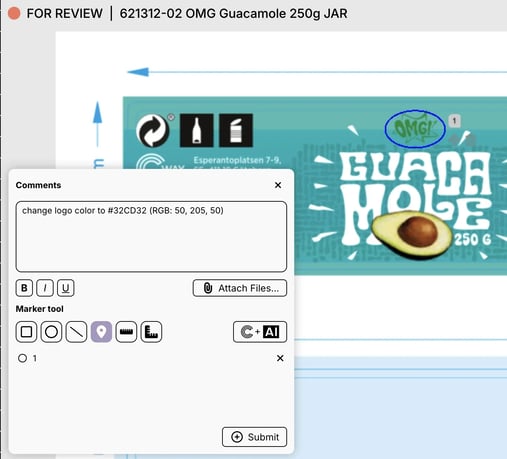
Packaging operations managers choose Cway because it connects artwork approvals directly to workflow stages. Every annotation links to the specific version and area of the artwork, so designers receive clear instructions without guesswork. When your team manages hundreds of SKUs across multiple regions, this clarity reduces revision cycles and prevents compliance gaps.
Cway also supports full audit traceability, which matters for regulated industries. Every comment, version change, and approval decision is logged automatically. You maintain accountability across regulatory, quality, and marketing teams without extra administrative work.
Pros:
Cons:
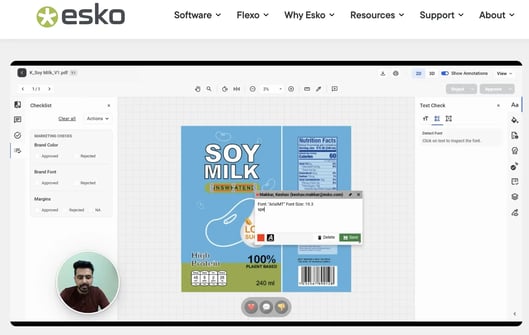
Esko WebCenter serves large packaging organizations that need end-to-end prepress integration. The platform connects annotation and approval workflows with Esko's production tools, making it a fit for enterprises with established Esko environments. Reviewers can mark up artwork and move files through to print preparation without switching systems.
The system handles complex packaging structures, including multi-panel labels and 3D packaging visualizations. For organizations already invested in Esko prepress software, this integration reduces handoff errors between design review and production.
Pros:
Cons:
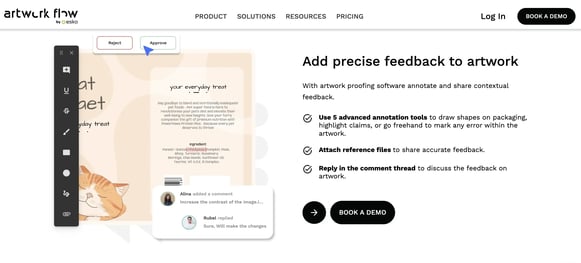
Artwork Flow positions annotation within automated workflow automation. The platform lets packaging teams set up rulebooks that flag compliance issues during review, checking for allergens, barcodes, and nutrition formatting. Annotations connect to workflow triggers, advancing artwork through approval stages automatically.
The version comparison feature offers side-by-side, difference, and flicker modes to identify changes between iterations. This helps regulatory teams verify that requested corrections have been made before sign-off.
Pros:
Cons:
ManageArtworks combines annotation with pack copy management, centralizing packaging content like ingredients, translations, and marketing claims. The platform includes multilingual spell-checking across more than 25 languages, which helps teams catch text errors during review. Annotations connect to specific artwork regions, and the system maintains detailed logs for audit purposes.
For pharmaceutical and food packaging teams, the platform addresses FDA 21 CFR Part 11 and EU Annex 11 documentation requirements through electronic signatures and audit trails.
Pros:
Cons:
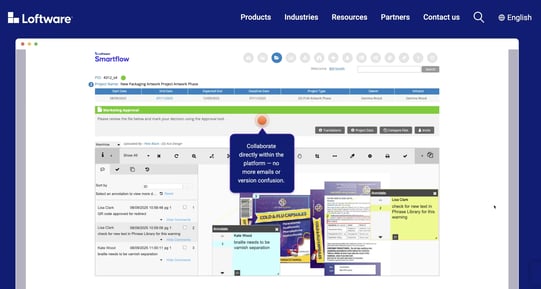
Loftware focuses on label management rather than full packaging artwork. The cloud platform is designed for regulated environments, offering validation-ready infrastructure that addresses FDA and EU compliance documentation. Label changes move through digitized approval processes with electronic records and signatures.
For organizations managing medical device or pharmaceutical labels, Loftware includes a 12-year print history for traceability. The platform handles label variants through data-driven templates rather than individual artwork files.
Pros:
Cons:
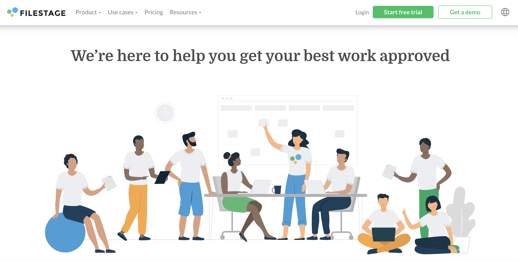
Filestage offers straightforward markup tools for teams that need fast client feedback on packaging designs. The platform supports point-and-click annotations on PDFs, images, and videos, with clear approval status indicators. External reviewers can access files without creating accounts, which reduces barriers for agencies and clients.
The tool works for marketing teams managing packaging creative, though it lacks the packaging-specific features that regulatory and compliance reviews require.
Pros:
Cons:
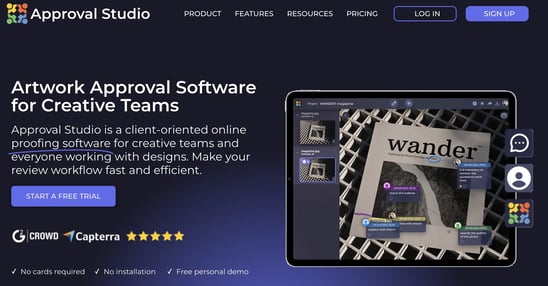
Approval Studio includes dieline support and structured approval stages for packaging design review. The platform lets teams configure workflows that advance automatically based on triggers like document uploads or review completion. Reviewers can annotate directly on packaging files, and the system maintains audit trails for accountability.
For smaller packaging teams or agencies, Approval Studio offers structured proofing at a lower implementation complexity than enterprise platforms.
Pros:
Cons:
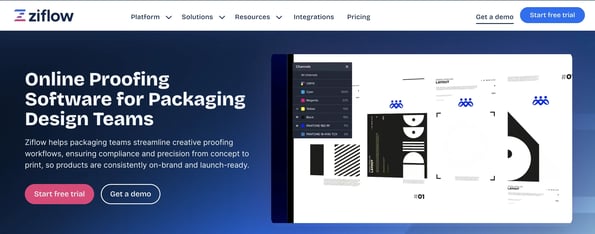
Ziflow offers annotation and design review for creative teams working with Adobe tools. The platform includes workflow automation and integrations with DAM systems, making it suitable for teams managing mixed content types. Annotations attach to specific areas of designs, and reviewers can collaborate in real-time.
While Ziflow handles packaging files, its focus is broader than packaging-specific operations. Teams with primarily creative marketing content may find it useful, though regulatory packaging review may require additional processes.
Pros:
Cons:
| Tool | Version Comparison | Audit Logs | Annotation-to-Review Linkage | File Formats |
|---|---|---|---|---|
| Cway | Viewer compares any two files (not just sequential versions — also cross-project or vs. Brand Studio assets): blink mode, overlay/transparency, pixel-level shift/align, swap mode. Reviewers call it a standout feature. | Annotations, version changes, and approvals are logged | Comments attach to specific artwork elements/design layers (not flattened PDFs), tied to the specific version/proof round; role-based permissions (view/comment/approve) and structured sign-off status. | Support for over 100 formats (DF, AI, PSD/PSB, EPS, TIFF, PNG, etc.) |
| Esko WebCenter | Built-in Compare mode: side-by-side, flicker, and difference/overlay, plus CAD Overlay | Limited | Annotations in the Viewer feed into configurable sequential/parallel workflows with checkpoints and e-signature-gated approval stages, all centralized per project/version. | Native ArtiosCAD (.ARD, .A3D, .MFG, .ACD), multi-page PDF, TIFF/LEN sets, GRS/AP, Collada 3D, Packed Archive Format (CAD + graphics). |
| Artwork Flow | Three modes: side-by-side, difference/overlay, flicker. | Basic | Pin comments tied directly to the approval cycle, stakeholder tagging, custom parallel/serial workflows; automated compliance rulebooks (allergens, ingredients) run alongside annotations. | No explicit PSD or video support. |
| ManageArtworks | Compare Mode (Enterprise) | Basic | Comments live in the Web Viewer, replies append to the annotation itself (threaded); serial/parallel approvals with rejection loopbacks. No explicit auto-conversion of annotations into separate tasks found. | |
| Loftware | Labels only | Limited. Reviewers want more detailed logging. | In Smartflow, annotations are embedded directly in the review task — approve/reject in the same interface; comments required on status changes. | PDF imported as image only (no native AI vector editing) |
| Filestage | Side-by-side + overlay (opacity slider), synced zoom/scroll, auto text-compare for documents. | Basic | Annotations sit directly on the content; multi-stage workflows (e.g., legal → marketing → compliance) block progression until each stage approves. | PDF/PDF-X, DOC/DOCX, XLSX, PPTX, video (MOV, MP4, etc.), images including AI, PSD, PSB, SVG, EPS, RAW; audio |
| Approval Studio | 4 modes: Toggle, Fader, Difference Highlight (pixel-level), Side by Side | Limited | Annotations (5 shapes) on artwork/PDF layers, one-click approve/reject without an account | 23+ formats |
| Ziflow | Compare mode with draggable divider + overlay | Basic | Multi-stage routing with conditional logic, deadlines, and required approvers | Claims 1,200+ formats |
Multilingual packaging adds layers of complexity to label review. You're not just checking design accuracy—you're verifying translations, regulatory claims, and region-specific content across multiple variants. The annotation tool you choose should handle this complexity without creating bottlenecks.
Start by evaluating how the tool handles language-specific content. Can reviewers mark up text in different languages and attach comments that translators can act on?
Version control becomes critical when managing multilingual labels. You need to compare the French version against the German version, or track what changed between the v3 and v4 English label. Tools with strong version comparison reduce the risk of outdated content reaching production.
Finally, consider how annotations integrate with your broader workflow. Feedback that sits in isolation doesn't drive action. Look for platforms where annotations connect to tasks, approvals, and audit records—so your review process creates accountability, not just comments.
Packaging compliance isn't just about catching errors—it's about proving you caught them. Governance controls in annotation tools create the documentation trail that auditors and regulators expect. When something goes wrong, you need records that show who reviewed what, when they approved it, and what version was approved.
Role-based access ensures the right reviewers see the right content. Regulatory teams shouldn't approve design aesthetics; marketing shouldn't sign off on ingredient lists. Annotation tools with configurable approval routing let you enforce these boundaries automatically.
Audit trails capture every action during review. Comments, version changes, approval decisions—all logged with timestamps and user identification. For pharma, food, and cosmetics packaging, this traceability often determines whether you pass or fail an audit.
Structured approval stages add another layer of control. Instead of ad-hoc review processes, you define who reviews at each stage and what conditions trigger advancement. This structure reduces the risk of skipped reviews or unauthorized approvals.
Cway stands out because it was built for packaging operations, not adapted from general creative tools. Every feature—from pixel-level annotations to approval routing—reflects the specific challenges of multilingual label reviews and regulatory compliance. You get precision where you need it, without the overhead of features designed for other industries.
Cway connects annotations directly to workflows. When a reviewer marks up a barcode error, that comment becomes a tracked task with clear ownership. Designers know exactly what to fix, quality teams can verify the correction, and managers can see approval progress in real-time. This connection between feedback and action is what separates packaging-specific tools from generic proofing platforms.
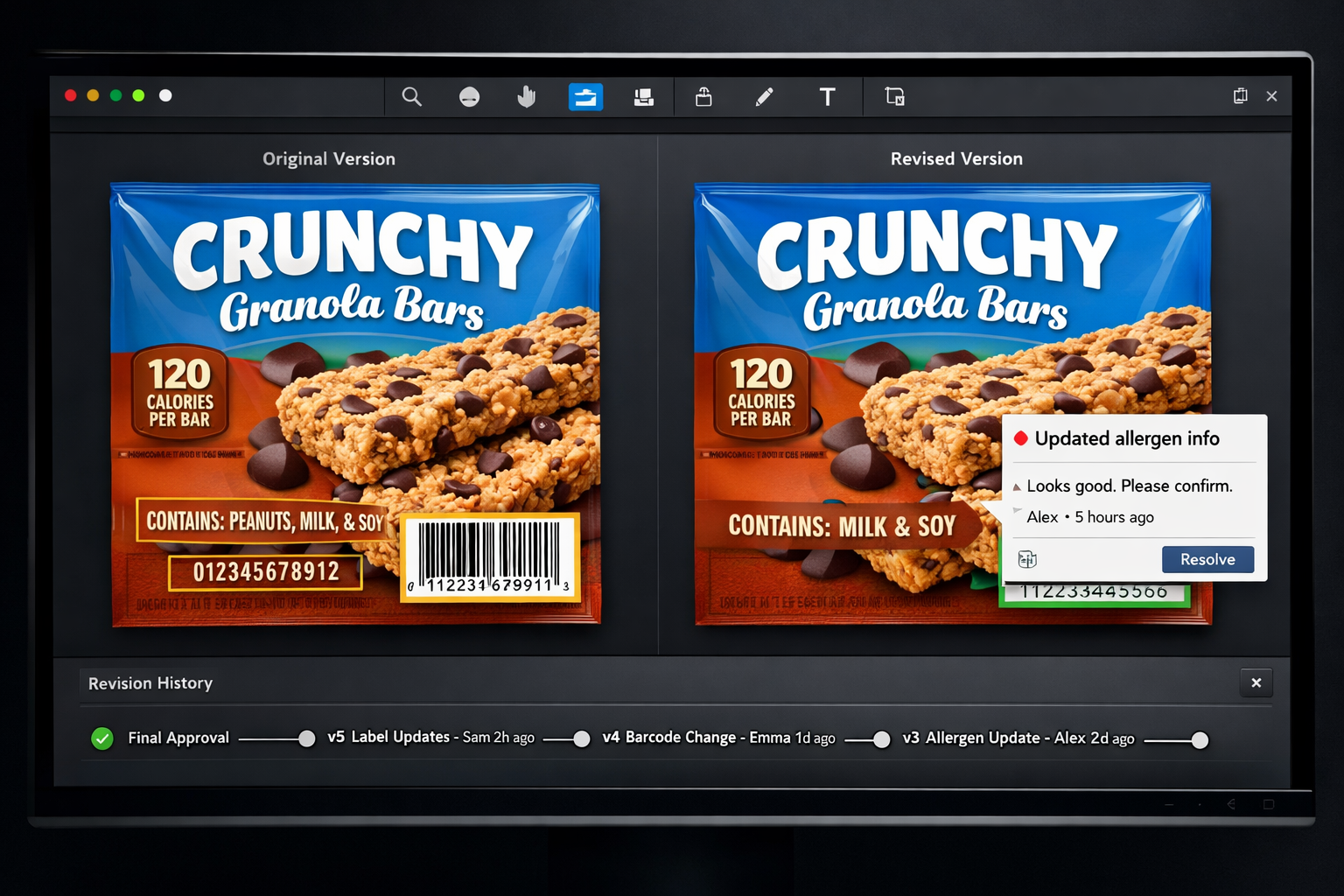
The platform's version comparison catches the subtle changes that cause compliance issues. Color shifts, text modifications, layout adjustments—all visible through overlay and side-by-side views. For teams managing hundreds of SKUs across multiple markets, this precision prevents the small errors that lead to reprints and recalls.
Cway's customer results demonstrate the impact: up to 70% faster approval cycles and 50% fewer revision rounds. These improvements come from structured workflows, clear accountability, and annotation tools that packaging teams can rely on.
If your team needs annotation precision, multilingual support, and governance controls that satisfy auditors, Cway delivers what packaging operations require. Book a demo to see how it fits your label review workflow.
Packaging annotation tools are built for the specific requirements of packaging review—regulatory content, multilingual variants, print-ready file formats, and audit traceability. General proofing software handles basic markup but often lacks features like dieline awareness, barcode verification, or compliance-focused workflows. Cway combines packaging-specific annotations with structured approval routing that connects feedback to trackable tasks.
Multilingual labels require reviewers to verify translations, regulatory claims, and region-specific content across multiple variants. Annotation tools let teams mark up specific text areas and attach comments that translators can action. Cway supports version comparison across language variants, so you can verify that corrections made to the English label were also applied to the French and German versions.
Packaging annotation tools should handle print-ready formats including PDF/X, AI, EPS, TIFF, and high-resolution images. Cway supports 100+ file formats, letting reviewers mark up artwork in the browser without special software. This flexibility matters when external partners—printers, agencies, regulatory consultants—need to participate in review.
Audit traceability documents who reviewed what, when they approved it, and what version was approved. For regulated industries like pharma, food, and cosmetics, this documentation is essential for compliance audits. Cway logs every comment, version change, and approval decision automatically, creating the accountability trail that regulators expect.
The Cway platform runs in standard web browsers with no special hardware or software installation required. External partners—including printers, agencies, and regulatory consultants—can access artwork, add annotations, and participate in approvals through secure links. This removes friction from collaboration and keeps all feedback in one traceable system.
1 min read
Annotation and markup tools can make or break your packaging artwork approval process. When you're reviewing files that contain allergens, legal...
1 min read
Streamline design approvals, enhance feedback loops, and get to market faster with Cway®—your all-in-one platform for artwork approval process.
1 min read
Artwork approval is a critical step in packaging, marketing, and product label production. A missed detail can lead to costly reprints, delays, or...