5 min read

How to roll out a packaging approvals system in 6 steps (2026)

A Practical 6 Steps Guide to Packaging Approval System Rollouts
9:19

Rolling out a packaging approvals workflow system takes planning—but it doesn't have to take forever. Many packaging and artwork operations managers assume implementation means months of disruption. That's not true if you approach it in phases.

This guide walks you through a realistic rollout plan for a packaging approvals workflow system, from pilot to go-live. Cway gives you the tools to structure each phase and keep your artwork approval cycles on track. By the end, you'll have a clear timeline for getting your system live without surprises.

Let's break down the seven steps that will get you from kickoff to full adoption.

Quick Guide: How to Roll Out a Packaging Approvals System in 6 Easy Steps

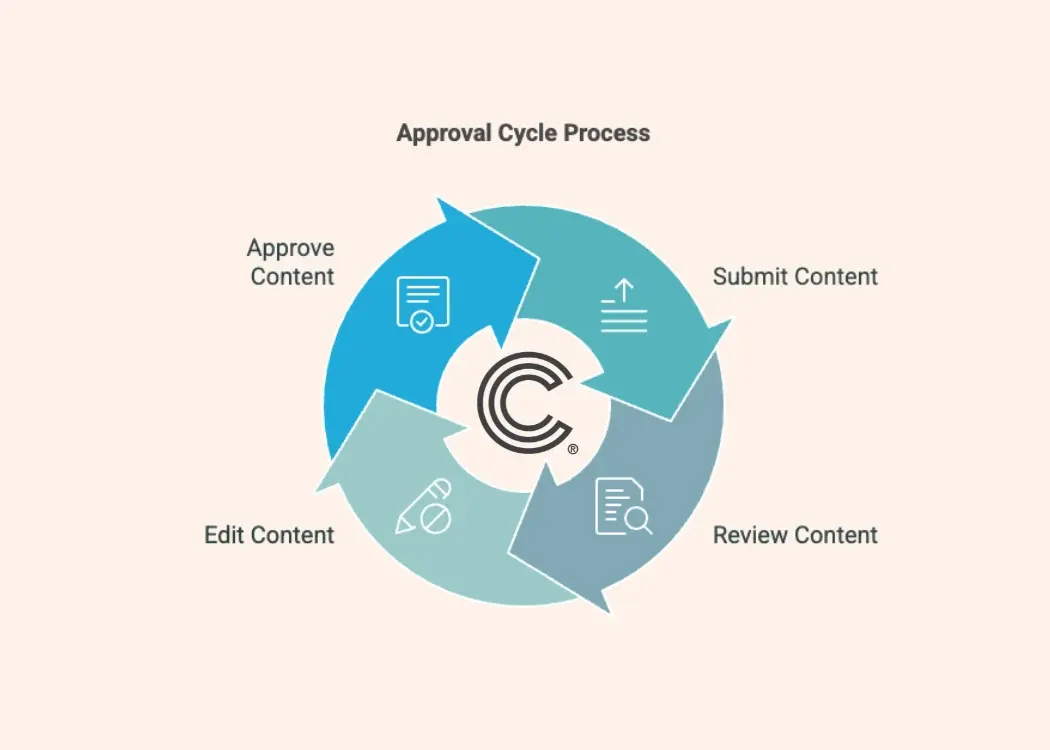
  1. Define your rollout scope and success criteria — Identify high-priority SKUs, approval workflows, and measurable outcomes first.
  2. Assemble your cross-functional rollout team — Bring together packaging, regulatory, marketing, and IT leads early.
  3. Run a focused pilot with a small SKU set — Test configurable workflows using Cway with a limited product group.
  4. Train your reviewers and approvers — Create clear documentation and hands-on sessions for each stakeholder group.
  5. Migrate your existing artwork assets — Move approved files into your centralized media center with version control.
  6. Go live and monitor adoption — Launch to remaining SKUs while tracking cycle times and blockers.

How to Implement a Packaging Approvals System Phase by Phase

1. Define Your Rollout Scope and Success Criteria

Start by identifying what "success" means for your rollout. Are you trying to reduce approval time by a certain percentage? Cut revision rounds? Improve audit traceability? Write these goals down before touching any software.

Next, select the SKUs or product lines that will go through the system first. High-volume products with predictable workflows make good candidates. Avoid starting with your most complex multilingual or regulated products—save those for later phases.

Document your current state: how many days does an average artwork approval take? How many revision rounds? These numbers become your baseline for measuring progress. If you don't know where you started, you can't prove the new system is working.

2. Assemble Your Cross-Functional Rollout Team

A packaging approvals system touches multiple departments. You'll need representatives from packaging operations, regulatory affairs, brand marketing, and IT. Each group has different needs—and different objections you'll need to address early.

Appoint a project lead who owns the rollout timeline and escalates blockers. This person should have authority to make decisions without waiting for committee approval. Slow decision-making kills rollout momentum.

Schedule a kickoff meeting where everyone aligns on scope, timeline, and responsibilities. Set recurring check-ins—weekly during active phases, biweekly during quieter periods. Keep meetings short and action-focused.

3. Run a Focused Pilot with a Small SKU Set

Your pilot phase is where theory meets reality. Choose between five and fifteen SKUs that represent your typical workflow complexity. Run them through the full approval cycle in your new system—from brief to final sign-off.

During the pilot, pay attention to friction points. Where do reviewers get stuck? Which steps take longer than expected? Are approval handoffs clear, or do files sit in limbo? 

Collect feedback from everyone involved. The goal isn't perfection—it's learning what needs adjustment before you scale. A two-week pilot often reveals more than months of planning.

4. Train Your Reviewers and Approvers

Training doesn't mean a single presentation and a PDF. Different stakeholders need different types of support. Regulatory reviewers care about compliance workflows. Marketing managers care about version comparison and comment visibility. Designers care about annotation tools and file handling.

Create role-specific guides that focus on the ten or fifteen actions each group will use most. Record short video walkthroughs for common tasks. Make training materials available on demand—people forget steps and need refreshers.

Run live sessions where participants complete a real approval task, not just watch someone else do it. Learning by doing builds confidence and reveals gaps in your documentation.

5. Migrate Your Existing Artwork Assets

Migration is often underestimated. You'll need to decide which historical artwork files move into the new system—and which stay archived elsewhere. Start with your active SKUs and most recent approved versions.

Clean up naming conventions and folder structures before migrating. If your files currently have names like "final_v3_REVISED_FINAL," now is the time to fix that. A centralized media center with proper version control removes the guesswork about which file is current.

Batch your migration in chunks—don't try to move everything at once. Validate that file previews, metadata, and linked project data transferred correctly before marking each batch complete.

6. Go Live and Monitor Adoption

Go-live isn't a single day—it's a transition period. Roll out remaining SKUs in waves rather than all at once. This limits risk and lets you address issues before they multiply across your entire portfolio.

Track key metrics from day one: average approval time, revision rounds, on-time delivery rate, and reviewer response times. Compare these to your pre-rollout baseline. If something isn't improving, investigate why.

Plan for a "hypercare" period of two to four weeks post-launch where your rollout team is available for rapid troubleshooting. After that, transition to standard support processes. Document lessons learned so your next rollout—whether for a new product line or region—goes even smoother.

What Are Common Blockers During a Packaging Workflow Rollout?

The most frequent blockers aren't technical. They're organizational. Unclear ownership of approval steps, competing priorities among reviewers, and resistance to changing familiar processes slow rollouts more than software configuration ever does.

Another common blocker is incomplete asset migration. If reviewers can't find the files they need in the new system, they'll revert to old habits—hunting through shared drives or requesting files via email. Make sure your media center is populated and searchable before asking everyone to use it.

Finally, watch for training gaps. If certain stakeholder groups weren't included in training sessions, they'll become friction points. Check completion rates for your training materials and follow up with anyone who hasn't engaged.

How Long Does a Typical Packaging Approvals System Implementation Take?

Most mid-market packaging operations can complete a phased rollout in eight to twelve weeks. Smaller portfolios with straightforward workflows might finish faster. Enterprise brands with hundreds of SKUs across multiple regions should plan for three to six months.

The Project Management Institute notes that phased rollouts reduce risk by allowing teams to learn and adjust between phases rather than facing all implementation challenges at once.

Timeline drivers include: the complexity of your approval workflows, the number of external partners (agencies, printers) who need onboarding, data migration volume, and how much process redesign happens alongside the technology change. 

How Cway Helps You Roll Out a Packaging Approvals System

Cway helps companies roll out a packaging approvals system by centralizing the entire artwork and approval workflow into one structured platform. Instead of managing approvals through email chains, spreadsheets, and shared folders, Cway gives packaging, marketing, regulatory, and production teams a single system to collaborate in real time.

Here’s how the rollout typically works:

  1. Centralized artwork management
    All packaging files, versions, briefs, and assets are stored in one place. Teams always work from the latest approved version, reducing confusion and rework.
  2. Structured approval workflows
    Cway automates multi-stage approvals, so files move through predefined review stages. This replaces manual follow-ups and keeps approvals traceable.
  3. Version control and audit trails
    Every artwork revision is tracked automatically. Users can compare versions visually, restore earlier files, and see who approved what and when. This is especially important for FMCG and regulated industries.
  4. Real-time collaboration
    Stakeholders can leave comments directly on packaging files, review proofs online, and approve updates without downloading endless PDFs. Agencies, printers, and suppliers can also participate through controlled access.

According to Cway, companies using structured approval workflows can achieve faster approval cycles, fewer artwork mistakes, and improved collaboration across departments

Ready to plan your rollout? Request a demo and see how Cway can cut your implementation timeline while improving approval accuracy.


FAQ


The best content approval workflow to eliminate errors

The best content approval workflow to eliminate errors

A solid content approval workflow can mean the difference between a smooth product launch and costly delays. In this article, we’ll walk through what...

View Full Article
Best tools for content review and approval in 2026

Best tools for content review and approval in 2026

Content review and approval software helps teams manage feedback, approvals, and version control across creative, marketing, and packaging workflows....

View Full Article
How to build a compliant and scalable approval workflow

How to build a compliant and scalable approval workflow

Creating packaging isn’t just about great design—it’s about building an approval workflow that ensures every step, from concept to shelf, is aligned,...

View Full Article