6 min read

Packaging artwork approvals: common bottlenecks and solutions

Packaging artwork approvals: common bottlenecks and solutions
Why Packaging Artwork Approvals Slow Down — And How Cway Helps
11:57

Getting packaging artwork approved shouldn't take weeks. Yet according to Cway's 2026 Benchmark, the average approval cycle takes 24 days, and 1 in 3 projects miss their launch date. If you're managing multi-market packaging, the problem multiplies fast.

This article explores 10 ways Cway's artwork management platform helps packaging and operations leaders cut approval times, reduce revision rounds, and strengthen compliance traceability across markets. You'll also see how Cway compares to other options available today.

Quick guide: 5 artwork management platforms for packaging approvals

  1. Cway: The best overall platform for packaging-specific approval workflows with built-in compliance traceability
  2. Bynder: A general DAM with brand templating for marketing-focused asset distribution
  3. Widen: Offers workflow approvals suited for creative asset publishing
  4. Pimcore: An open-source option combining DAM with product information management
  5. Loftware Smartflow: A browser-based platform for regulated industries requiring validation services

How we chose the best platforms for packaging artwork approvals

We evaluated artwork management platforms based on real-world needs from packaging operations leaders at mid-market and enterprise brands. Instead of feature checklists, we focused on outcomes that matter when you're managing regulatory requirements, multi-market variants, and tight launch deadlines.

  • Packaging collaboration workflows: Can teams create projects, assign approvers, manage review responsibilities, and coordinate artwork approvals in one place?
  • Compliance traceability: Does every approval, comment, and version change create a clear audit trail and approval history?
  • Centralized packaging visibility: Can teams manage packaging assets, approvals, and project activity within a connected operational environment?
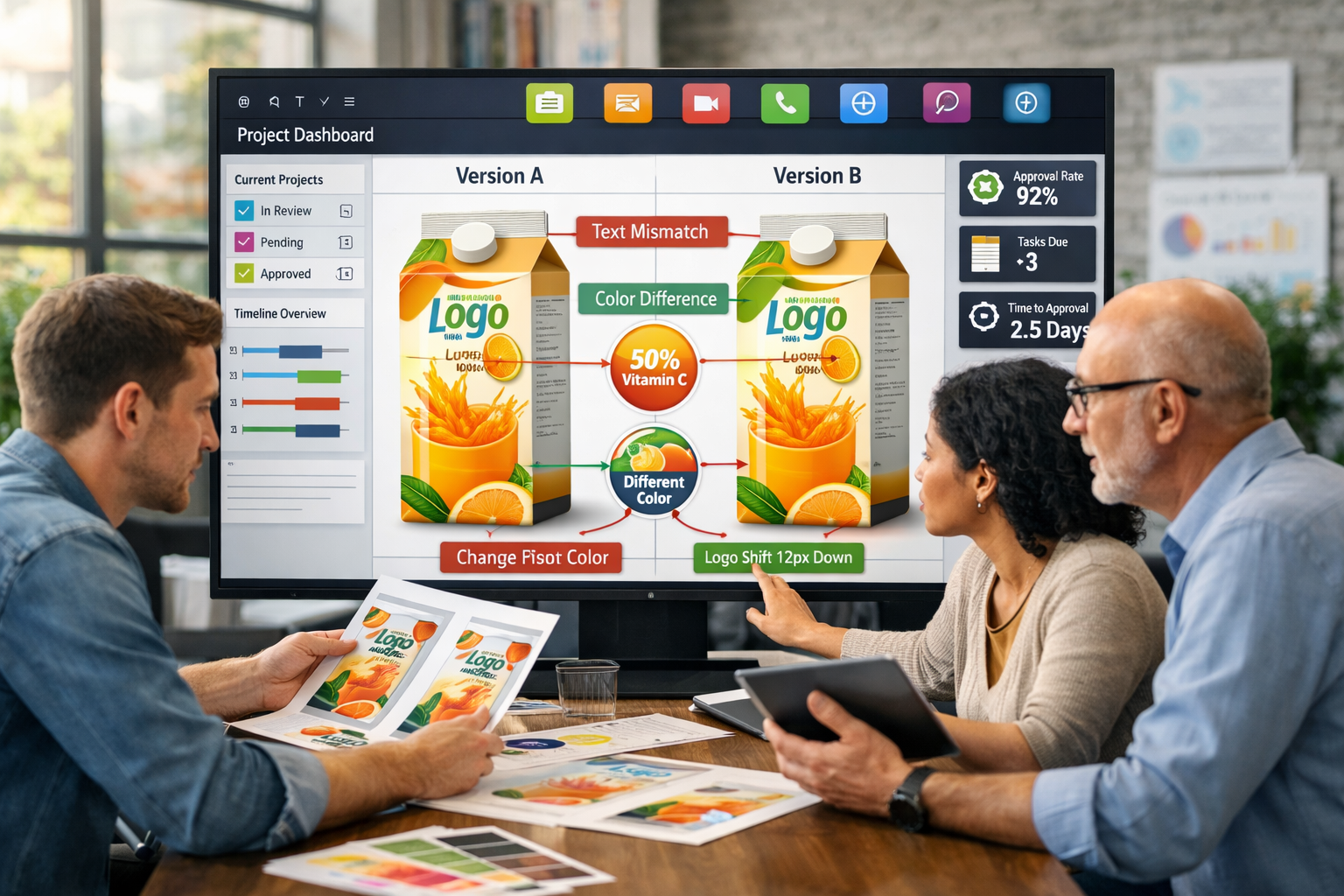
  • Comparison tools: Can reviewers quickly identify artwork differences using side-by-side and advanced comparison modes without downloading files?
  • External collaboration: How easily can agencies, printers, and suppliers participate in packaging review and approval cycles?
  • Speed to value: How quickly can teams start managing real packaging projects and approvals after setup?

The 5 best artwork management platforms for packaging approvals

1. Cway: Best overall artwork management for packaging approvals

Cway unifies artwork workflows, approvals, digital asset management, and product data in one connected platform. Rather than bolting together separate tools for project management, file storage, and approvals, Cway brings everything into a single environment built specifically for packaging operations.

For packaging and artwork operations leaders, this means fewer handoffs between systems and clearer visibility into what's happening across projects. Cway tracks every approval, comment, and version change automatically—creating the compliance traceability that regulated industries require.

Cway reduces approval cycles by up to 70%, according to customer benchmarks.

Cway features

  • Integrated Viewer and compare tools: Review artwork directly in-browser with pixel-level version comparison. You can overlay versions or view them side-by-side, making it easy to catch changes without switching between files.
  • Share for external collaboration: Share specific files or proofs with agencies, printers, and suppliers through secure links. Partners can view, annotate, and approve without needing full platform access.
  • Structured approval workflows and review coordination: Organize packaging approvals with assigned approvers, project visibility, automated notifications, and centralized collaboration across packaging teams and stakeholders.
  • Full version history and audit trails: Every action is logged with timestamps and user attribution. When auditors ask questions, you have documented proof of who approved what and when.
  • Integrated asset storage within artwork workflows: Store packaging files, proofs, and related assets in a centralized environment connected directly to artwork reviews, approvals, and project collaboration. Teams can access the latest files without switching between disconnected DAM and approval systems.
  • Real-time operational analytics: See project status, bottlenecks, and compliance flags across your entire portfolio. Leadership gets visibility without chasing updates.

Cway pros and cons

Pros:

  • Purpose-built for packaging complexity with multi-market governance
  • Reduces approval cycles by up to 70% with structured workflows
  • Centralized packaging collaboration with approvals, annotations, and asset storage in one place
  • Strong version control and audit trails for packaging reviews and approval traceability

Cons:

  • Focused on packaging operations rather than general creative asset management
  • Workflow structures are more standardized and less customizable than enterprise BPM/workflow platforms
  • Best suited for packaging collaboration and governance rather than highly technical labeling automation

2. Bynder: A general DAM with brand templating

Bynder functions as a digital asset management system with brand portal capabilities. The platform includes templating features that let marketing teams create on-brand materials from approved assets. For organizations focused primarily on marketing asset distribution, Bynder offers file storage, metadata tagging, and sharing functionality.

That said, Bynder was built as a marketing DAM rather than a packaging-specific workflow tool. If your primary need is managing packaging artwork through complex approval sequences with regulatory oversight, you may find the workflow capabilities less structured than purpose-built packaging platforms.

Bynder features

  • Brand templates: Create templates that maintain brand consistency when teams generate marketing materials
  • Asset portals: Set up branded portals where partners can access approved files
  • Metadata management: Tag assets with custom metadata fields for search and organization

Bynder pros and cons

Pros:

  • Includes templating for creating on-brand marketing materials
  • Offers branded portals for asset distribution
  • Has integrations with marketing and creative tools

Cons:

  • Not designed specifically for packaging approval workflows
  • Lacks packaging-specific compliance traceability features
  • Multi-market packaging governance requires additional configuration

3. Widen: Workflow approvals for creative publishing

Widen, now part of Acquia, offers digital asset management with workflow capabilities for creative teams. The platform includes review and approval features that route assets through stakeholder sign-offs before publishing. For teams managing creative content distribution across channels, Widen handles versioning and feedback collection in a shared workspace.

Widen's strength lies in creative asset workflows rather than packaging-specific operations. If you need structured approval routing for regulated packaging with compliance documentation, you'll want to evaluate how the platform handles audit trail requirements and multi-market variant management.

Widen features

  • Workflow routing: Set up approval paths that move assets through reviewers
  • Versioned feedback: Collect comments on specific versions of creative files
  • Publishing integrations: Connect to content delivery channels and marketing platforms

Widen pros and cons

Pros:

  • Offers workflow routing for creative asset approvals
  • Includes version tracking with feedback collection
  • Has publishing integrations for content distribution

Cons:

  • Oriented toward creative marketing rather than packaging operations
  • Does not include packaging-specific compliance features
  • May require customization for regulated industry workflows

4. Pimcore: Open-source DAM with PIM capabilities

Pimcore is an open-source platform that combines digital asset management with product information management in one system. The platform allows organizations to manage both product data and associated digital assets from a unified interface. For teams with technical resources, Pimcore offers flexibility through its open architecture.

The open-source nature means you have control over customization, but it also requires development resources to configure and maintain. Packaging-specific approval workflows and compliance traceability would need to be built or configured rather than coming out of the box.

Pimcore features

  • Combined DAM and PIM: Manage product data alongside digital assets in one platform
  • Open-source flexibility: Customize the platform to match specific requirements
  • API-first architecture: Integrate with existing systems through documented APIs

Pimcore pros and cons

Pros:

  • Combines DAM and PIM in one open-source platform
  • Offers flexibility for organizations with development resources
  • Has no per-user licensing for the community edition

Cons:

  • Requires technical resources to configure and maintain
  • Packaging approval workflows need custom development
  • Compliance features are not pre-built for regulated industries

5. Loftware Smartflow: Browser-based artwork management for regulated industries

Loftware Smartflow offers artwork management with a focus on compliance and validation services for regulated industries like pharmaceuticals and medical devices. The platform includes browser-based proofing, workflow automation, and quality management features. Smartflow's DaVinci proofing tool allows annotation directly on files without downloads.

The platform includes eSignature capabilities that comply with FDA CFR 21 Part 11 requirements, making it relevant for pharmaceutical packaging. However, the focus on validation and regulatory compliance in healthcare industries may mean less emphasis on the speed and agility that FMCG packaging teams often prioritize.

Loftware Smartflow features

  • Browser-based proofing: Review and annotate artwork files directly in-browser without plugins
  • eSignature compliance: Includes electronic signature capabilities for FDA compliance
  • Validation services: Offers validation documentation for pharmaceutical and medical device companies

Loftware Smartflow pros and cons

Pros:

  • Built for regulatory compliance in pharmaceutical and medical device industries
  • Offers browser-based annotation without additional plugins
  • Has validation services for regulated environments

Cons:

  • Primarily focused on pharmaceutical compliance requirements
  • May require significant configuration for FMCG packaging workflows
  • Less emphasis on speed-to-market compared to packaging-focused platforms

Comparison table: Best artwork management for packaging approvals

Platform Packaging-Specific Workflows Side-by-Side Comparison Built-in Audit Trails
Cway
Bynder
Widen
Pimcore
Loftware Smartflow


Why Cway is the best artwork management platform for packaging approvals

Cway stands apart because it was built specifically for how packaging operations work. Generic DAM systems and creative workflow tools can store files and route approvals, but they weren't designed for the packaging project complexity.

Cway connects artwork workflows, digital assets, product data, and approvals in one platform. This integration means fewer handoffs between systems, less duplicate work, and clearer visibility into what's happening across your portfolio. When marketing, regulatory, and quality teams work from the same source of truth, projects move faster.

Cway gives packaging leaders confidence that artwork is accurate and traceable. If you're ready to reduce approval cycles and strengthen compliance, book a demo with Cway to see how the platform fits your operations.


FAQ


Managing 3,000 artworks a year: how FMCG brands stay in control

Managing 3,000 artworks a year: how FMCG brands stay in control

Three thousand packaging artworks a year. That's not an edge case — it's a realistic volume for any mid-to-large FMCG brand managing multiple product...

View Full Article
Artwork management for FMCG brands: why generic tools don't cut it

Artwork management for FMCG brands: why generic tools don't cut it

If you work in a fast-moving consumer goods company, you already know that packaging is not a side project. It's a compliance requirement, a brand...

View Full Article
Upgrade packaging design process with smart artwork workflow software

Upgrade packaging design process with smart artwork workflow software

If your team struggles to manage packaging artwork across multiple stakeholders, you’re not alone. In this article, we’ll explore how artwork...

View Full Article