5 min read

How to compare packaging design files without Adobe or design software

How to compare packaging design files without Adobe or design software
Packaging design review: comparing files without design software
9:13

Comparing packaging designs is a critical part of brand, compliance, and regulatory work — but not everyone has access to Adobe or graphic design software. Many teams struggle to review layouts, packshots, and artwork files efficiently without expensive licenses or complex tools. This article explains how to compare packaging design files without Adobe, using simple, accessible methods. You’ll learn which tools to avoid, which free options can help with basic comparisons, and when it makes sense to use dedicated artwork review platforms. The goal is to make packaging reviews easier, safer, and more accessible for non-design teams.

Why Packaging Design Comparison Matters for Brand and Compliance Teams


When reviewing packaging designs for new or updated products, brand teams are responsible for more than just visual checks. The review process must support accuracy, collaboration, and compliance — without requiring design expertise or expensive software.

In practice, this means you need a way to:

  • Compare packaging layouts, packshots, PDFs, and artwork files

  • Avoid Adobe or other graphic design software licenses

  • Enable non-design teams (compliance, legal, regulatory, QA) to review files easily

  • Check critical elements such as:

    • Ingredient lists

    • Claims and legal text

    • Mandatory symbols and recycling marks

    • Barcodes and product identifiers

  • Keep all files centralised, traceable, and well organised

  • Avoid paying for subscriptions or tools that do not match the actual review workflow

The goal is to make packaging reviews accessible, reliable, and efficient for everyone involved — not just designers.

What not to use (and why)

Not all tools that can open design files are suitable for reviewing and approving packaging. The following options often create more problems than they solve.

Graphic design tools (Adobe, Figma, etc.)

While essential for designers, graphic design tools are not appropriate for review-only users.

  • Licenses are expensive and unnecessary for reviewers

  • The tools are complex and overkill for simple checks

  • They are not designed for structured approvals or compliance sign-off

  • They increase the risk of accidental edits

Email and shared folders

Using email threads and shared drives to review packaging files may seem simple, but it quickly becomes risky.

  • No reliable version control

  • Feedback is scattered and easy to miss

  • High risk of approving the wrong or outdated file

  • No clear ownership or sign-off record

Generic file-sharing tools

Standard file-sharing platforms are useful for storage, but not for packaging reviews.

  • No visual comparison between versions

  • No audit trail for approvals

  • No structured review or approval workflows

  • Limited support for compliance requirements

Instead of relying on design software, email threads, or generic file-sharing tools, packaging reviews should use solutions designed specifically for review, comparison, and approval — not design.

Below are practical alternatives, starting from the simplest options and moving toward more scalable solutions.

1. The simplest way — manual PDF comparison

This is the most basic method and works for quick checks. 

The foundation of any efficient packaging review is using the right file formats.

Recommended formats:

  • PDF – for layouts, artwork, and print-ready files

  • JPEG / PNG – for packshots and visual checks

How it works

  • Open the old and new PDF versions

  • Use two browser windows or tabs

  • Switch between them manually

What you can check

  • Layout changes

  • Ingredient lists

  • Claims and legal text

  • Icons, symbols, barcodes

Tools needed

  • Any web browser

  • Preview (Mac) or Adobe Reader (free)

Limitations

  • Changes are not highlighted

  • Easy to miss small text changes

  • Not suitable for many versions or many reviewers

Use this for: One-off checks or very small updates

2. Free online tools for PDF & image comparison

When you need to clearly see what changed between two versions, free online tools can help highlight differences in PDFs or images. These tools are useful for short-term needs but are not designed for structured team reviews or approvals.

What these tools do

  • Upload two PDFs or images

  • Highlight visual or text differences

  • Show side-by-side or overlay views

Examples of free tools

When this works well

  • Comparing two versions of a packaging layout

  • Spotting ingredient or claim changes

  • Checking layout shifts or missing elements

Important limitations

  • No structured approval process

  • No version history

  • No audit trail

  • Not ideal for multiple reviewers

Be careful with confidential packaging files. Avoid uploading sensitive materials to public tools if data security is a concern.

3. Use artwork and packaging review platforms for team workflows

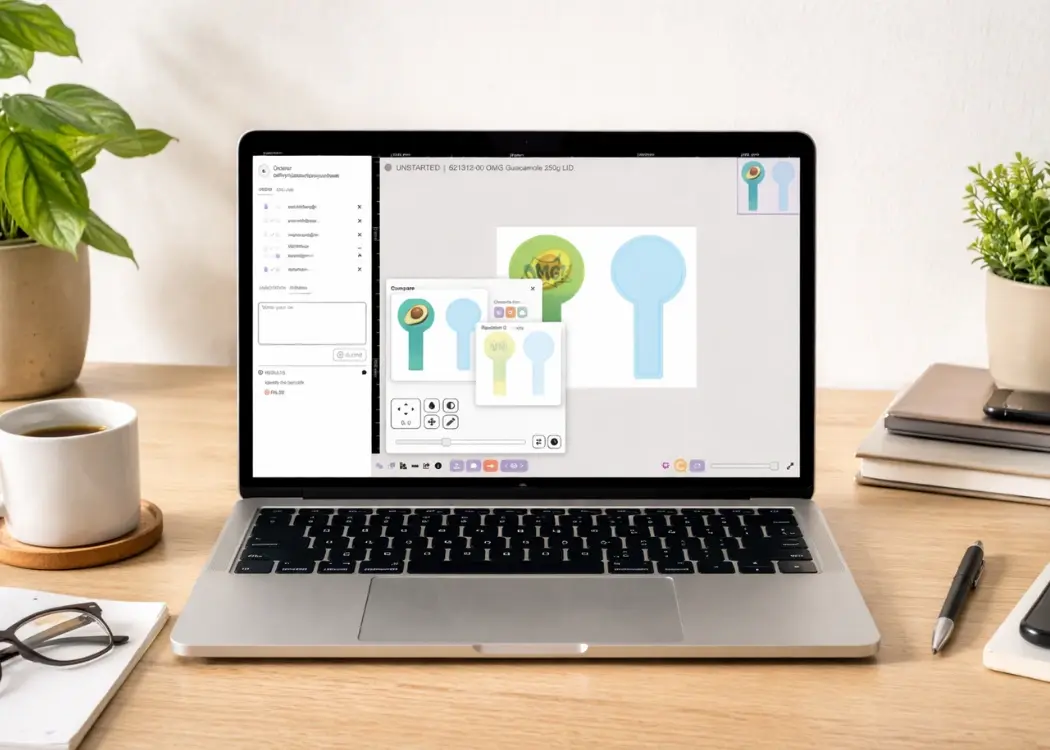
Compare packaging design files without AdobeFor ongoing packaging work, multiple reviewers, or compliance-critical reviews, dedicated artwork and packaging review platforms are the most effective option.
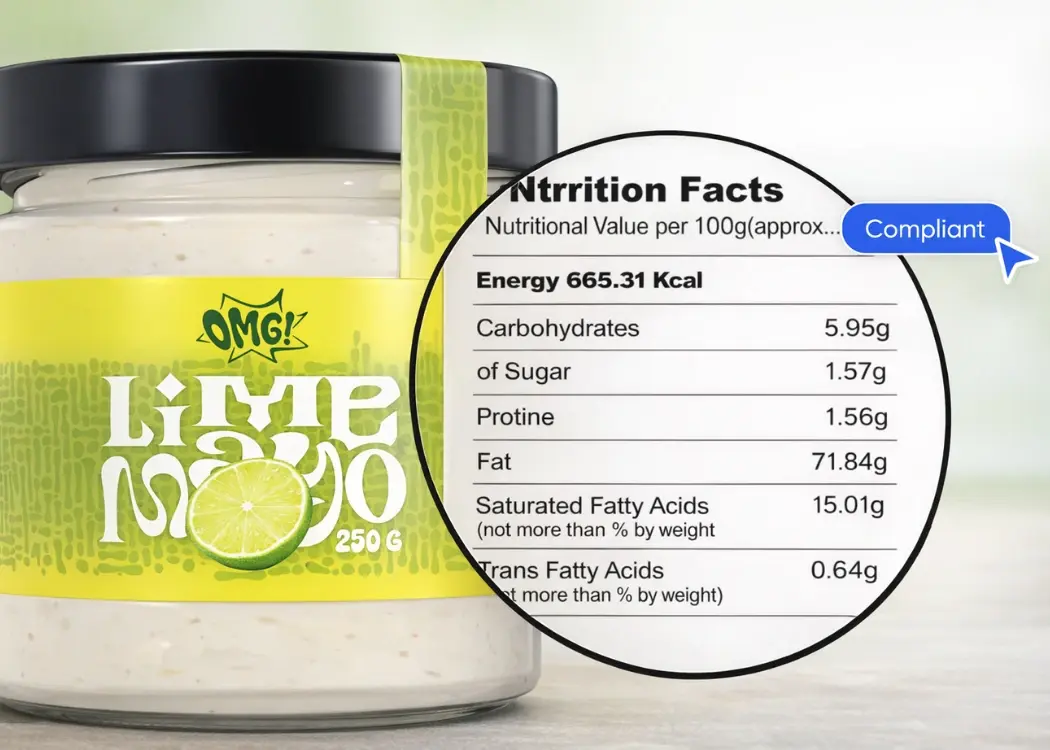
These platforms allow teams to:

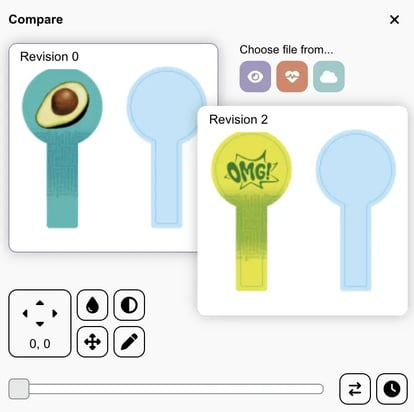
  • Compare PDF and image versions side by side

  • Highlight changes automatically

  • Add comments directly on the artwork

  • Involve brand, compliance, legal, and external partners

  • Track approvals and decisions in one place

They remove the need for Adobe licenses for reviewers and reduce the risk of missed changes or incorrect approvals.


Why Packaging Teams Use Artwork Review Platforms

  • No Adobe licenses needed for reviewers

  • Fewer mistakes and missed changes

  • Clear responsibility and sign-off

  • Full audit trail for compliance

Artwork and Packaging Review Software Examples

  • Cway software

  • Other artwork management / packaging approval platforms

Since packaging reviews often involve ingredient lists, legal claims, and regulatory requirements, it’s important to use tools designed specifically for packaging artwork workflows. Solutions such as Cway software support visual comparison and approval of packaging files without requiring design software licenses. They are built to serve cross-functional teams, including brand, compliance, regulatory, and legal stakeholders. With features like clear version comparison, structured approvals, and a centralised history of packaging assets, these platforms help teams review packaging designs accurately while maintaining traceability and control throughout the approval process.


Key Benefits of Using a Packaging Review Platform

Area

What this means in practice

Why it matters

Visual comparison without design software

Open PDFs, images, and packshots in a browser. Compare versions side by side and zoom in on ingredients, claims, symbols, recycling marks, barcodes, and GTIN areas.

No Adobe or graphic software licenses needed. Everyone can review files accurately using just a browser.

Role-based reviews for different teams

Brand, compliance, and legal teams can add comments directly on the artwork, focus only on their responsibilities, and approve or reject without editing design files.

Clear feedback, fewer misunderstandings, and no endless email back-and-forth.

Centralised file management

Store all versions of each packaging file in one place. Track who approved what and when. Maintain a complete audit trail and link layouts, packshots, and print-ready files together.

Reduces chaos, prevents wrong approvals, and supports compliance and audits.

Lower costs and smoother workflows

Only designers need design tools. Reviewers use a browser-based interface. No per-seat creative licenses and faster approval cycles.

Lower software costs, less rework, and faster time to market.


What to Look for When Choosing a Packaging Design Comparison Tool


When selecting a tool to compare packaging design files without Adobe, it’s important to choose a solution built for packaging review and approval — not design. The right tool should support both brand and compliance workflows while remaining accessible to non-design teams.

When evaluating options, make sure the tool offers:

  • Visual version comparison for packaging files
    The ability to compare different versions of packaging layouts side by side and clearly see what has changed.

  • PDF and image annotation for packaging reviews
    Support for commenting directly on PDFs, packshots, and artwork files without modifying the original design.

  • Browser-based access with no design software licenses
    Reviewers should be able to access and review packaging files using only a web browser, without Adobe or graphic software.

  • Structured approval workflows for packaging and artwork
    Clear approval and rejection steps that reduce confusion and prevent outdated or incorrect files from being approved.

  • Compliance-friendly audit trails and version history
    A complete record of file versions, comments, and approvals to support regulatory, legal, and quality assurance requirements.

  • Easy collaboration with external stakeholders
    Secure access for agencies, printers, and external partners without requiring additional software or licenses.


Tired of comparing packaging files manually?

Cway helps brand and compliance teams compare packaging artwork, track approvals, and avoid costly mistakes — all in one place.


FAQ


Why your brand needs a dedicated packaging project management tool

Why your brand needs a dedicated packaging project management tool

Managing packaging design projects can feel like juggling dozens of moving parts—artwork files, approvals, compliance checks, feedback loops, and...

View Full Article
Why nutrition labels don’t belong only in design files

Why nutrition labels don’t belong only in design files

Nutrition labels are often treated as simple design elements — just another table placed on the back of packaging. Designers know how to build...

View Full Article
2026 packaging trends

2026 packaging trends

For decades, packaging design has been treated as a largely visual discipline. Create the artwork, check compliance, send it to print, move on to the...

View Full Article