Introducing print coverage: a new feature in Cway
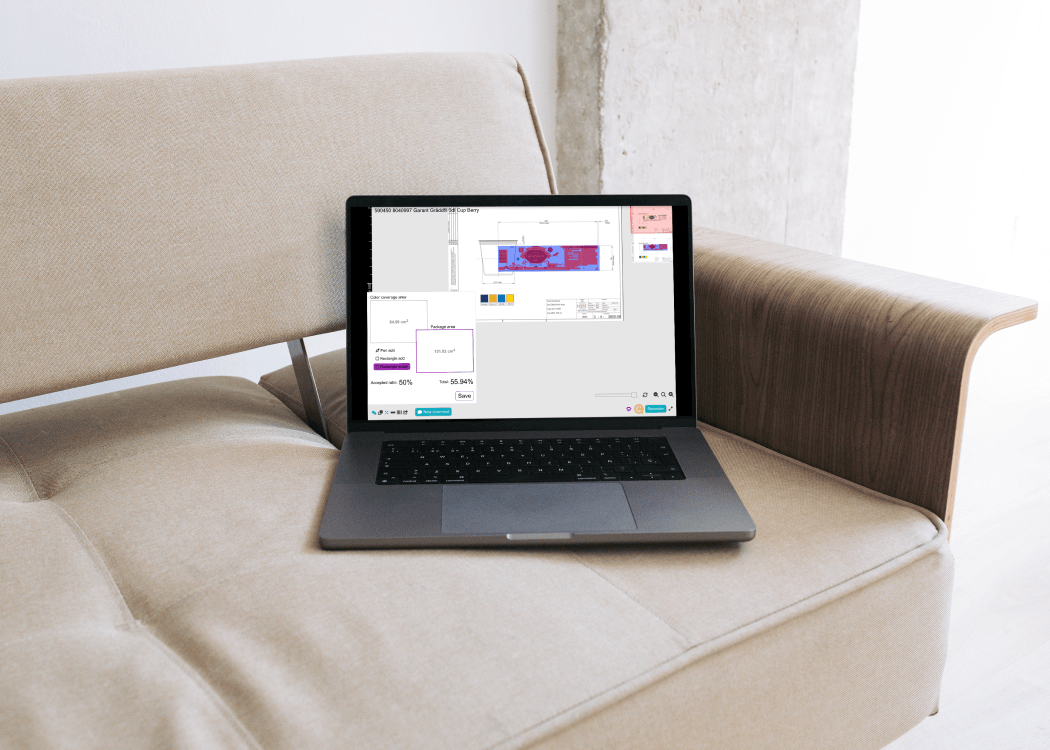
We’re excited to announce the launch of a powerful new feature in the Cway platform: Print Coverage Calculation. This is just the initial version,...
There's a specific kind of dread that anyone in packaging or creative operations will recognize: the moment you realize that the label that went to print — the one that passed three rounds of review — had the wrong allergen statement. Or a barcode that nobody verified. Or a legal disclaimer from last year's version.
It doesn't happen because teams are careless. It happens because artwork approval, when managed without the right infrastructure, is chaos held together by email threads, spreadsheet trackers, and optimism.
In 2026, there's no excuse for it. Dedicated artwork approval software has matured enough that the best platforms eliminate this risk almost entirely. But not every tool calling itself "artwork approval software" actually delivers. Some are online proofing tools with a rebrand. Others are project management platforms that happen to support file attachments.
This article cuts through the noise. We looked at 15 platforms in the artwork management space and identified the features that genuinely transform how teams approve artwork — the ones that prevent errors, eliminate miscommunication, and create a clear, defensible record of every decision made.
Before getting into features, it's worth naming why the process fails in the first place.
In a typical CPG company, a single artwork file might need review from marketing, legal, regulatory affairs, R&D, and a packaging supplier — often across different countries and time zones. These reviewers work at different speeds, have different priorities, and use different tools. Without a shared system, the process degrades into:
label_FINAL_v3_KATEedits_REALLYFINAL.pdf)The tools that solve this don't just digitize the old process — they restructure it around six capabilities that, together, make approval systematic rather than accidental.
The single most impactful shift a team can make is moving from "approval by email" to a single shared workspace where every stakeholder — internal and external — sees the same file, the same comments, and the same status at the same time.
Centralized collaboration isn't just about convenience. It eliminates an entire category of error: the version confusion that happens when two reviewers download different copies of a file and give conflicting feedback. When all review happens on one platform, there's only ever one file in play, one comment thread, and one approval record.
In practice, this means:
The teams that benefit most from this are those managing high SKU volumes across multiple markets, where keeping track of what's been approved — and for which market — becomes genuinely complex. Centralized collaboration makes that complexity navigable.
Version control is perhaps the most underestimated feature in artwork approval. Every tool claims to have it. What separates good version control from basic file storage is automation and integrity.
Manual version control — saving a new file with a new name, uploading to a shared folder — fails under pressure. People forget to increment the version number. They upload to the wrong folder. They share a link to the wrong iteration. The system only works when everyone follows the rules, which means it regularly doesn't work.
Automated version control removes the human variable. When a new iteration of the artwork is uploaded, the system:
This matters for more than just convenience. In regulated industries — food and beverage, pharmaceuticals, cosmetics — being able to demonstrate exactly what was approved, by whom, and at what point in the process is a compliance requirement. "We had version control" means very little if you can't export a dated, named, auditable history.
The benchmark to hold vendors to: can you pull up version 4 of a label from 18 months ago, see exactly who approved it and when, and compare it to the current version in two clicks?
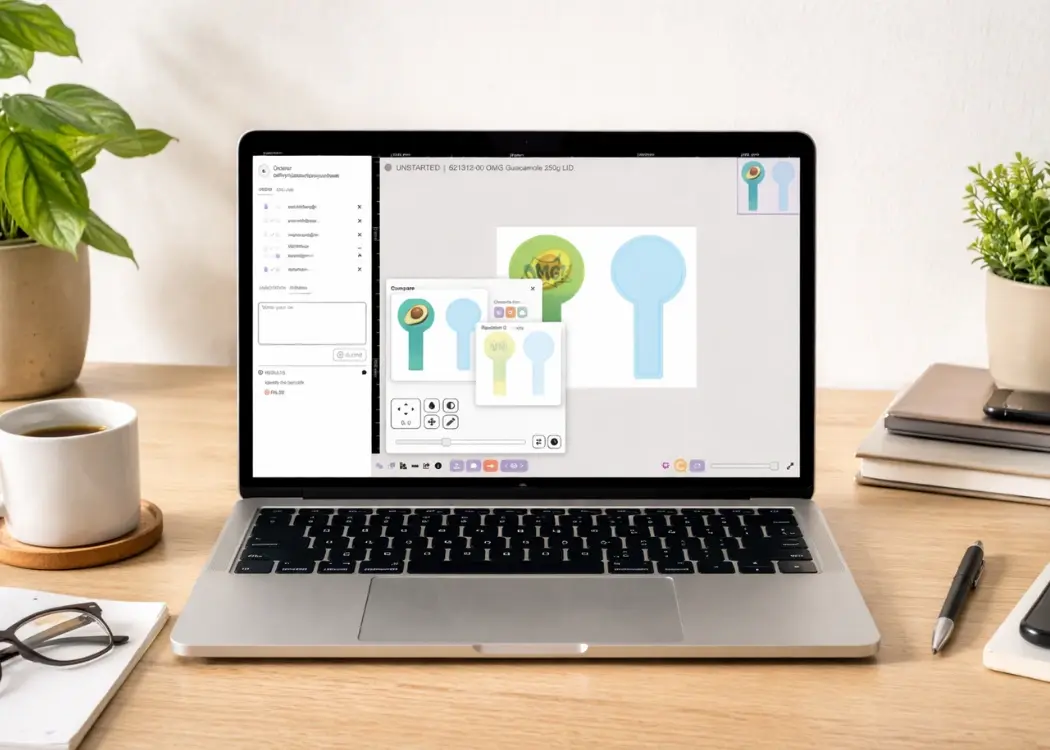
Automated version history solves the storage problem. Side-by-side version comparison solves the review problem.
When an artwork goes through multiple rounds of revision, reviewers typically don't need to re-examine the entire file from scratch. They need to confirm that the specific changes requested in the last round were made correctly — and that nothing else changed unexpectedly.
Without a visual comparison tool, this means mentally tracking what changed, cross-referencing comments from the previous round, and doing a manual eyeball diff of two PDF files. It's slow, error-prone, and frequently skipped.
With side-by-side comparison, the platform overlays two versions of the artwork and highlights what's different. The reviewer can see at a glance: the font in the ingredients list changed size between v3 and v4; the barcode position shifted slightly; the legal disclaimer was updated. This takes minutes, not hours — and the probability of catching an unintended change goes up dramatically.
Feedback without context creates more work than it saves.
"Please fix the bottom left" tells the designer nothing useful. An annotation pinned precisely to the bottom-left element of the artwork — with a comment, a markup, and a name attached — is actionable. It can be responded to, resolved, and included in the audit trail.
Artwork-specific annotation tools are built around this principle. Rather than general commenting (which any document tool can do), they allow reviewers to:
The difference in round-trip time between vague email feedback and precise in-context annotation is significant. Design agencies consistently report that annotated, context-rich feedback reduces revision cycles by two to three rounds on complex artworks.
There's also a workflow benefit: annotations in a shared platform are visible to all reviewers simultaneously. When the legal reviewer flags an issue, the regulatory reviewer sees it immediately — they can align, avoid duplicating comments, and prevent the situation where two conflicting sets of feedback arrive at the designer's inbox simultaneously.
When evaluating annotation tools, look for: comment resolution tracking (can you mark a comment as "done" and see that it's addressed?), annotation history (who made what comment, when?), and export capability (can you export a PDF with all annotations for a compliance record?).
This is a refinement that separates mature artwork platforms from everyone else, and it matters more than it initially sounds.
In a typical review tool, comments exist at the file level. When a new version is uploaded, the old comments are either lost or remain visible without clear connection to the version they were made on. Reviewers opening the latest version see a mix of resolved and unresolved feedback from multiple previous rounds, with no clear indication of which comments are still relevant.
Version-linked commenting changes this. Every comment is anchored to the specific version it was made on. When a new version is uploaded:
The practical effect is that a reviewer opening round 4 of an artwork sees exactly what needs their attention at this stage — not the accumulated noise of everything that was said in rounds 1 through 3. And when the question arises six months later ("why was that copy change made in version 5?"), the answer is traceable: there's a comment, attached to version 4, linking to the regulatory requirement that prompted it.
Artwork approval doesn't happen only inside the organization. Agencies create the artwork. Contract manufacturers need to approve print specs. Regulatory bodies in some markets require sign-off from approved external reviewers. Legal counsel needs to review claims.
These external collaborators typically can't — and shouldn't — have full user accounts in an internal platform. Yet the current alternative for most companies is to email files to external parties and collect feedback through email replies, which collapses version control and breaks the audit trail.
Guest access solves this cleanly. External reviewers receive a link to the specific artwork and can leave comments, annotations, and approvals — without needing an account, a license, or access to anything beyond that specific file.
The features to look for within guest access:
When we mapped these six features across 15 platforms in the space, a pattern emerged clearly.
General online proofing tools (Filestage, ReviewStudio, Aproove, ProofHub) score well on annotation tools and guest access — these are their core use cases. But they fall short on version-linked comments and have limited support for the artwork-specific workflows that CPG and pharma teams need. They're excellent for creative agencies reviewing marketing materials; they're not built for the complexity of a pharmaceutical label approval process.
Dedicated artwork management platforms (Cway, ManageArtworks, ArtworkFlow, Esko WebCenter, Twona, 4-Pack, Kallik) score consistently across all six features, but with meaningful differences in implementation. The ones worth shortlisting are those where version-linked commenting and side-by-side comparison are native features — not add-ons or workarounds.
Label printing / supply chain tools (Loftware NiceLabel) are built for a different problem — managing label templates for logistics and manufacturing. They're not artwork approval platforms in the sense described here.
Workflow automation tools (Zapier) can wire together other platforms but don't handle artwork natively. They're infrastructure, not a solution.
The implication for buyers: define your use case clearly before evaluating. If you're a creative agency reviewing ad campaigns, the proofing tools will serve you well and are simpler to implement. If you're a CPG brand managing regulated packaging across 50 SKUs and 12 markets, you need a platform built for that complexity — and the six features above are the right frame for evaluating which ones are serious contenders.
Before you schedule a demo, use this list to qualify vendors:
If a vendor can't answer yes to all of these with a live demo, keep looking.
Artwork approval software in 2026 isn't about digitizing email. It's about building a system where every revision is tracked, every comment is contextualized, every approval is logged, and every stakeholder — internal or external — is working from the same source of truth.
The six features covered in this article aren't the full picture of what to look for in an artwork management platform. But they're the ones that determine whether your approval process becomes genuinely systematic — or remains, at its core, a more expensive version of the email chain it replaced.
If you want to see how these features work in practice, book a demo with Cway and we'll walk you through the approval workflow your team actually needs.
We’re excited to announce the launch of a powerful new feature in the Cway platform: Print Coverage Calculation. This is just the initial version,...
Revision control is often associated with software development, but in reality, it plays a critical role far beyond code. Marketing teams, packaging...
The packaging artwork approval process is crucial for any brand aiming to launch products quickly and effectively. However, even minor mistakes in...