4 min read

Why most DAM systems fail creative teams

Why most DAM systems fail creative teams
Why Most DAM Systems Fail Creative Teams in FMCG Packaging
8:19

Most Digital Asset Management (DAM) systems were designed to store files. But packaging teams in FMCG don’t just store files — they manage complex, high-risk workflows involving design, compliance, approvals, and production.

That mismatch is the reason why:

Most DAM systems fail not because they are bad systems, but because they are solving the wrong problem.

What DAM Systems Are Designed to Do

Traditional DAM platforms are built around a simple idea:

  • Centralize assets
  • Make files searchable
  • Organize content libraries
  • Provide basic versioning

For many marketing use cases, this works. But packaging workflows in FMCG are fundamentally different. They are not libraries. They are processes.

The Core Problem: Storage vs Workflow

A DAM system manages assets. A packaging team needs to manage decisions.

This distinction is critical.

In a DAM:

  • Files are uploaded
  • Versions are stored
  • Metadata is added

In a packaging workflow:

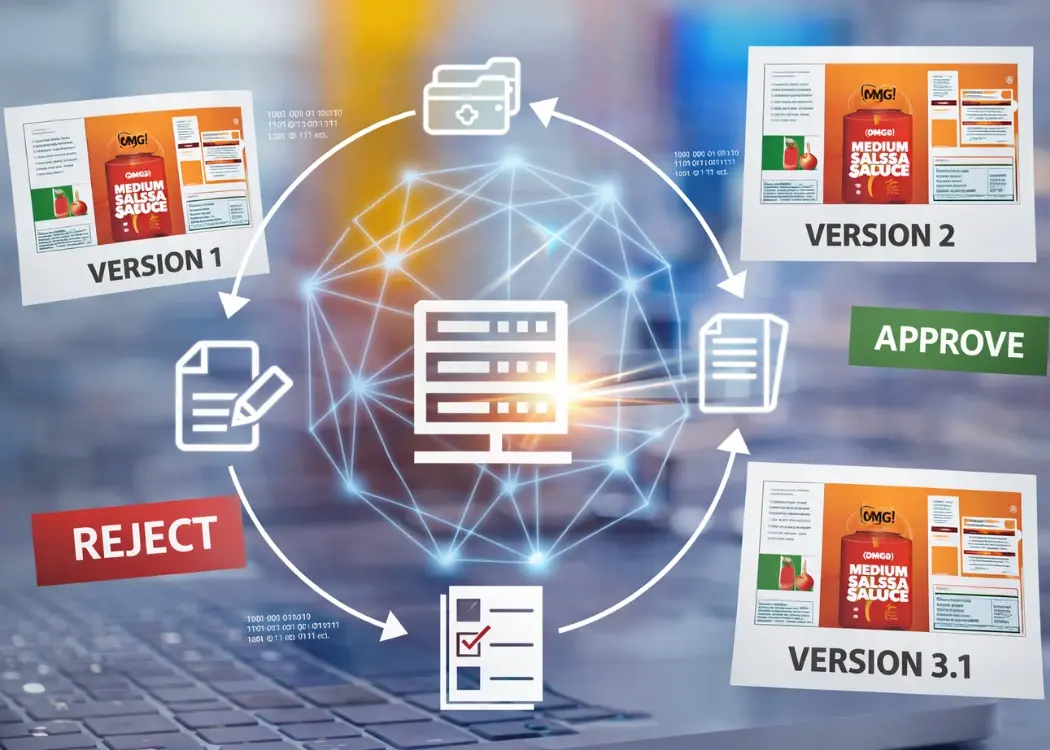
  • Designs evolve through iterations
  • Stakeholders review and comment
  • Versions are approved or rejected
  • Final files are locked for production

A DAM can show you files. It cannot reliably tell you:

  • Which version is approved
  • Who approved it
  • Whether all stakeholders signed off
  • Whether it’s safe to print

Why DAM Systems Fail Packaging Workflows

1. Version Control Breaks Down in Practice

DAM systems often include versioning features. But in real FMCG workflows:

  • Teams share files outside the DAM
  • Agencies send updated versions via email
  • Feedback is applied to offline copies

Result:

Version control becomes fragmented, and the “single source of truth” no longer exists.

2. Feedback Happens Outside the System

Packaging approval requires input from multiple stakeholders.

In reality:

  • Comments live in PDFs
  • Feedback is sent via email
  • Discussions happen in Slack

This creates a critical issue:

Decisions are not tied to the asset — they are scattered across tools.

A DAM stores the file, but not the decision-making process behind it.

3. No Structured Artwork Approval Workflow

Packaging requires formal approval stages:

  • Internal brand review
  • Legal and regulatory approval
  • Final sign-off before print

Most DAM systems do not provide:

  • Defined approval steps
  • Role-based permissions
  • Status tracking (approved / rejected / pending)

Without this:

Approval becomes informal, inconsistent, and error-prone.

4. Regulatory Complexity Is Not Supported

FMCG packaging must comply with:

  • Ingredient labeling requirements
  • Regional regulations
  • Language variations

This requires:

  • Validation steps
  • Audit trails
  • Proof of approval

DAM systems are not designed for compliance workflows.

They store assets, but they don’t enforce correctness.

5. No Workflow Automation

Packaging workflows involve repetitive coordination:

  • Sending files for review
  • Reminding stakeholders
  • Tracking approval status

In DAM systems, this is often manual.

Manual coordination does not scale in high-SKU environments.

6. High SKU Volume Creates Chaos

FMCG companies manage:

  • Hundreds or thousands of SKUs
  • Multiple packaging variants
  • Frequent updates

In this environment:

A DAM quickly becomes a storage system full of files — not a system of control.

The Real Cost of DAM Failure in FMCG

When DAM systems fail packaging teams, the consequences are not theoretical.

They are operational and financial:

  • Delayed product launches
  • Incorrect packaging sent to print
  • Costly reprints and waste
  • Compliance risks and potential recalls
  • Slower time-to-market
  • Increased workload and team frustration

In packaging, a versioning error is not a minor issue — it is a production risk.

Why Teams Continue Using DAM Systems

Despite these limitations, many FMCG teams continue using DAM platforms.

Common reasons include:

  • “It’s the industry standard”
  • Existing investment and integration
  • Lack of clear alternatives
  • Perception that the problem is process, not tooling

But this leads to a common pattern:

Teams adopt additional tools, spreadsheets, and manual processes to compensate for what DAM cannot do.

This increases complexity instead of reducing it.

What Packaging Teams Actually Need

To support FMCG packaging workflows, systems must go beyond storage.

They must provide:

1. A True Single Source of Truth

  • One definitive version of each asset
  • Clear status (draft, in review, approved)
  • No ambiguity

2. Built-In Artwork Approval Workflows

  • Structured review stages
  • Role-based approvals
  • Defined responsibilities

3. Integrated Feedback and Annotations

  • Comments directly on assets
  • Centralized discussions
  • Full context preserved

4. Reliable Version Control

  • Automatic version tracking
  • Clear version history
  • Prevention of outdated file usage

5. Workflow Automation

  • Automated routing of approvals
  • Notifications and reminders
  • Status updates in real time

6. Full Visibility and Audit Trails

  • Who approved what and when
  • Complete history of changes
  • Compliance-ready documentation

The Shift: From DAM to Workflow Systems

The key insight is simple:

Packaging workflows are not a storage problem — they are a coordination problem.

Solving them requires systems designed for:

  • Decisions
  • Approvals
  • Accountability

— not just file management.

Why Cway Is Different: A DAM Built for Packaging Workflows

Most DAM systems treat storage and workflow as separate layers.

Cway approaches this differently.

Cway’s Brand Studio 360 is not just a DAM — it is a DAM embedded directly into the packaging artwork workflow.

Instead of forcing teams to move between tools, it connects asset management, version control, and approvals into a single system.

What Makes Brand Studio 360 Different

1. DAM Integrated Into Workflow — Not Separate From It

In traditional setups:

  • Artwork lives in a DAM
  • Work happens elsewhere

In Cway:

The DAM and the workflow operate as one system.

This means:

  • No manual uploads between systems
  • No version mismatches
  • No disconnect between “stored” and “in-progress” assets

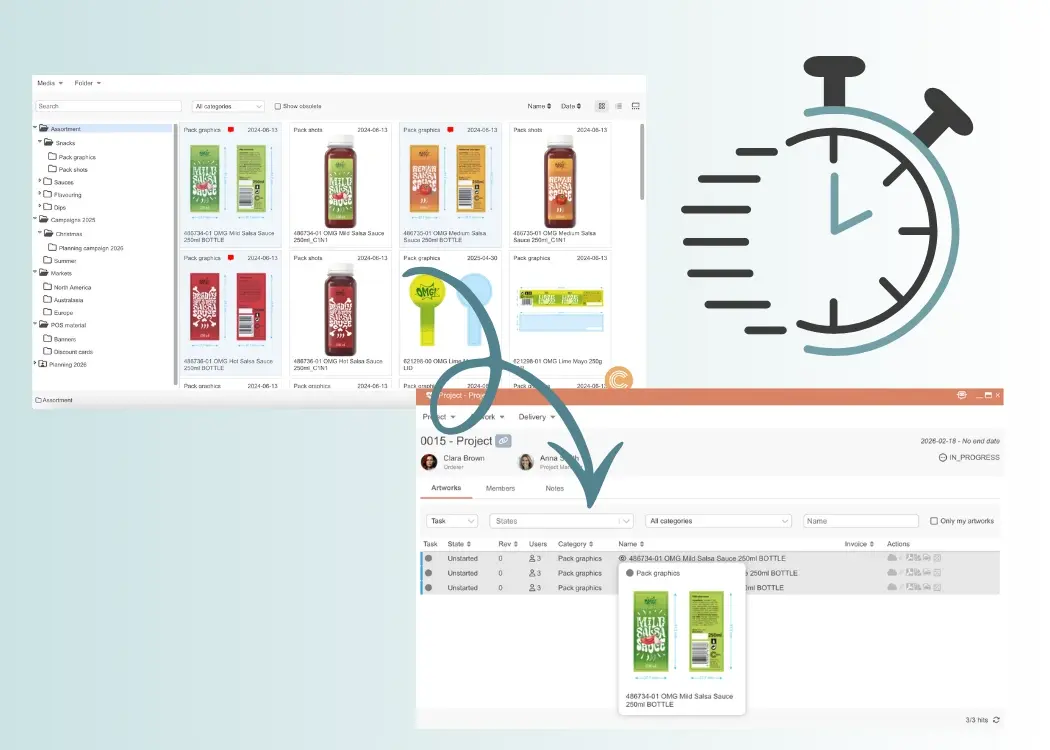
2. Automatic Sync Between Projects and Asset Storage

One of the biggest sources of version chaos is duplication between:

  • Working files (in projects)
  • Stored files (in DAM)

Cway solves this with:

Automatic synchronization between artwork in active projects and artwork in the DAM.

This ensures:

  • The latest version is always available
  • No manual file transfers
  • A true single source of truth

3. Create Projects Directly From the DAM

In most systems, storage is passive.

In Cway:

The DAM becomes the starting point for work.

Teams can:

  • Launch new packaging projects from existing assets
  • Reuse approved artwork
  • Maintain consistency across SKUs and variants

This is critical for FMCG environments with high SKU volumes.

4. Built-In File Comparison for Version Control

Version control is not just about storing versions — it’s about understanding changes.

Cway enables:

Direct comparison between artwork versions stored in the DAM.

This allows teams to:

  • Quickly identify differences
  • Validate updates
  • Reduce approval errors

5. Brief Creation Inside the DAM Environment

Packaging workflows often start outside the DAM — in documents or emails.

Cway eliminates this gap:

Teams can create and manage briefs directly within Brand Studio 360.

This ensures:

  • Full context from the beginning
  • Alignment between brief and execution
  • Reduced miscommunication

6. Full Version History and Traceability

Cway provides:

  • Complete version history
  • Clear status tracking (draft, in review, approved)
  • Audit trails for compliance

Every change, decision, and approval is documented and accessible.

This is essential for regulated FMCG environm


Final Thoughts: Storage Is Not Enough

DAM systems solve an important problem — asset organization.

But for FMCG packaging teams, that’s only a small part of the challenge.

When workflows are complex, regulated, and high-volume, storage alone cannot provide control.

Teams that continue relying solely on DAM will experience:

  • Ongoing version confusion
  • Inefficient approval processes
  • Increased operational risk

Teams that move toward workflow-centric systems gain:

  • Clarity
  • Speed
  • Confidence in every file sent to print

Use Case: Starting a Packaging Project Directly from Brand Studio 360

Use Case: Starting a Packaging Project Directly from Brand Studio 360

One of the most powerful advantages of a workflow-embedded DAM is the ability to move directly from asset management to project execution. Here’s how...

View Full Article
How centralized artwork solutions empower FMCG brand teams

How centralized artwork solutions empower FMCG brand teams

FMCG brands face immense pressure to move fast, stay compliant, and deliver consistent packaging. This article explores why so many are adopting...

View Full Article
Choosing design project management software: key features

Choosing design project management software: key features

Design teams today are under constant pressure to deliver faster, stay aligned, and manage ever-growing creative demands. The right design project...

View Full Article