
 Tilda Eriksson
How to streamline your artwork workflow from start to finish
 Ekaterina Skalatskaia : April 27, 2025 at 7:15 AM
Streamline your artwork workflow with Cway® software. Collaborate, proof, and manage packaging assets in one place.
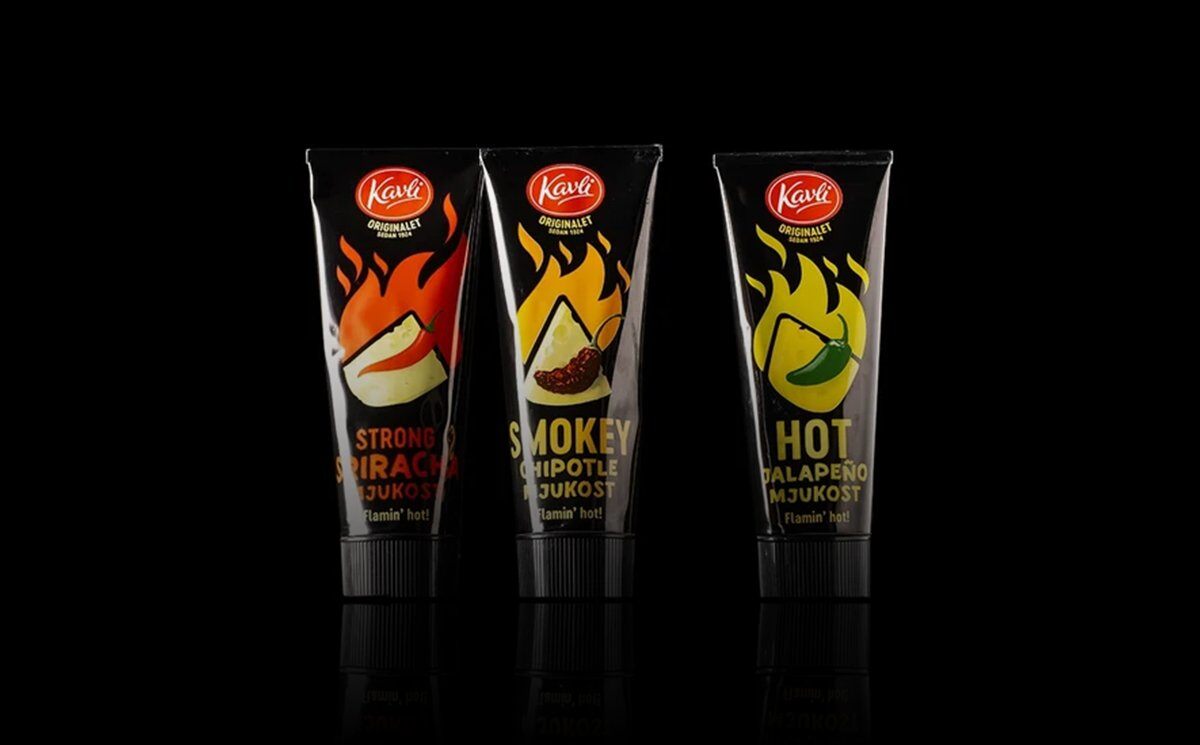
Most packaging teams don’t have a tooling problem. They have a workflow problem. The software is in place, but briefs still arrive by email, proofs circulate as attachments, and the final print-ready file ends up in whichever folder the last person happened to save it to.
Kavli is a good example of what changes when the whole process lives in one place. Kavli Norway has worked in Cway for a couple of years. Kavli Sweden, working together with Collabra, has gone a step further and built a way of working where the entire artwork lifecycle is handled in Cway — from brief and proofing to delivery and archiving.
At a recent Way of Working session, Cway, Kavli Sweden and Collabra walked through that setup. Here’s what it looks like, why it works, and what you can take from it.
Kavli Sweden’s process follows four stages, and every one of them happens inside Cway:
Stages 1–3 run as a project. Stage 4 closes the loop: between projects, the artwork lives in Brand Studio, Cway’s artwork library. When the next change comes along, it starts from there.
That loop is the point. Because the current artwork is always the starting point for the next project, there’s never a question of which file is the latest one.
When an existing artwork needs to change, the brand manager briefs directly on the artwork in Brand Studio. There’s no separate brief document to track down and no need to explain which version the change applies to.
From there, the brand manager:
Briefing information, references and previous versions all sit in the same place. That makes it faster to get started and shortens lead times.
Every proofing round happens in Cway, and every revision is saved.
Clear versions, structured review and consolidated feedback reduce the risk of misunderstandings — and of the most expensive kind of error: an incorrect pack going to print.
Proofing doesn’t end the job. Kavli Sweden also delivers through Cway, which keeps the trail unbroken all the way to the printer.
The result: all history, approvals and deliveries are stored together, it’s easy to see what applies, and the team is ready for an audit at any time.
Because Kavli owns its content in Cway, the same flow works for more than packaging artwork:
In practice, Brand Studio becomes a digital, always up-to-date store shelf. Many Cway customers are in it almost every day, with full control over brand, versions and the right files.
Kavli Norway and Kavli Sweden use the same platform but have organised their work around it differently:
Kavli Norway |
Kavli Sweden | |
|---|---|---|
| Model | Runs artwork work in-house in Cway | Works with Collabra as an operational partner |
| Who drives projects | Own team runs and administers projects | Collabra handles the operational work |
| Agencies and printers | Coordinated internally | Coordinated through the same platform and process |
| Decisions and ownership | Kavli | Kavli keeps decisions, approvals and ownership |
Both setups lead to the same outcome: control, traceability and a shared, always-current artwork archive. The platform doesn’t dictate the operating model — it supports whichever one fits your organisation.
If you want to move towards a fully connected artwork management workflow, these are the five practices that made the biggest difference for Kavli Sweden:
1. Always start and end in Cway.
Start every project from the active artwork and finish it in Cway. Close projects and mark previous versions as obsolete. That’s how you keep the store shelf current.
2. Make roles explicit.
Define who approves design, who reviews content, and who approves for print. Clear responsibilities mean faster decisions and a smoother flow.
3. Consider making the project manager the Orderer.
Let the person who drives the project, assigns the team and secures delivery hold the Orderer role. The brand manager can then act as Approver and focus on approving design and content.
4. Build a folder structure people recognise.
Set up Brand Studio to mirror how you actually work — for example by brand, product category, market, packaging type, launch year and status. Use the same terms your organisation already uses, so the right material is easy to find.
5. Always deliver via Cway.
Send print-ready files to every printer through Cway. Proofs, approvals and deliveries are then logged with who did what and when, giving you full traceability all the way to print.
And, most importantly, less time spent searching for files and coordinating, more time for content, decisions and development.
Same platform, different ways of working. The question is what works best for you. Three questions worth discussing with your team:
Whether you run artwork in-house like Kavli Norway or with an operational partner like Kavli Sweden, we’re happy to help with structure, workflow design and training along the way.

 Ekaterina Skalatskaia : April 27, 2025 at 7:15 AM
Streamline your artwork workflow with Cway® software. Collaborate, proof, and manage packaging assets in one place.

 William Janeway : July 1, 2026 at 8:15 AM
Learn how Cway is transforming from an artwork approval tool into a packaging operations platform that connects assets, workflows, product data &...
 William Janeway : June 29, 2026 at 8:15 AM
10 strategic-fit criteria for FMCG artwork platforms—Cway helps teams evaluate beyond TCO with clear, practical scorecard insights.