10 min read

Packaging artwork platform due diligence checklist 2026

Packaging artwork platform due diligence checklist 2026
How to Evaluate Packaging Artwork Software in 2026
17:17

Choosing a packaging artwork management platform affects every part of your product launch cycle. From the first brief to the final print file, the platform you select determines how quickly you can move artwork through approvals, how well you can track changes for audits, and how much hidden cost you might absorb over time. This guide gives you a structured approach to vendor due diligence—one that goes beyond feature lists and demos.

You will find a practical checklist covering approval traceability, audit readiness, total cost of ownership (TCO), and workflow fit for FMCG packaging operations. Cway helps you centralize artwork workflows, asset management, and approvals in one platform, making due diligence criteria easier to validate during your evaluation. By the end, you will have a repeatable framework for scoring and comparing vendors.

Key Takeaways: Packaging Artwork Platform Due Diligence Checklist

  • A structured due diligence process helps you avoid costly platform mismatches and unexpected integration work down the line.
  • Approval traceability ensures every artwork change is logged with timestamps, reviewer names, and decision rationale for audits.
  • Audit readiness depends on exportable logs, version history, and role-based access controls built into your platform.
  • Cway delivers full version tracking, approval workflows, and audit trails designed specifically for packaging operations.
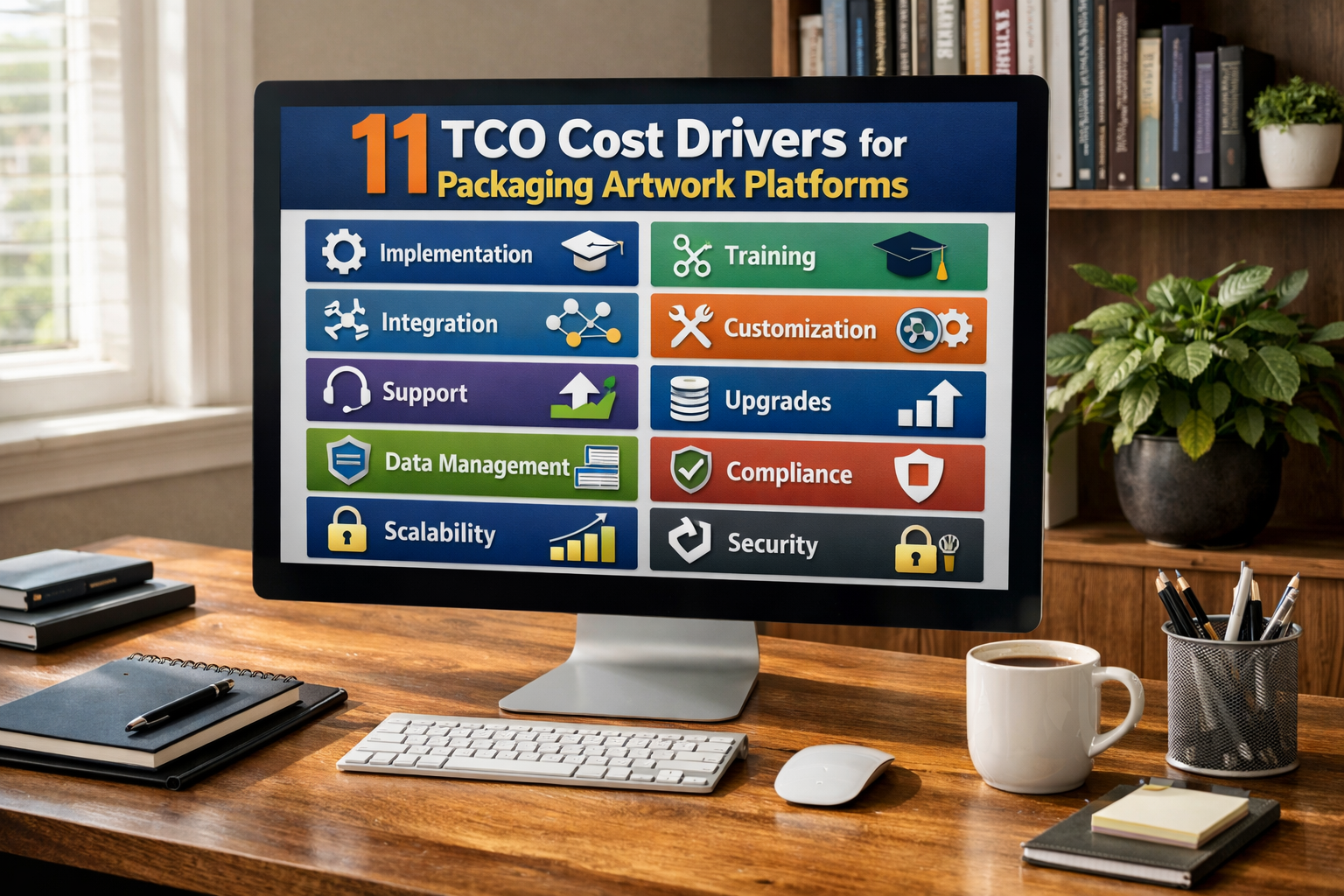
  • Calculating TCO means accounting for implementation, training, integrations, and ongoing support—not just license fees.

What Is Vendor Due Diligence for Packaging Artwork Platforms?

Vendor due diligence is the process of evaluating a software provider before you commit. For packaging artwork platforms, this means verifying that the tool matches your workflow requirements, regulatory environment, and budget constraints.

Unlike generic software selection, artwork platform due diligence focuses on packaging-specific criteria. You need to confirm the platform handles multilingual variants, manages high SKU counts, and supports the approval chains your regulatory and marketing teams require.

A thorough evaluation also uncovers risks. Can the vendor meet your data security standards? Will the implementation timeline fit your launch schedule? Does the contract lock you into unfavorable terms? Answering these questions upfront saves you from expensive corrections later.

Why Generic Evaluation Frameworks Fall Short

Standard SaaS evaluation checklists often miss packaging-specific requirements. They focus on general usability, uptime guarantees, and feature breadth. However, they rarely address whether the platform can enforce sequential approval gates or maintain proof of compliance for regulatory audits.

Packaging artwork operations involve multiple stakeholders: brand managers, regulatory affairs specialists, quality assurance leads, external agencies, and printers. Each has different needs. A framework built for generic project management tools will not help you assess whether the platform keeps all these groups aligned.

How to Evaluate Approval Traceability in Artwork Platforms

Approval traceability refers to your ability to track every decision made on an artwork file. This includes who reviewed it, when they reviewed it, what comments they left, and whether they approved or rejected the version.

Strong traceability reduces risk. When a regulatory body asks how a specific claim ended up on a label, you can pull the approval record. When a printer asks why a file changed between versions, you have a documented answer. This audit trail protects your brand from liability.

Key Questions to Ask Vendors About Approval Traceability

During your evaluation, ask vendors to demonstrate approval traceability in a live or sandbox environment. Request that they walk you through a typical artwork revision cycle and show you exactly where each approval decision is logged.

Confirm whether the platform timestamps every action automatically. Ask if approvers can add comments that become part of the permanent record. Verify that the audit log cannot be edited or deleted by standard users—only administrators should have that access, if at all.

Traceability Checklist Items

Use these checkpoints when scoring vendors on approval traceability:

  • Does the platform log every approval, rejection, and comment with a timestamp and user ID?
  • Can you export the full approval history for a single artwork or an entire project?
  • Are annotations and markup preserved as part of the version record?
  • Can you configure role-based permissions to control who can approve at each stage?

Cway stores every approval decision, comment, and version change in a centralized audit log. You can export this history at any time, which makes regulatory reviews faster and less stressful.

What Does Audit Readiness Mean for Packaging Artwork?

Audit readiness describes your ability to respond quickly and accurately when internal or external auditors request documentation. For packaging artwork, this typically involves showing how a label reached its final approved state and proving that the correct stakeholders signed off.

In regulated industries like food, beverage, and pharmaceuticals, audit readiness is non-negotiable. You may face inspections from agencies that require full traceability of claims, allergens, and regulatory symbols. If your platform cannot produce this documentation, you risk compliance failures, fines, or product recalls.

Components of an Audit-Ready Artwork Platform

An audit-ready platform includes several key components. First, it maintains a complete version history for every artwork file, including drafts that were never approved. Second, it links each version to the specific brief or change request that triggered it.

Third, the platform enforces role-based access controls so you can demonstrate that only authorized personnel made decisions. Fourth, it allows you to export audit packages—bundles of files, comments, and approval logs—without requiring IT intervention.

Audit Readiness Checklist Items

Score vendors against these audit readiness criteria:

  • Does the platform maintain a full version history, including deleted or superseded files?
  • Can you generate an audit package for a single SKU that includes all related files and approval records?
  • Are access controls granular enough to separate view, edit, and approve permissions?
  • Does the platform log login attempts and permission changes for security audits?
  • Can you demonstrate compliance with data protection regulations relevant to your markets?

Platforms like Cway's approval workflow system keep audit trails intact from brief to print-ready file, giving you a single source of truth during inspections.

How to Calculate Total Cost of Ownership for Artwork Platforms

Total cost of ownership (TCO) includes all expenses associated with acquiring, implementing, operating, and eventually replacing a software platform. License fees are only part of the picture. You also need to account for implementation costs, data migration, training, integrations, and ongoing support.

Many buyers underestimate TCO because they focus on the quoted subscription price. However, hidden costs can accumulate quickly. If the platform requires extensive customization, you pay for professional services. If the user interface is difficult, you pay for longer training and slower adoption.

Direct Cost Drivers for Artwork Platforms

Direct costs are the expenses you can trace directly to the platform purchase. These include subscription or license fees, implementation and configuration charges, and any required hardware or infrastructure.

Ask vendors to break down their pricing model clearly. Some charge per user, others per project or per storage volume. Understanding the pricing structure helps you forecast costs as your usage grows.

Indirect Cost Drivers to Watch For

Indirect costs are harder to quantify but often exceed direct costs. They include the productivity lost during the transition period, the time your IT team spends maintaining integrations, and the opportunity cost of delayed product launches.

For example, if the new platform takes six months to implement instead of three, you absorb three extra months of parallel operations and delayed efficiency gains. If integrations with your product information management (PIM) or enterprise resource planning (ERP) systems require custom development, those costs add up.

TCO Checklist Items

Use these questions to build a realistic TCO estimate:

  • What is the total first-year cost, including implementation, training, and integrations?
  • How does pricing change as you add users, projects, or storage?
  • Are there fees for API access or custom integrations with your existing systems?
  • What is the typical implementation timeline, and what resources do you need to allocate internally?
  • Does the vendor charge for support tiers, and what response times are guaranteed at each level?
  • What are the contract terms for renewal, and are there price escalation clauses?

A detailed TCO analysis helps you compare vendors on equal footing, rather than being swayed by a lower headline price that hides future costs.

Why Workflow Fit Matters in FMCG Packaging Operations

Workflow fit describes how well the platform matches your existing processes—or how easily it can adapt to them. A platform with rigid workflows may force you to change how your teams operate, which creates resistance and slows adoption.

In FMCG packaging, workflows often involve multiple rounds of review, parallel approvals from different departments, and external collaboration with agencies and printers. If the platform cannot accommodate these patterns, you will end up building workarounds that undermine the value of the tool.

Mapping Your Current Workflow Before Evaluation

Before you evaluate vendors, document your current artwork workflow. Identify each step from brief creation to print release. Note who is responsible for each step, what decisions they make, and what handoffs occur.

This map becomes your reference during vendor demos. Ask vendors to show how their platform handles each step. Where the platform differs from your current process, assess whether that difference is an improvement or a complication.

Workflow Fit Checklist Items

Evaluate vendors against these workflow fit criteria:

  • Can you configure approval workflows to match your existing review stages?
  • Does the platform support parallel and sequential approvals?
  • Can external partners (agencies, printers) access the platform with limited permissions?
  • Does the platform integrate with your PIM, ERP, or digital asset management (DAM) systems?
  • Can you assign tasks, set deadlines, and send automated reminders?

Cway unifies artwork workflows, asset management, and approvals in one platform. You can invite external collaborators with controlled access, and track every task from a central dashboard.

How to Structure Your Vendor Evaluation Process

A structured evaluation process keeps your team aligned and ensures you compare vendors consistently. Start by defining your requirements, then build a scoring matrix that reflects your priorities. Finally, run pilot tests with shortlisted vendors before making a final decision.

Step 1: Define Your Requirements and Priorities

Gather input from all stakeholders who will use or be affected by the platform. This includes packaging managers, brand leads, regulatory specialists, IT administrators, and procurement. Each group will have different priorities.

Consolidate their input into a requirements document. Distinguish between must-have requirements (non-negotiable criteria) and nice-to-have features (desirable but not essential). This distinction helps you stay focused during demos and negotiations.

Step 2: Build a Scoring Matrix

Create a matrix that lists your evaluation criteria in rows and vendors in columns. Assign a weight to each criterion based on its importance. After each vendor demo or pilot, score the vendor on each criterion using a consistent scale (for example, 1 to 5).

Multiply each score by its weight and sum the weighted scores for each vendor. This approach gives you a quantitative basis for comparison, which helps you justify your decision to leadership.

Step 3: Run Pilot Tests with Real Data

Demos show you what the vendor wants you to see. Pilots show you how the platform performs with your actual data and workflows. Select a representative set of SKUs—including at least one complex multilingual pack—and run them through the platform end to end.

Measure how long each step takes, how many review rounds are needed, and how easily your team adapts. Document any friction points. After the pilot, survey participants to capture qualitative feedback.

Common Mistakes to Avoid During Artwork Platform Due Diligence

Even experienced buyers make mistakes during software evaluation. Recognizing common pitfalls helps you avoid them.

Focusing Only on Features Without Testing Usability

Feature lists can look impressive on paper, but they do not tell you how easy the platform is to use day to day. A platform with 100 features that nobody uses is less valuable than one with 20 features that become part of your daily routine.

Always test usability during pilots. Watch how quickly new users can complete basic tasks without training. If the learning curve is steep, factor that into your TCO and adoption timeline.

Skipping Reference Checks with Similar Organizations

Vendors will give you references, but you should also seek out customers on your own. Look for organizations with similar SKU volumes, regulatory requirements, and team structures. Ask them about implementation challenges, ongoing support quality, and any surprises after go-live.

Underestimating Integration Complexity

Most packaging operations rely on multiple systems: PIM for product data, ERP for inventory and orders, DAM for marketing assets, and sometimes separate compliance databases. If your new artwork platform does not integrate with these systems, you will spend time on duplicate data entry and risk inconsistencies.

During due diligence, map out your integration requirements and ask vendors to demonstrate existing connectors or API capabilities. Get clear answers about who is responsible for building and maintaining integrations.

What Questions Should You Ask During Vendor Demos?

Demos are your opportunity to probe beyond the feature list. Prepare specific questions that reveal how the platform handles edge cases and real-world scenarios.

Questions About Approval Workflows

Ask the vendor to show a scenario where an artwork is rejected at a late stage and needs to cycle back to design. How does the platform track this loop? Can you see who initiated the rejection and what comments triggered the change?

Also ask about deadline management. What happens when an approver misses their deadline? Can the platform send escalation notifications or reassign the task automatically?

Questions About Audit and Compliance

Request a live demonstration of exporting an audit package. Ask how long this takes for a single SKU versus an entire product line. Verify that the export includes all annotations, comments, and approval records—not just the final file.

Questions About Support and Roadmap

Ask about the vendor's support model. What are the response times for critical issues? Is support included in the subscription, or does it require an additional fee? Can you access support during your time zone's business hours?

Also ask about the product roadmap. How often does the vendor release updates? How do they gather customer feedback for feature prioritization? A vendor that listens to customers is more likely to address your evolving needs.

Conclusion: How to Use This Checklist to Select the Right Platform

Selecting a packaging artwork management platform is a significant decision. The platform you choose will shape how your team collaborates, how quickly you can launch products, and how confidently you can respond to audits.

This checklist gives you a structured approach. Start by defining your requirements across approval traceability, audit readiness, TCO, and workflow fit. Build a scoring matrix and weight each criterion according to your priorities. Run pilot tests with real data before making a final decision.

Cway offers a purpose-built platform for packaging artwork management, combining asset storage, approval workflows, and audit trails in one system. If you want to see how Cway handles the criteria in this checklist, explore our guide to packaging artwork platforms or request a demo tailored to your workflows.


FAQ