5 min read

6 packaging version control tactics that reduce approval cycle time

6 packaging version control tactics that reduce approval cycle time
Top 6 packaging version control tactics for faster KPIs
10:27

Every packaging team knows this scenario: a critical update gets delayed because someone approved the wrong file version. Cway helps packaging operations managers track artwork version control so you can cut approval cycles and hit your operational KPIs.

This guide breaks down nine practical tactics for artwork version control that directly impact cycle times. You'll find workflow automation strategies, metric tracking approaches, and process improvements you can implement right away.

Quick guide: 6 packaging version control tactics that improve KPIs

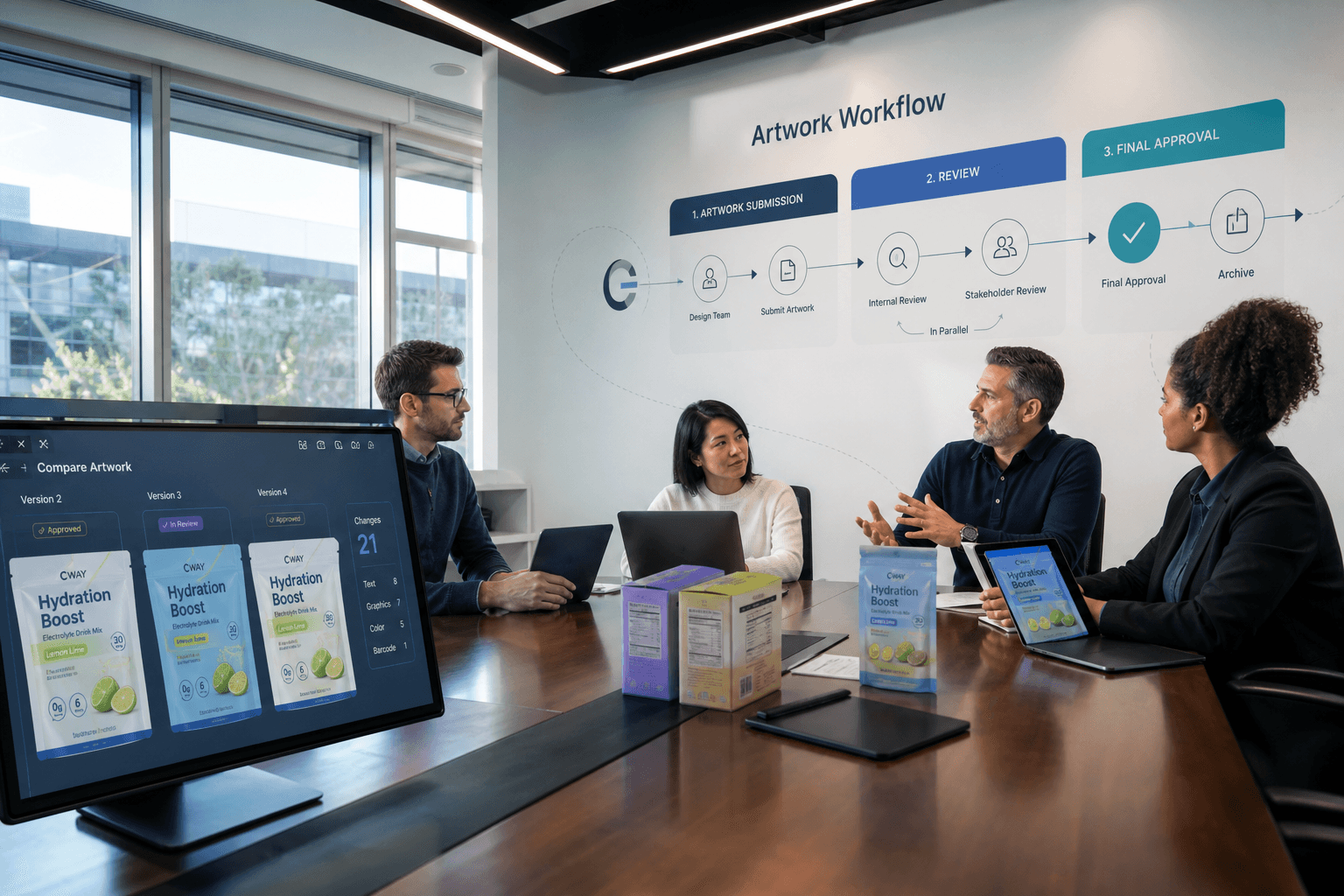
  1. Auto-versioning with visual comparison: Instantly see what changed between file versions without manual side-by-side checks
  2. Centralized media center: Store all artwork files in one searchable location with clear naming conventions
  3. Audit trail documentation: Record every change, approval, and comment for compliance reviews
  4. Parallel review workflows: Let multiple stakeholders review simultaneously instead of sequentially
  5. Version locking: Prevent edits to approved files while allowing controlled updates when needed
  6. Cycle time analytics: Track how long each approval stage takes and identify recurring delays

How we selected these version control tactics

These nine tactics come from analyzing what actually moves the needle on packaging KPIs. We focused on approaches that reduce manual coordination, eliminate file confusion, and give you measurable data on your approval process.

  • Direct KPI impact: Each tactic connects to specific metrics like cycle time, revision rounds, or error rates
  • Automation potential: Tactics that remove repetitive work from your team's daily routine
  • Scalability: Approaches that work whether you manage 50 SKUs or 5,000
  • Audit readiness: Built-in documentation that supports regulatory and brand compliance
  • Cross-team collaboration: Methods that bridge packaging, regulatory, and marketing workflows
  • Implementation speed: Tactics you can activate quickly without major process overhauls

The 6 best packaging version control tactics for faster KPIs

1. Auto-versioning with visual comparison: The most effective tactic for reducing revision cycles

Manual version tracking fails when multiple stakeholders make overlapping edits. Auto-versioning captures every save as a new version automatically, so you never lose previous iterations or wonder which file is current.

Visual comparison tools let you see exactly what changed—pixel-level differences, text edits, and color shifts—without opening both files side by side. Cway delivers auto-versioning with visual comparison that highlights differences instantly, helping your team catch issues before they become expensive reprints.

This tactic cuts revision rounds by eliminating "what changed?" conversations. Reviewers can approve faster when they immediately understand the scope of each update.

Auto-versioning features

  • Automatic version capture: Every file update creates a new version with timestamp and contributor info, giving you a clear history without manual saves
  • Side-by-side comparison: View two versions simultaneously with differences highlighted, so reviewers focus on changes rather than hunting for them
  • Pixel-level difference detection: Identify subtle changes in graphics, colors, or positioning that human eyes might miss during quick reviews
  • Version notes and tagging: Add context to each version explaining what changed and why, creating a reference log for future updates

2. Centralized assets center: A practical approach for teams managing high SKU counts

When artwork files live across multiple locations, finding the right version wastes hours every week. A centralized media center puts all your files in one searchable library with metadata, tags, and folder structures that match how your team actually works.

Cway's Brand Studio 360 stores artwork files with full preview support, so you can view PDFs, Illustrator files, and multi-layer graphics without downloading them first. Search by product name, market, or status to find what you need in seconds.

Brand Studio 360 features

  • Universal search: Find files by metadata, tags, text content, or visual similarity
  • Preview without download: View complex artwork files directly in your browser
  • Access controls: Set permissions by role so external partners only see relevant files

3. Audit trail documentation: An essential tactic for regulated industries

Regulatory audits require proof of who approved what and when. Automatic audit trails capture every action—comments, approvals, rejections, and edits—without anyone needing to log activities manually.

Cway's audit trails store every approval decision with timestamps and user identification, meeting pharmaceutical-level control requirements for FMCG packaging teams.

Audit trail features

  • Complete activity logs: Every action recorded with timestamp and user
  • Comment archiving: Review feedback preserved even after resolution
  • Export capabilities: Generate reports for external audits

4. Parallel review workflows: A faster approach for multi-stakeholder approvals

Sequential reviews—where each person waits for the previous reviewer—extend cycle times unnecessarily. Parallel workflows let regulatory, brand, and production teams review simultaneously.

When reviews happen in parallel, you can cut approval time dramatically. According to Specright's research on artwork management best practices, streamlined proofing processes significantly reduce review bottlenecks.

Parallel workflow features

  • Simultaneous reviews: Multiple stakeholders receive tasks at the same time
  • Conflict resolution: Tools to reconcile different feedback on the same file
  • Consolidated comments: All feedback appears in one view for designers

5. Version locking: A control mechanism for maintaining approval integrity

After final approval, files sometimes get edited accidentally or intentionally without going through review again. Version locking prevents changes to approved artwork while still allowing controlled updates when genuinely needed.

This protects the approval process integrity and ensures what gets printed matches what got approved. Cway's version control prevents unauthorized edits while giving authorized users clear pathways for legitimate updates.

Version locking features

  • Automatic lock on approval: Files become read-only when approved
  • Controlled unlock process: Updates require new approval cycle
  • Change reason documentation: Required notes explaining why edits are needed

6. Cycle time analytics: A measurement approach for continuous improvement

You can't improve what you don't measure. Cycle time analytics track how long each approval stage takes, which reviewers create delays, and which project types move fastest.

Cway's built-in analytics track cycle times and identify bottlenecks across your packaging workflow, giving operations managers the data they need to make process improvements.

Cycle time analytics features

  • Stage-by-stage timing: See where time gets spent in your workflow
  • Reviewer performance data: Identify capacity issues or training needs
  • Trend reporting: Track improvements over time

Comparison table: Packaging version control tactics and KPI impact

Tactic Cycle Time Reduction Error Prevention Audit Readiness
Auto-versioning with visual comparison
Centralized media center
Audit trail documentation
Parallel review workflows
Version locking
Cycle time analytics

How do you measure artwork version control effectiveness?

Tracking the right metrics tells you whether your version control tactics actually improve outcomes. Focus on indicators that connect directly to business results rather than vanity metrics.

Start with approval cycle time—the total days from artwork submission to final sign-off. Break this down by stage to see where delays concentrate. Most teams find specific bottleneck points that account for the majority of delay.

Monitor revision rounds per project. High revision counts often indicate unclear briefing, poor version comparison tools, or stakeholder miscommunication. Cway helps you track revision frequency and identify patterns that drive rework.

Track error escape rate—how often artwork issues reach print production. This directly impacts reprint costs and launch delays. Automated compliance checks reduce this metric by catching problems earlier.

What causes packaging artwork version control to fail?

Version control breaks down when files exist in multiple locations without clear ownership. When reviewers work from personal copies rather than a central system, changes get lost and outdated versions get approved.

Another failure point: unclear naming conventions. When file names don't indicate version status, date, or approval state, teams waste time figuring out which file is current. Cway solves this by handling versioning automatically with clear visual indicators.

Process gaps also cause failures. If some updates bypass the approval workflow—even for "minor" changes—version control loses integrity. Every edit needs to flow through the same process, regardless of perceived urgency or scope.

Why Cway is the best artwork version control solution for packaging teams

Cway brings together the version control tactics that actually move packaging KPIs. Instead of bolting version tracking onto a generic tool, Cway builds it into every step of the artwork workflow—from file upload through final approval.

Auto-versioning with visual comparison means your team sees exactly what changed without manual file hunting. Most importantly, Cway tracks the metrics that matter. Built-in cycle time analytics show you where delays happen, so you can make targeted improvements rather than guessing. Teams using Cway report up to 70% faster approval cycles and 40% fewer revision rounds.

See how Cway helps packaging teams take control of artwork versioning and hit their operational KPIs consistently.


FAQ